
ARG
Assembling arg minecraft. scary
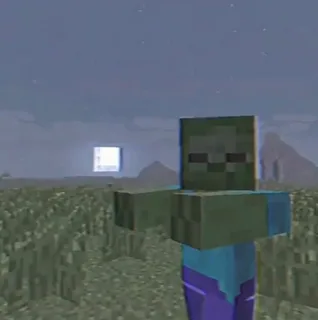
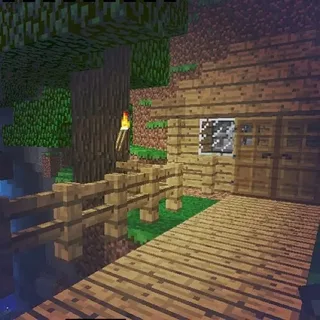
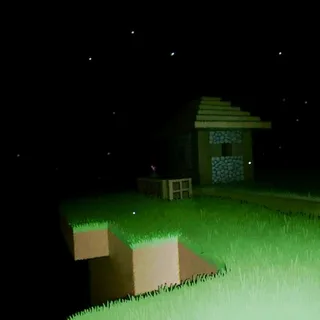
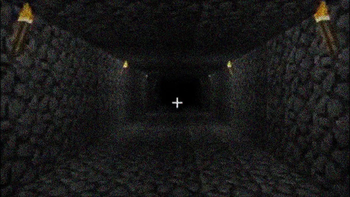
Screenshots

About this Modpack
Are you sure you're the only one in this world? The constant feeling that someone is there... Are you not alone?
Welcome to the Minecraft ARG build.
We present a unique collection of mods that will take you into the exciting worlds of popular ARG projects right in the game!
What awaits you:
• Atmospheric locations from famous ARG stories
• Unique items and blocks from the creators of the original
• New creatures and bosses
• Exciting gameplay
The build contains worlds of projects such as:
- null
- herobrine
- error
- Lucas
- and one more thing.
Each mod in the build is carefully selected and integrated to give you an unforgettable experience exploring mysterious stories right in Minecraft. All textures are provided by the official creators of the projects, which guarantees their authenticity and quality.
The build is aimed at immersing you in the old versions of minecraft and feeling the fear of these versions.
There are less than 100 mods in the build, so you obviously won't lag. I also advise you to play with the resource pack for old textures, it will add more atmosphere.
Spoiler
There are screamers, loud noises, various entities in the build, you are not alone. I strongly recommend that you be careful, and remember: if you see an error, never look at them directly.
The assembly can also:
- The assembly can recognize your IP address
- The assembly can find your location
- May ask you to turn on the camera
- Create files on the desktop
- Change the wallpaper
- The window.Shake
- error.null has been deleted
- error.java.exepations has been fixed.
!Attention!
Assembly can break your worlds! I AM NOT RESPONSIBLE FOR THIS.
To prevent an eternal ban in your world, write the command /tbs_config
If the ban still occurred, then delete the entities folder in your world.
to remove the effects of vsh, write the command /tbs_config
The build contains horror elements and may not be recommended for players under 13 years of age.
Available Versions
How to Set Up a ARG Server
Order Server
Choose at least 4 GB RAM (6 GB recommended for ARG). Based on player count: per 5 players.
Install Modpack in Dashboard
Open the modpack browser in the dashboard, search for "ARG" and click "Install". The neoforge loader and Minecraft 1.21.1 are configured automatically.
Start Server & Play
Start the server – all mods are loaded automatically. Share the server IP with friends and play together!
Frequently Asked Questions
ARG server crashes or won't start – what to do?
Most common causes: insufficient RAM or wrong neoforge loader. Check latest.log for "OutOfMemoryError" → increase RAM to at least 6 GB. For "Mixin" or "ClassNotFoundException" errors: modpack version and loader don't match. With Mado Hosting, loader and Minecraft version are auto-configured on modpack install – preventing most startup issues.
How much RAM does a ARG server really need?
Minimum 4 GB, recommended 6 GB for stable performance. per 5 players. Important: Minecraft modpacks need more RAM than vanilla – plan extra per additional player. With Mado Hosting, you can scale RAM up live at any time without data loss (from €8/month).
Can I add custom mods to ARG without conflicts?
Yes, but check compatibility: only use mods for the same loader (neoforge) and same Minecraft version (1.21.1). Common issues: ID conflicts with recipe mods and incompatible coremod versions. The Mado dashboard mod browser only shows compatible mods and warns about known conflicts.
ARG server lagging – performance tips
1) Increase RAM to 6 GB+. 2) Reduce server view-distance to 8 (server.properties). 3) Pre-generate chunks with the "Chunky" plugin. 4) Use /spark profiler to check which mods consume the most tick time. With Mado Hosting, all servers run on NVMe SSDs with dedicated CPU cores – eliminating hardware as a bottleneck.
Similar Modpacks

![COBBLEVERSE - Pokemon Adventure [Cobblemon]](https://cdn.modrinth.com/data/Jkb29YJU/581ecf54530972afb18a04660afd820f2f24f6c7.png)




Rent ARG Server
Start your own server with automatic modpack installation.
Details
- License
- BSD 3-Clause "New" or "Revised" License
- Server-side
- Required
- Client-side
- Required