
Argon
A performance and enhancement mod that will not only make Minecraft lightning-fast, but a little nicer with features like 3d skin layers, and falling leaves from trees!
Screenshots
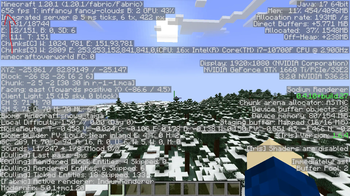
About this Modpack
Argon is a modpack designed to take the vanilla Minceraft we all love, and expand upon it to make it a more enjoyable, seamless experience! It gives you cool features, while remaining multiplayer-friendly. You could go from having a public LAN game to playing your favorite server with high FPS to ensure you're bed-smashing skills are not interrupted by frame drops. It also includes other small features such as 3D skin layers, sound physics to add echoes in caves and noise muffling through walls, and custom capes. When you put all of these (and more!) together you get a great enhancement to your Minecraft experience!
Notable Features
- Overall better performance to the vanilla game.
- Completely compatable on vanilla servers. You can join basically any standard server without issue.
- Built in Simple Voice Chat and distant horizons. These two mods are absolutely the gold standard for fun. In single player distant horizons works automatically. (I would reccomend configuring it to your setup for better performance/visuals.) On a server, if it has either of these mods installed, you'll automatically gain the benefits without having to set it up yourself! This is great if your friends already play with either of these mods and you want to enjoy the benefits as well!
- Small visual tweaks. The UI has been overhauled, and certain blocks and items have been enhanced for a more pleasing experience. Don't like it? Check out your resource packs folder to see what can be added or disabled! (There are more packs than enabled by default!)
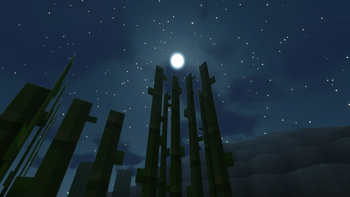
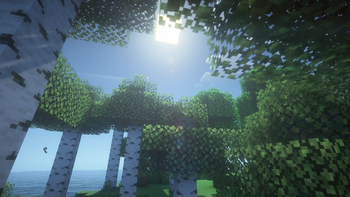
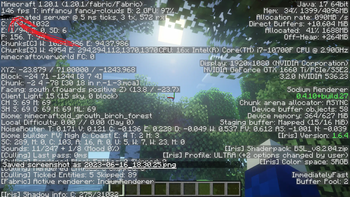
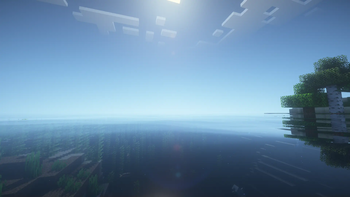
- Built-in shaders. Iris shaders is used for rendering, and many popular shaders with different vibes, graphics, and performance levels have been included! Try playing around to see what you like best and what runs the smoothest for you!
- The Capes mod has been included to allow full custom cape support from many popular providers, or the default cape system. Check out the mod page for Capes for full documentation.
UPDATE! 😁
I have brought Argon to Minecraft 1.21.11! This means some old mods had to be retired, but new ones were added! I also tweaked mods to be more cooperative with normal vanilla mechanics. Overall, you should have a smoother expierience with no decrease in performance to the previous version! (Hopefully, even better performance!) This new version is much more polished, and includes a bunch of shaders and resource packs by default! Everything should also be preconfigured to give you a strong out-of-the-box experience but can be easily configured to your desires! I hope you enjoy!!! 💗
Available Versions
How to Set Up a Argon Server
Order Server
Choose at least 4 GB RAM (6 GB recommended for Argon). Based on player count: per 5 players.
Install Modpack in Dashboard
Open the modpack browser in the dashboard, search for "Argon" and click "Install". The forge loader and Minecraft 1.21.11 are configured automatically.
Start Server & Play
Start the server – all mods are loaded automatically. Share the server IP with friends and play together!
Frequently Asked Questions
Argon server crashes or won't start – what to do?
Most common causes: insufficient RAM or wrong forge loader. Check latest.log for "OutOfMemoryError" → increase RAM to at least 6 GB. For "Mixin" or "ClassNotFoundException" errors: modpack version and loader don't match. With Mado Hosting, loader and Minecraft version are auto-configured on modpack install – preventing most startup issues.
How much RAM does a Argon server really need?
Minimum 4 GB, recommended 6 GB for stable performance. per 5 players. Important: Minecraft modpacks need more RAM than vanilla – plan extra per additional player. With Mado Hosting, you can scale RAM up live at any time without data loss (from €8/month).
Can I add custom mods to Argon without conflicts?
Yes, but check compatibility: only use mods for the same loader (forge) and same Minecraft version (1.21.11). Common issues: ID conflicts with recipe mods and incompatible coremod versions. The Mado dashboard mod browser only shows compatible mods and warns about known conflicts.
Argon server lagging – performance tips
1) Increase RAM to 6 GB+. 2) Reduce server view-distance to 8 (server.properties). 3) Pre-generate chunks with the "Chunky" plugin. 4) Use /spark profiler to check which mods consume the most tick time. With Mado Hosting, all servers run on NVMe SSDs with dedicated CPU cores – eliminating hardware as a bottleneck.
Similar Modpacks

![Cobblemon Official Modpack [Fabric]](https://cdn.modrinth.com/data/5FFgwNNP/e7f9ee2e9d361623847853fe2ddce42f519ee64f.png)
![COBBLEVERSE - Pokemon Adventure [Cobblemon]](https://cdn.modrinth.com/data/Jkb29YJU/581ecf54530972afb18a04660afd820f2f24f6c7.png)
![Better MC [FABRIC] - BMC2](https://cdn.modrinth.com/data/shFhR8Vx/a19c2bcb51d38f32f138d3607e91cb2b7b8e387f_96.webp)


Rent Argon Server
Start your own server with automatic modpack installation.
Supported Versions
Start your Argon Server now
From €8.00/month with 6 GB RAM for the best performance.
Configure Server →