
AshKiano MC stream pack
Modpack that I use on my YT streams
About this Modpack
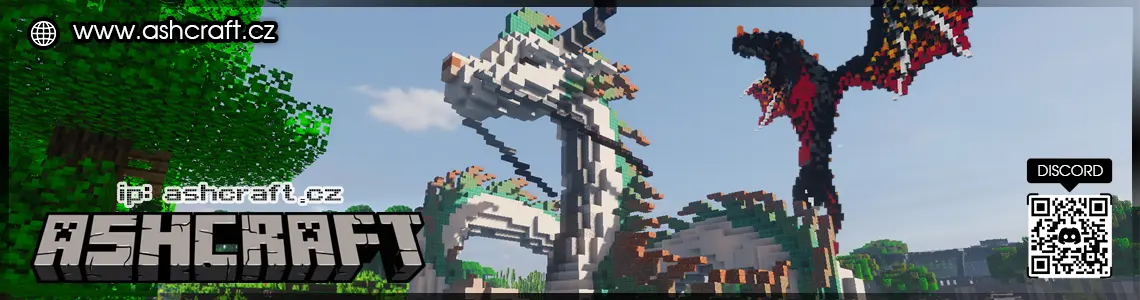
Modpack that I use on my YT live streams https://www.youtube.com/@ashkianomc
This modpack is the officially recommended client for playing on www.ashcraft.cz. It enhances your Minecraft experience with smoother performance, immersive visuals, and various quality-of-life improvements — all while keeping the vanilla gameplay feel intact.
Perfect for streamers, content creators, and survival enjoyers alike.
✨ Visual Enhancements & Immersion
Take your Minecraft visuals to the next level with shaders, improved animations, and beautiful environmental tweaks:
Iris Shaders + BSL Shaders – Advanced shader support with performance in mind.

Fresh Animations – Brings mobs to life with dynamic, more expressive animations (requires compatible resource pack).

3D Skin Layers – Adds depth and 3D detail to player skins.

3D Crops Revamped – Makes all crops fully 3D for a better farming look.

Falling Leaves – Immersive falling leaf particles from trees.

Entity Model Features & Entity Texture Features – Adds better models and texture support to entities.

LambDynamicLights – Real-time lighting from torches and other sources.

Sound Physics Remastered – Realistic sound propagation through blocks and open spaces.
⚙️ Performance Optimization
Built to run smoothly even on lower-end PCs while still looking great:
Sodium + Sodium Extra – Massive FPS boost and rendering optimizations.

Lithium – Improves game logic performance.

FerriteCore – Reduces memory usage (RAM optimization).

Entity Culling & More Culling – Prevents rendering entities the player cannot see.

Distant Horizons – Adds LOD chunk rendering for viewing far landscapes.

Clumps – Merges XP orbs to reduce lag.
🎮 Quality of Life Features
Enhance the way you interact with the game without breaking vanilla feel:
AppleSkin – Shows hunger saturation and food effects in HUD.

BetterF3 – Cleaner and more readable debug screen.

Mod Menu – Easily manage and view your installed mods.

Shulker Box Tooltip – Peek inside shulker boxes without opening them.

Chat Heads & More Chat History – Enhances the Minecraft chat experience.

No Chat Reports – Disables Mojang's chat reporting system.

Default Dark Mode – Adds a dark mode theme to the UI.
🧩 Enhanced Gameplay & Audio
Small improvements that add realism and smoothness to movement and sound:
Not Enough Animations – Adds immersive animations like running with a bow or holding shields properly.

Presence Footsteps – Realistic footstep sounds based on surface material.

Low On Fire – Minimizes on-screen fire for better visibility when burning.

Make Bubbles Pop – Adds bubble popping sounds underwater.

InvMove – Move around while keeping your inventory open.
🗺️ Minimap & Navigation Tools
Keep track of your surroundings with simple and useful map tools:
Xaero’s Minimap – In-game radar with waypoints and mob detection.

Xaero’s World Map – Full-screen map of all explored areas.

Packet Fixer – Fixes networking bugs for smoother server experience.
🧰 Core Libraries (Required by Other Mods)
Essential dependencies to make the modpack work properly:
Fabric API

Cloth Config API

Forge Config API Port

CreativeCore

Text Placeholder API
✅ Summary
This modpack strikes a balance between performance, visuals, and functionality, making it the perfect companion for playing on www.ashcraft.cz. Whether you're streaming, recording, or just enjoying a smooth survival experience, this setup has everything you need — with zero gameplay disruption and maximum immersion.
Available Versions
How to Set Up a AshKiano MC stream pack Server
Order Server
Choose at least 6 GB RAM (8 GB recommended for AshKiano MC stream pack). Based on player count: per 5 players.
Install Modpack in Dashboard
Open the modpack browser in the dashboard, search for "AshKiano MC stream pack" and click "Install". The fabric loader and Minecraft 1.21.8 are configured automatically.
Start Server & Play
Start the server – all mods are loaded automatically. Share the server IP with friends and play together!
Frequently Asked Questions
AshKiano MC stream pack server crashes or won't start – what to do?
Most common causes: insufficient RAM or wrong fabric loader. Check latest.log for "OutOfMemoryError" → increase RAM to at least 8 GB. For "Mixin" or "ClassNotFoundException" errors: modpack version and loader don't match. With Mado Hosting, loader and Minecraft version are auto-configured on modpack install – preventing most startup issues.
How much RAM does a AshKiano MC stream pack server really need?
Minimum 6 GB, recommended 8 GB for stable performance. per 5 players. Important: Minecraft modpacks need more RAM than vanilla – plan extra per additional player. With Mado Hosting, you can scale RAM up live at any time without data loss (from €12/month).
Can I add custom mods to AshKiano MC stream pack without conflicts?
Yes, but check compatibility: only use mods for the same loader (fabric) and same Minecraft version (1.21.8). Common issues: ID conflicts with recipe mods and incompatible coremod versions. The Mado dashboard mod browser only shows compatible mods and warns about known conflicts.
AshKiano MC stream pack server lagging – performance tips
1) Increase RAM to 8 GB+. 2) Reduce server view-distance to 8 (server.properties). 3) Pre-generate chunks with the "Chunky" plugin. 4) Use /spark profiler to check which mods consume the most tick time. With Mado Hosting, all servers run on NVMe SSDs with dedicated CPU cores – eliminating hardware as a bottleneck.
Rent AshKiano MC stream pack Server
Start your own server with automatic modpack installation.
Supported Versions
Start your AshKiano MC stream pack Server now
From €12.00/month with 8 GB RAM for the best performance.
Configure Server →