
Automation Of HBM's Nuclear Tech
This integrated package is a Tutorial for HBM Refer to Bilibili creators 瞳彩鹿454445
Screenshots
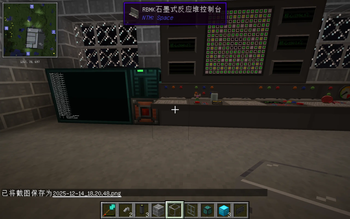
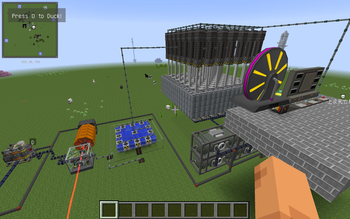
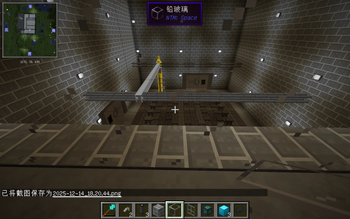
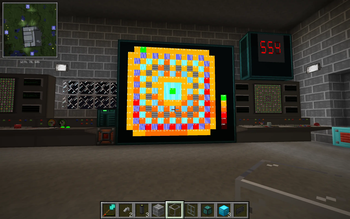
About this Modpack
This integrated package contains multiple mods that can automate the entire industrial process
The content of modpack:
1.mixinbootstraplegacy:Without this mod, PCL cannot start
https://www.curseforge.com/minecraft/mc-mods/mixinbootstraplegacy
2.Better Builders Wands:This mod can help you quickly build buildings and is very practical
https://modrinth.com/mod/better-builders-wands
3.Better Fps&Foamfix:These two are rare performance mods in older versions that can make your gaming experience smoother
https://www.curseforge.com/minecraft/mc-mods/betterfps
https://modrinth.com/mod/foamfix
4.Chicken Chunks:When you go mining or collecting food, you will leave the area where your machine is working, which may cause your machine to stop working. The block loader will avoid this and can keep the area where your machine is located from stopping
https://modrinth.com/mod/chicken-chunks
5.NotEnoughItems Unofficial:Don't say too much about this mod, it's similar to the higher versions of JEI and EMI
https://modrinth.com/mod/notenoughitems-unofficial
6.Not Enough Characters:This mod adds the capability to search Chinese characters with Pinyin in NEI.
https://www.curseforge.com/minecraft/mc-mods/not-enough-characters
7.CraftGuide:CraftGuide is a fairly simple in-game recipe viewer for Minecraft with the goal of being able to display a lot of information at once, and have some fairly simple ways to quickly navigate it.
https://www.curseforge.com/minecraft/mc-mods/craftguide
8.Deconstruction Table:This mod adds a new kind of Crafting Table to minecraft, but not just any table... A table that is able to "undo" the work of a regular Crafting table
https://www.curseforge.com/minecraft/mc-mods/deconstruction-table
9.EasyLAN:A Minecraft Forge Mod for Custom LAN Servers Related settings for customizing the LAN server
https://modrinth.com/mod/easylan
10.Ender IO:This is the core mod that automates your machine
https://www.curseforge.com/minecraft/mc-mods/ender-io
11.GraveStone Mod:Every time you die, a grave is placed at your position. To retrieve your items just break the grave. There is also a config option to get your items back by sneaking on the grave
https://www.curseforge.com/minecraft/mc-mods/gravestone-mod
12.NTM Space:This is the core gameplay of this mod pack
https://modrinth.com/mod/ntmspace
13.InputFix&InputMethodBlocker (Legacy):It will benifit the player which use Chinese
https://www.curseforge.com/minecraft/mc-mods/inputfix
https://modrinth.com/mod/inputmethodblocker
14.Iron Backpacks:https://www.curseforge.com/minecraft/mc-mods/iron-backpacks
15.Iron Chests:https://www.curseforge.com/minecraft/mc-mods/iron-chests
16.OpenComputers:This mod adds computers that can be programmed in Lua 5.2 and 5.3. Computers persist across saves (i.e. execution resumes where the computer was saved when it is loaded again), they are highly modular (there are graphics cards, network cards, redstone cards, ...). If a compatible power generating mod is present, by default they will need power to run - however, like pretty much everything else about the mod, this can be changed in the config.
https://modrinth.com/mod/opencomputers
17.SecurityCraft:https://modrinth.com/mod/security-craft
18.Waila:Waila (What Am I Looking At) is a UI improvement mod aimed at providing block information directly ingame, without the need of opening an UI.
https://www.curseforge.com/minecraft/mc-mods/waila
19.Xaero's World Map&Xaero's Minimap:
https://modrinth.com/mod/xaeros-world-map
https://modrinth.com/mod/xaeros-world-map
Available Versions
How to Set Up a Automation Of HBM's Nuclear Tech Server
Order Server
Choose at least 6 GB RAM (8 GB recommended for Automation Of HBM's Nuclear Tech). Based on player count: per 5 players.
Install Modpack in Dashboard
Open the modpack browser in the dashboard, search for "Automation Of HBM's Nuclear Tech" and click "Install". The forge loader and Minecraft 1.7.10 are configured automatically.
Start Server & Play
Start the server – all mods are loaded automatically. Share the server IP with friends and play together!
Frequently Asked Questions
Automation Of HBM's Nuclear Tech server crashes or won't start – what to do?
Most common causes: insufficient RAM or wrong forge loader. Check latest.log for "OutOfMemoryError" → increase RAM to at least 8 GB. For "Mixin" or "ClassNotFoundException" errors: modpack version and loader don't match. With Mado Hosting, loader and Minecraft version are auto-configured on modpack install – preventing most startup issues.
How much RAM does a Automation Of HBM's Nuclear Tech server really need?
Minimum 6 GB, recommended 8 GB for stable performance. per 5 players. Important: Minecraft modpacks need more RAM than vanilla – plan extra per additional player. With Mado Hosting, you can scale RAM up live at any time without data loss (from €12/month).
Can I add custom mods to Automation Of HBM's Nuclear Tech without conflicts?
Yes, but check compatibility: only use mods for the same loader (forge) and same Minecraft version (1.7.10). Common issues: ID conflicts with recipe mods and incompatible coremod versions. The Mado dashboard mod browser only shows compatible mods and warns about known conflicts.
Automation Of HBM's Nuclear Tech server lagging – performance tips
1) Increase RAM to 8 GB+. 2) Reduce server view-distance to 8 (server.properties). 3) Pre-generate chunks with the "Chunky" plugin. 4) Use /spark profiler to check which mods consume the most tick time. With Mado Hosting, all servers run on NVMe SSDs with dedicated CPU cores – eliminating hardware as a bottleneck.
Similar Modpacks


![Cobblemon Official Modpack [Fabric]](https://cdn.modrinth.com/data/5FFgwNNP/e7f9ee2e9d361623847853fe2ddce42f519ee64f.png)
![COBBLEVERSE - Pokemon Adventure [Cobblemon]](https://cdn.modrinth.com/data/Jkb29YJU/581ecf54530972afb18a04660afd820f2f24f6c7.png)
![Better MC [FABRIC] - BMC2](https://cdn.modrinth.com/data/shFhR8Vx/a19c2bcb51d38f32f138d3607e91cb2b7b8e387f_96.webp)

Rent Automation Of HBM's Nuclear Tech Server
Start your own server with automatic modpack installation.
Supported Versions
Start your Automation Of HBM's Nuclear Tech Server now
From €12.00/month with 8 GB RAM for the best performance.
Configure Server →