Autumn's tail 1
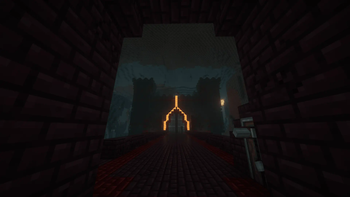
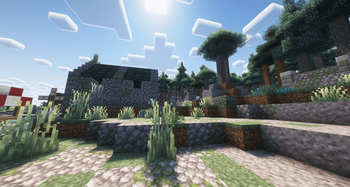
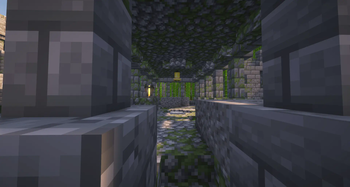
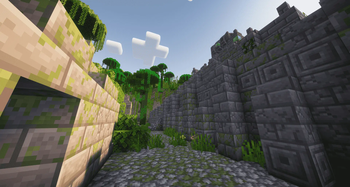
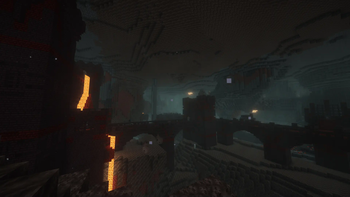
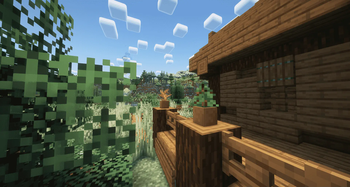
A create and origins based mod-pack with adventure, beautiful scenery, and a lot of mobs to befriend and meet!
Screenshots
About this Modpack
Autumn's tail 1
To have quests you must install the following mods:
- FTB Quests
- FTB Library
- FTB Teams
- FTB XMod compat
- FTB Chunks
After that you will be recieving all the latest quests with every update to the pack.
Autumn's tail is a project made by me and my partner with the help of countless alpha testers.
It is a pack that focuses on the evolution of tech starting from the basics of forging and create then ending with nuclear power and mass industrialization!
But there is a twist, another main element of this modpack is the mod origins and how it changes the way the game goes from little changes like mining slower to drastic ones like never going out in the sun.
Explore the vast beautiful world made to entertain you for hours and hours with countless mobs and challenges to face. Find ways to learn magic and use this magic to however you wish even if its for some funny little pranks with your friends.
If you are interested to beta test the latest features before they come to the public If you want to give feedback, ideas or any form help then don't hesitate to join my discord server where you will be warmly welcomed!
Future updates + To do list:
- Add more bosses and dungeouns
- Finish the questlines
- Rework some mobs to make them harder
Non of the mods, additions, or buildings have been made by me. Those were created by amazing talented people that deserve all the credit in the world so if you would like to support a specific mod or resourcepack please head to their page and support them directly. I have just collected the mods and ensured they all work together in a pleasent way for the player to have a nice experience.
Available Versions
How to Set Up a Autumn's tail 1 Server
Order Server
Choose at least 6 GB RAM (8 GB recommended for Autumn's tail 1). Based on player count: per 5 players.
Install Modpack in Dashboard
Open the modpack browser in the dashboard, search for "Autumn's tail 1" and click "Install". The fabric loader and Minecraft 1.20.1 are configured automatically.
Start Server & Play
Start the server – all mods are loaded automatically. Share the server IP with friends and play together!
Frequently Asked Questions
Autumn's tail 1 server crashes or won't start – what to do?
Most common causes: insufficient RAM or wrong fabric loader. Check latest.log for "OutOfMemoryError" → increase RAM to at least 8 GB. For "Mixin" or "ClassNotFoundException" errors: modpack version and loader don't match. With Mado Hosting, loader and Minecraft version are auto-configured on modpack install – preventing most startup issues.
How much RAM does a Autumn's tail 1 server really need?
Minimum 6 GB, recommended 8 GB for stable performance. per 5 players. Important: Minecraft modpacks need more RAM than vanilla – plan extra per additional player. With Mado Hosting, you can scale RAM up live at any time without data loss (from €12/month).
Can I add custom mods to Autumn's tail 1 without conflicts?
Yes, but check compatibility: only use mods for the same loader (fabric) and same Minecraft version (1.20.1). Common issues: ID conflicts with recipe mods and incompatible coremod versions. The Mado dashboard mod browser only shows compatible mods and warns about known conflicts.
Autumn's tail 1 server lagging – performance tips
1) Increase RAM to 8 GB+. 2) Reduce server view-distance to 8 (server.properties). 3) Pre-generate chunks with the "Chunky" plugin. 4) Use /spark profiler to check which mods consume the most tick time. With Mado Hosting, all servers run on NVMe SSDs with dedicated CPU cores – eliminating hardware as a bottleneck.
Similar Modpacks

![Cobblemon Official Modpack [Fabric]](https://cdn.modrinth.com/data/5FFgwNNP/e7f9ee2e9d361623847853fe2ddce42f519ee64f.png)
![COBBLEVERSE - Pokemon Adventure [Cobblemon]](https://cdn.modrinth.com/data/Jkb29YJU/581ecf54530972afb18a04660afd820f2f24f6c7.png)
![Better MC [FABRIC] - BMC2](https://cdn.modrinth.com/data/shFhR8Vx/a19c2bcb51d38f32f138d3607e91cb2b7b8e387f_96.webp)


Rent Autumn's tail 1 Server
Start your own server with automatic modpack installation.
Details
- License
- Creative Commons Attribution Non Commercial Share Alike 4.0 International
- Server-side
- Required
- Client-side
- Required
Supported Versions
Start your Autumn's tail 1 Server now
From €12.00/month with 8 GB RAM for the best performance.
Configure Server →