
Axis Modpack
Axis Modpack improves performance adds new adventures advanced gear fast travel and immersive gameplay for a richer Minecraft experience
Screenshots
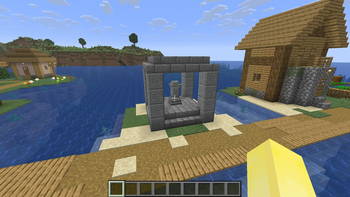
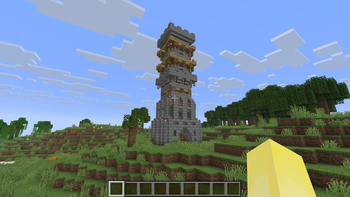
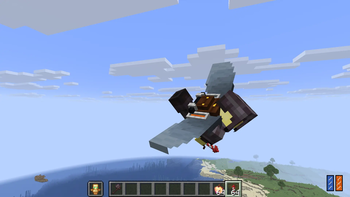
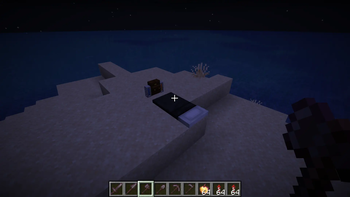
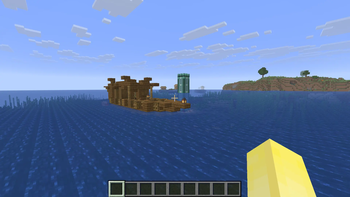
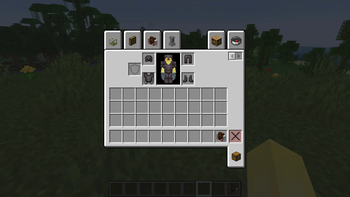
About this Modpack
🇸🇦 العربي:
Axis Modpack يقدم تجربة لعب متكاملة على Minecraft تجمع بين الأداء العالي والمغامرات الغنية والمحتوى الإضافي المبتكر. يركز على تحسين معدل الإطارات وتقليل التأخير، ويوفر أدوات ومعدات متقدمة، حقيبة شخصية موسعة، وجناح قابل للارتداء للحركة بحرية. ستجد أبراج محصنة ومواقع جديدة مليئة بالتحديات، وغنائم متنوعة، بالإضافة إلى إمكانية السفر السريع بين المناطق. كما يحسن الرسوميات والإضاءة، ويضيف مؤثرات صوتية وحركية تجعل العالم أكثر حيوية. يوفر أيضًا تخصيصًا واسعًا للشخصية، قدرات سحرية متقدمة، وأوامر تسهيلية لتجربة لعب سلسة ومريحة.
🇬🇧 English (UK):
Axis Modpack delivers a complete Minecraft experience combining high performance with rich adventures and innovative additional content. It focuses on boosting FPS and reducing lag, while providing advanced tools and gear, expanded personal inventory, and wearable wings for freedom of movement. Explore new dungeons and challenging locations filled with loot, and travel quickly between areas. The modpack also enhances graphics and lighting, adds immersive sound and animation effects, and brings the world to life. It offers extensive character customization, advanced magical abilities, and convenient commands for a smooth, enjoyable gameplay experience.
🇯🇵 日本語:
Axis Modpackは、Minecraftでの完全なゲーム体験を提供し、高パフォーマンスと豊富な冒険、革新的な追加コンテンツを組み合わせています。FPSを向上させ、ラグを減らすことに重点を置き、高度なツールや装備、拡張された個人インベントリ、自由な移動のための装着可能な翼を提供します。新しいダンジョンや挑戦的な場所を探索し、戦利品を集め、エリア間を素早く移動できます。さらに、グラフィックとライティングを強化し、没入型の音響とアニメーション効果で世界を生き生きとさせます。キャラクターのカスタマイズ、魔法能力の強化、便利なコマンドも用意され、スムーズで楽しいゲームプレイ体験を提供します。
Available Versions
How to Set Up a Axis Modpack Server
Order Server
Choose at least 6 GB RAM (8 GB recommended for Axis Modpack). Based on player count: per 5 players.
Install Modpack in Dashboard
Open the modpack browser in the dashboard, search for "Axis Modpack" and click "Install". The fabric loader and Minecraft 1.21.11 are configured automatically.
Start Server & Play
Start the server – all mods are loaded automatically. Share the server IP with friends and play together!
Frequently Asked Questions
Axis Modpack server crashes or won't start – what to do?
Most common causes: insufficient RAM or wrong fabric loader. Check latest.log for "OutOfMemoryError" → increase RAM to at least 8 GB. For "Mixin" or "ClassNotFoundException" errors: modpack version and loader don't match. With Mado Hosting, loader and Minecraft version are auto-configured on modpack install – preventing most startup issues.
How much RAM does a Axis Modpack server really need?
Minimum 6 GB, recommended 8 GB for stable performance. per 5 players. Important: Minecraft modpacks need more RAM than vanilla – plan extra per additional player. With Mado Hosting, you can scale RAM up live at any time without data loss (from €12/month).
Can I add custom mods to Axis Modpack without conflicts?
Yes, but check compatibility: only use mods for the same loader (fabric) and same Minecraft version (1.21.11). Common issues: ID conflicts with recipe mods and incompatible coremod versions. The Mado dashboard mod browser only shows compatible mods and warns about known conflicts.
Axis Modpack server lagging – performance tips
1) Increase RAM to 8 GB+. 2) Reduce server view-distance to 8 (server.properties). 3) Pre-generate chunks with the "Chunky" plugin. 4) Use /spark profiler to check which mods consume the most tick time. With Mado Hosting, all servers run on NVMe SSDs with dedicated CPU cores – eliminating hardware as a bottleneck.
Similar Modpacks
![Cobblemon Official Modpack [Fabric]](https://cdn.modrinth.com/data/5FFgwNNP/e7f9ee2e9d361623847853fe2ddce42f519ee64f.png)
![COBBLEVERSE - Pokemon Adventure [Cobblemon]](https://cdn.modrinth.com/data/Jkb29YJU/581ecf54530972afb18a04660afd820f2f24f6c7.png)
![Better MC [FABRIC] - BMC2](https://cdn.modrinth.com/data/shFhR8Vx/a19c2bcb51d38f32f138d3607e91cb2b7b8e387f_96.webp)


![Better MC [FORGE] - BMC4](https://cdn.modrinth.com/data/4BV47HRn/7f5ef7cc61b2593609aabef3ed07a866a4f11b73_96.webp)
Rent Axis Modpack Server
Start your own server with automatic modpack installation.
Supported Versions
Start your Axis Modpack Server now
From €12.00/month with 8 GB RAM for the best performance.
Configure Server →