
baerchen201's modpack
Vanilla Minecraft with some client-side improvements
Screenshots
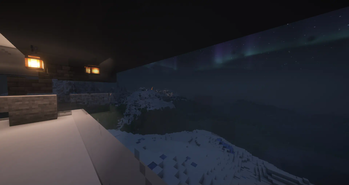
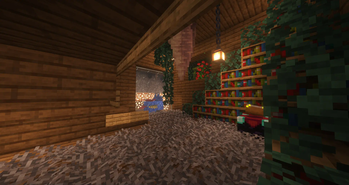
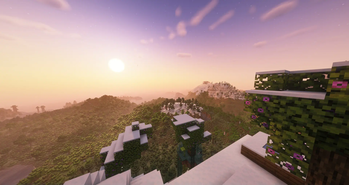

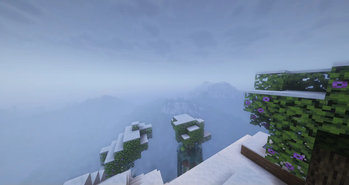
About this Modpack
This is an updated version of my modpack.
I usually put together an update (recreate the entire pack) every couple releases of Minecraft.
Features:
Performance mods
Mods that make the Game run better and smoother, even on lower-end devices
Convinience/QoL mods
Mods that improve the general playing experience, like adding player heads and timestamps to the chat, displaying all available recipies and mouse tweaks in the inventory
Graphical improvements
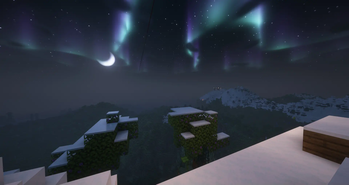
Mods & Resourcepacks that make the game look better while still retaining the familiar vanilla look. This includes a configured shader, connected textures (not just for glass) and a bunch of particles
Sound improvements
Mods & Soundpacks that improve on the boring silence of vanilla. They add ambient sounds, various footstep sounds and realistic echo & sound physics. No voice chat mod is included
The modpack is configured for an average PC. If you use an older computer or a laptop, please consider lowering the graphics settings, as well as turning off the shader.
Important hotkeys (might vary slightly depending on your keyboard layout, i use qwertz):
- R - Toggle shader (please unbind this in the Controls settings if you don't have a powerful PC, it is quite easy to hit accidentally)
- N - Show Waypoints (Journeymap)
- M - Show Fullscreen map (Journeymap)
- C - Zoom (While zoomed in, scrolling changes the zoom amount)
- Alt + [1-9] - Load saved hotbar (Creative mode)
- AltGr + [1-9] - Save hotbar (Creative mode)
- F3 + A - Reload chunks (this might help if the chunks aren't loading correctly)
All screenshots were taken on a private server (vanilla) with shader and distant horizons.
Full quality versions can be found here.
Available Versions
How to Set Up a baerchen201's modpack Server
Order Server
Choose at least 4 GB RAM (6 GB recommended for baerchen201's modpack). Based on player count: per 8 players.
Install Modpack in Dashboard
Open the modpack browser in the dashboard, search for "baerchen201's modpack" and click "Install". The fabric loader and Minecraft 1.21.1 are configured automatically.
Start Server & Play
Start the server – all mods are loaded automatically. Share the server IP with friends and play together!
Frequently Asked Questions
baerchen201's modpack server crashes or won't start – what to do?
Most common causes: insufficient RAM or wrong fabric loader. Check latest.log for "OutOfMemoryError" → increase RAM to at least 6 GB. For "Mixin" or "ClassNotFoundException" errors: modpack version and loader don't match. With Mado Hosting, loader and Minecraft version are auto-configured on modpack install – preventing most startup issues.
How much RAM does a baerchen201's modpack server really need?
Minimum 4 GB, recommended 6 GB for stable performance. per 8 players. Important: Minecraft modpacks need more RAM than vanilla – plan extra per additional player. With Mado Hosting, you can scale RAM up live at any time without data loss (from €8/month).
Can I add custom mods to baerchen201's modpack without conflicts?
Yes, but check compatibility: only use mods for the same loader (fabric) and same Minecraft version (1.21.1). Common issues: ID conflicts with recipe mods and incompatible coremod versions. The Mado dashboard mod browser only shows compatible mods and warns about known conflicts.
baerchen201's modpack server lagging – performance tips
1) Increase RAM to 6 GB+. 2) Reduce server view-distance to 8 (server.properties). 3) Pre-generate chunks with the "Chunky" plugin. 4) Use /spark profiler to check which mods consume the most tick time. With Mado Hosting, all servers run on NVMe SSDs with dedicated CPU cores – eliminating hardware as a bottleneck.
Rent baerchen201's modpack Server
Start your own server with automatic modpack installation.
Supported Versions
Start your baerchen201's modpack Server now
From €8.00/month with 6 GB RAM for the best performance.
Configure Server →