
BananaMC
Vanilla modpack focused on performance, minimalism, and beautiful animations like Actions & Stuff
Screenshots
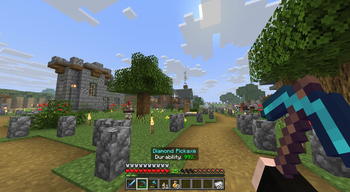
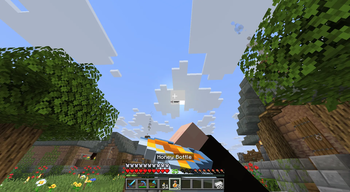
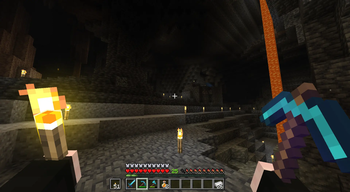
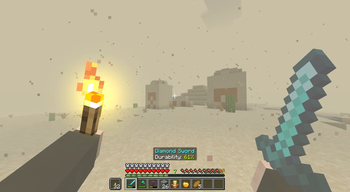
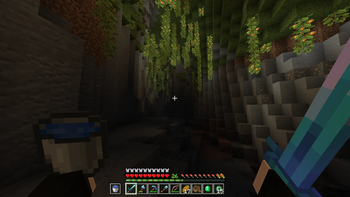
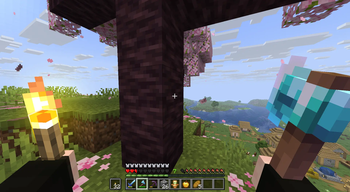
About this Modpack

🍌 Banana MC
Modern • Smooth • Cinematic • Optimized
Carefully crafted Fabric client modpack for the best visual & gameplay experience.
ㅤㅤ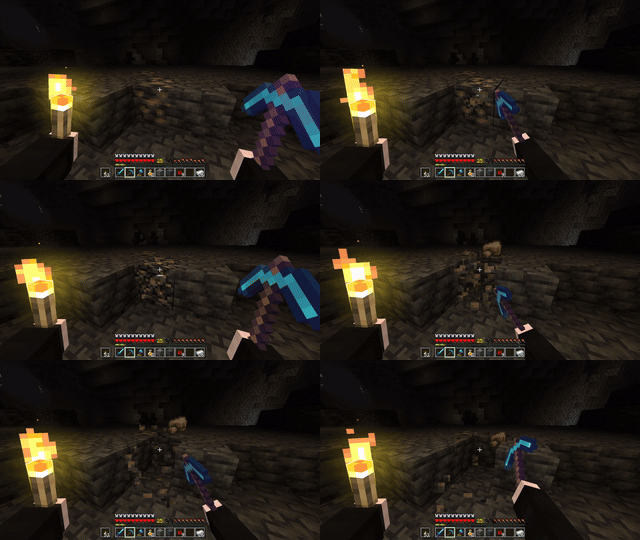
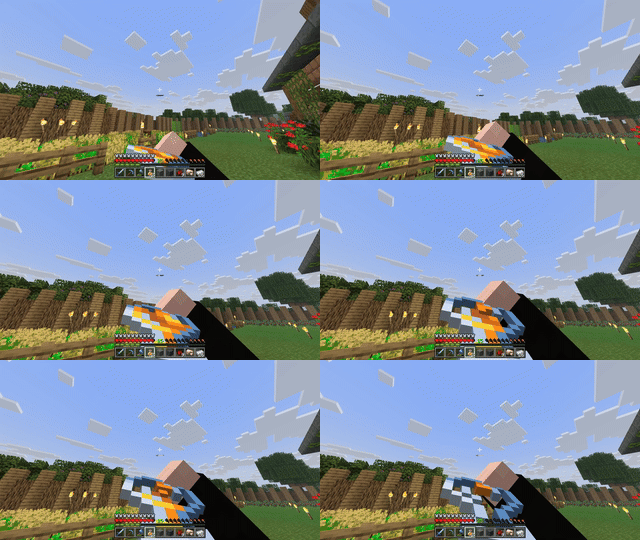
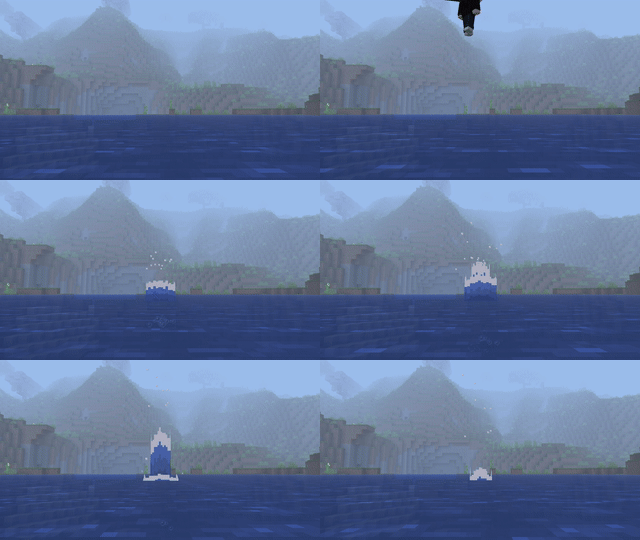
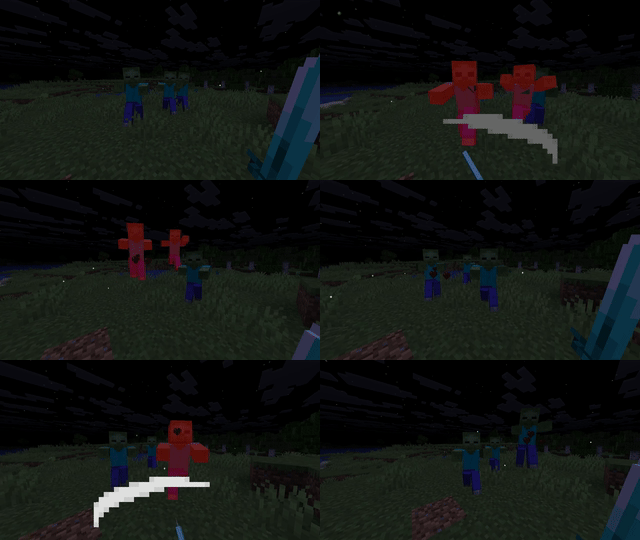
Banana MC is a modern Fabric modpack that combines smooth performance, cinematic animations, and immersive visuals.
It brings together powerful optimization mods with enhanced UI, dynamic lighting, shaders, and quality-of-life improvements.
Perfect for survival, content creation, and delivering beautiful gameplay even on low to mid-range PCs. 🍌
🎯 Goal of the Pack
Banana MC focuses on:
- Smoothness
- Beautiful visuals
- Clean and minimal interface
✨ Features
🎥 Cinematic Animations
- Fresh player animations
- Better third person camera
- Enhanced attack indicator
- Immersive movement & physics
- Smooth swaps & scrolling
🌧️ Immersion & Atmosphere
- Dynamic weather & storms
- Realistic sounds & footsteps
- Smooth skies & improved skybox
- Particle interactions & effects
- Ambient rain improvements
⚡ Performance Optimized
- Sodium + Lithium + FerriteCore
- Entity & particle culling
- ImmediatelyFast & Exordium
- Async resource loading
- Clean F3 & optimized debugging
🖥️ UI & Quality of Life
- Clean & compact chat
- Better HUD elements
- Status effect bars
- Shulker tooltips
- Inventory particles
- Map in slot
- Zoom & dynamic lights
🎨 Resource Packs
Click to expand
- Fresh Animations
- Fresh Moves
- Hold My Tasty Items
- Happy Ghast old pixel resolution
- R&V Torches
- Trusty Tools (optional)
🌅 Shaders
Click to expand
- Complementary Reimagined
With Euphoria Patches
📦 Included Mods
Click to expand
- Allow Portal GUIs by Wojciech Paruch
- Anvian's Lib by anvian
- AppleSkin by squeek502
- Architectury by shedaniel
- Armor Trim Item Fix by MincraftEinstein
- Async Pack Scan by JFronny
- Axiom by Moulberry
- Bedrock Hotbar by Bizarre Cube
- Better Mount HUD by Lortseam
- Better Saved Hotbars by LukynkaCZE
- Better Third Person by Socolio
- Boat Item View by 50ap5ud5
- Bobby by johni0702
- Borderless Fullscreen by Me!
- CameraOverhaul by Mirsario
- Chat Signing Hider by Max Henkel
- Chunks Fade In by kerudion (koteinik)
- Clean F3 by tyrannus
- ClickThrough Plus by cassiancc
- ClientSort by NotRyken
- Cloth Config v19 by shedaniel
- Compact Chat by Caoimhe Byrne
- Continuity by PepperCode1
- CoolRain by Jaiz, NeoForge Port and Coding Help:, Leclowndu93150
- CrashFixer
- CreativeCore by CreativeMD, AriaFreeze
- Debug Keys Everywhere by Enchanted_Games
- Draggable Lists by MrMelon54
- Drip Sounds by PieKing1215
- Dynamic Brightness by Socolio, DreenDex
- Elytra Physics by ImJoshh_
- Enhanced Attack Indicator by Minenash
- EnhancedTooltips by UltimatChamp, yanggx98
- Entity Model Features by Traben
- Entity Texture Features by Traben
- EntityCulling by tr7zw
- Euphoria Patcher by SpacEagle17
- Exordium by tr7zw, katietheqt
- Fabric API by FabricMC
- Fabric Language Kotlin by FabricMC
- Fabrishot by ramidzkh
- FancyMenu by Keksuccino
- FastQuit by contaria
- FerriteCore by malte0811
- Fix Keyboard on Linux by ishland
- Flashback by Moulberry
- Fog by IMB11, Steveplays
- Forge Config API Port by Fuzs
- GPU Tape by Mr.Toad
- Hold My Items by sapling.
- ImmediatelyFast by RK_01
- Immersive Storms by TheDeathlyCow
- Inventory Interactions by LopyMine kovrik337
- Inventory Particles by LopyMine kovrik337
- Iris by coderbot, IMS212, Justsnoopy30, FoundationGames
- Ixeris by decceㅤㅤㅤㅤㅤㅤㅤㅤㅤㅤㅤㅤㅤㅤㅤㅤㅤㅤㅤㅤㅤㅤㅤㅤㅤㅤㅤㅤㅤㅤ
- Konkrete by Keksuccino
- Ksyxis by VidTu
- LambDynamicLights by LambdAurora
- Language Reload by Jerozgen
- LegacyFreecam by o_orl
- LibJF by JFronny
- Litematica by masa
- Lithium by JellySquid, 2No2Name
- Longer Chat History by Golem
- M.R.U by IMB11 (mineblock11)
- MaLiLib by masa
- Map Distance Fix by mrerenk
- Map in Slot by Crec0, ella
- Melody by Keksuccino
- MidnightLib by Motschen
- Mining Quakes by Gaura
- MixinTrace reloaded by comp500, 1Influence
- Mod Menu by Prospector, haykam821, TerraformersMC
- Model Gap Fix by MehVahdJukaar
- More Culling by FX - PR0CESS, 1Foxy2
- MossyLib by LopyMine
- Mouse Tweaks by Ivan Molodetskikh (YaLTeR)
- My Totem Doll by LopyMine, KlashRaick
- Narrus Yeetus by TheEnderCore
- NotEnoughAnimations by tr7zw
- Noxesium by Noxcrew
- OctoLib by OctoStudios
- OptiGUI by opekope2
- Particle Effects by LopyMine, KlashRaick
- Particle Interactions by Enchanted_Games
- Particular Reforged by Leclowndu93150
- Perception by OctoStudios
- Placeholder API by Patbox
- Polytone by MehVahdJukaar
- Presence Footsteps by Hurricaaane (Ha3), Sollace
- Press2Hold by kwesou
- Puzzle by PuzzleMC, Motschen
- Reese's Sodium Options by FlashyReese
- Remove Reloading Screen by dima_dencep
- Resource Pack Options by JFronny
- ResourcePackCached by Furq
- Resourcify by DeDiamondPro
- ScalableLux by Spottedleaf, ishland
- SchematicPreview
- Screencopy by ImUrX
- Server Pack Unlocker by TheMysterys
- Server Pinger Fixer by JustAlittleWolf
- Shulker Box Tooltip by MisterPeModder
- Skin overrides by rosebud, orifu
- Skyboxify by lowercasebtw, FlashyReese, AMereBagatelle
- Smooth Scroll by SlovakSmileSK
- Smooth Skies by Microcontrollers
- Smooth Swapping by Schauweg, Riflusso
- SmoothMaps by Barnaby
- Sodium by JellySquid (jellysquid3)
- Sodium Extra by FlashyReese
- Sodium Extra Information by anvian
- Sodium Shadowy Path Blocks by Rynnavinx
- Sounds by IMB11
- StackDeobfuscator by booky10
- Status Effect Bars by A5b84
- Symbol Chat by replaceitem
- Title Fixer by TheGameratorT
- Vectorientation by Tec
- Visuality by PinkGoosik
- YOSBR by shedaniel
- YetAnotherConfigLib by isXander
- Zoomify by isXander
- kennytv's epic force close loading screen mod for Fabric by kennytv
- lazy-language-loader by ChachyDev
- oωo by glisco
🔧 Installation
📥 Modrinth App
Click to expand
- Open Modrinth App
- Click Add instance
- Search for Banana MC
- Click Install
- Play!
🧩 Prism Launcher
Click to expand
- Open Prism Launcher or MultiMC
- Click Add Instance
- Click Modrinth
- Search for Banana MC
- Play!
❤️ Credits
All credit goes to the amazing mod/RP/Shaders authors listed above.
This modpack only combines and configures their work for the best experience.
Available Versions
How to Set Up a BananaMC Server
Order Server
Choose at least 4 GB RAM (6 GB recommended for BananaMC). Based on player count: per 8 players.
Install Modpack in Dashboard
Open the modpack browser in the dashboard, search for "BananaMC" and click "Install". The fabric loader and Minecraft 1.21.8 are configured automatically.
Start Server & Play
Start the server – all mods are loaded automatically. Share the server IP with friends and play together!
Frequently Asked Questions
BananaMC server crashes or won't start – what to do?
Most common causes: insufficient RAM or wrong fabric loader. Check latest.log for "OutOfMemoryError" → increase RAM to at least 6 GB. For "Mixin" or "ClassNotFoundException" errors: modpack version and loader don't match. With Mado Hosting, loader and Minecraft version are auto-configured on modpack install – preventing most startup issues.
How much RAM does a BananaMC server really need?
Minimum 4 GB, recommended 6 GB for stable performance. per 8 players. Important: Minecraft modpacks need more RAM than vanilla – plan extra per additional player. With Mado Hosting, you can scale RAM up live at any time without data loss (from €8/month).
Can I add custom mods to BananaMC without conflicts?
Yes, but check compatibility: only use mods for the same loader (fabric) and same Minecraft version (1.21.8). Common issues: ID conflicts with recipe mods and incompatible coremod versions. The Mado dashboard mod browser only shows compatible mods and warns about known conflicts.
BananaMC server lagging – performance tips
1) Increase RAM to 6 GB+. 2) Reduce server view-distance to 8 (server.properties). 3) Pre-generate chunks with the "Chunky" plugin. 4) Use /spark profiler to check which mods consume the most tick time. With Mado Hosting, all servers run on NVMe SSDs with dedicated CPU cores – eliminating hardware as a bottleneck.
Similar Modpacks

![Cobblemon Official Modpack [Fabric]](https://cdn.modrinth.com/data/5FFgwNNP/e7f9ee2e9d361623847853fe2ddce42f519ee64f.png)
![COBBLEVERSE - Pokemon Adventure [Cobblemon]](https://cdn.modrinth.com/data/Jkb29YJU/581ecf54530972afb18a04660afd820f2f24f6c7.png)
![Better MC [FABRIC] - BMC2](https://cdn.modrinth.com/data/shFhR8Vx/a19c2bcb51d38f32f138d3607e91cb2b7b8e387f_96.webp)


Rent BananaMC Server
Start your own server with automatic modpack installation.
Supported Versions
Start your BananaMC Server now
From €8.00/month with 6 GB RAM for the best performance.
Configure Server →