
Banandez Optimized
A modpack with every essential you need, it has pvp essentials, visuals while keeping the game extremely vanilla (youll barely notice a difference), and most importantly; optimized for best preformance!
Screenshots
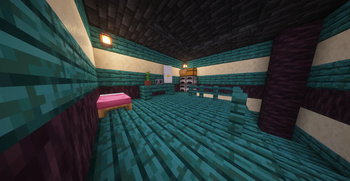

About this Modpack
📖 Description
The first optimiation pack made by Banandez!
Focused for the best gameplay and performance, with mods to help reduce lag and increase render distance on servers...
Great for playing on servers with friends or single player worlds!
⚡ Preformance
If you looking for a modpack to get you better FPS than this is the one! Just on average you can go from 30 on vannilla to a rounded of 300! Great for anyone who plays on laptop or doesnt have a proper PC. With the increased render distance you can also go past the server limit of 10 chuncks to whatever you set yours at.
Preformance Details:
-Render Distance; on servers with a render distance cap you can bypass it by loading chunks into match what you actually have your render distance set too & more.
-Memory usage; optimizes memory usage by not loading mobs you cant see & more!
✨ Visuals
Adds a few mods to enhance your single/multiplayer experience with you barely being able to notice while also not costing any extra preformance issues.
⚔️ PVP
Comes with a centered crosshair to make aim more accurate, armor hud, sprint toggle displays, apple skin (shows foods saturation) and more to make pvp smoother and easier.
I also usually put in my texture pack which has low fire, shield and other pvp stuff etc.
📃 Extra Information
This modpack is client-sided and uses fabric, this modpack also includes a couple texture packs for PvP to give the overall best experience for the user.
NEW CUSTOM CAPE
We added a new custom cape that you can only wear while getting a version with the cape in it (will be labeld) with banandez optimized!
Heres how to equip it if now already equipped:
Navigate to options then to skin customization, once your there click the red cape icon next to the "cape: on" setting

Then click through the cape options/providers until you reach default (local), then your cape will be equipped.
CAPE IN GAME:

Banandez Optimized aims toward being a client like modpack with everything you need to make your game smooth and better at pvp!
I know all the packs people want and use now a days and im still working on adding all the mods people want into this pack while keeping it vanilla!
btw:
I was very lazy on some older versions so you may find random texture packs and stuff in it but Im trying to be more preffesional now!
📱 Scoials/Contacts
- YouTube: @banandez
- Twitch: @banandezxd
- Twitter: @banandezxd
- Discord: @banandez.
Available Versions
How to Set Up a Banandez Optimized Server
Order Server
Choose at least 4 GB RAM (6 GB recommended for Banandez Optimized). Based on player count: per 8 players.
Install Modpack in Dashboard
Open the modpack browser in the dashboard, search for "Banandez Optimized" and click "Install". The fabric loader and Minecraft 26.1 are configured automatically.
Start Server & Play
Start the server – all mods are loaded automatically. Share the server IP with friends and play together!
Frequently Asked Questions
Banandez Optimized server crashes or won't start – what to do?
Most common causes: insufficient RAM or wrong fabric loader. Check latest.log for "OutOfMemoryError" → increase RAM to at least 6 GB. For "Mixin" or "ClassNotFoundException" errors: modpack version and loader don't match. With Mado Hosting, loader and Minecraft version are auto-configured on modpack install – preventing most startup issues.
How much RAM does a Banandez Optimized server really need?
Minimum 4 GB, recommended 6 GB for stable performance. per 8 players. Important: Minecraft modpacks need more RAM than vanilla – plan extra per additional player. With Mado Hosting, you can scale RAM up live at any time without data loss (from €8/month).
Can I add custom mods to Banandez Optimized without conflicts?
Yes, but check compatibility: only use mods for the same loader (fabric) and same Minecraft version (26.1). Common issues: ID conflicts with recipe mods and incompatible coremod versions. The Mado dashboard mod browser only shows compatible mods and warns about known conflicts.
Banandez Optimized server lagging – performance tips
1) Increase RAM to 6 GB+. 2) Reduce server view-distance to 8 (server.properties). 3) Pre-generate chunks with the "Chunky" plugin. 4) Use /spark profiler to check which mods consume the most tick time. With Mado Hosting, all servers run on NVMe SSDs with dedicated CPU cores – eliminating hardware as a bottleneck.
Similar Modpacks

![Better MC [FABRIC] - BMC2](https://cdn.modrinth.com/data/shFhR8Vx/a19c2bcb51d38f32f138d3607e91cb2b7b8e387f_96.webp)
![Better MC [FORGE] - BMC4](https://cdn.modrinth.com/data/4BV47HRn/7f5ef7cc61b2593609aabef3ed07a866a4f11b73_96.webp)


Rent Banandez Optimized Server
Start your own server with automatic modpack installation.
Supported Versions
Start your Banandez Optimized Server now
From €8.00/month with 6 GB RAM for the best performance.
Configure Server →