
Barely Modified
A modpack I believe feels just like vanilla but a little better
Screenshots

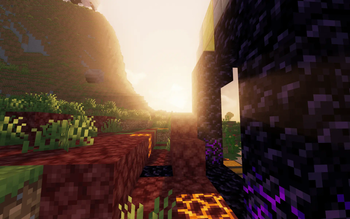
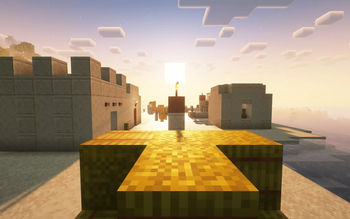
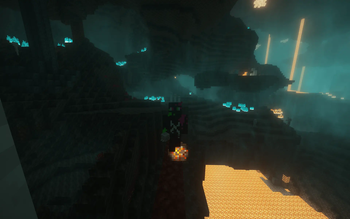
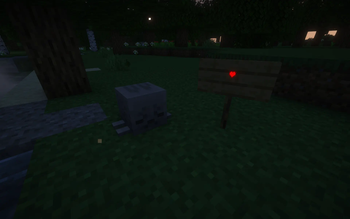
About this Modpack
Barely Modified aims to enhance vanilla without feeling too modded. The modpack feels like vanilla but just right.This modpack is client side focused and so should be compatible with vanilla servers. (Just be careful with haul)
If you are still debating whether you want this pack, I belive this modpack is perfect for if you just want to play vanilla minecraft; better optimaztion and extra features if you want to use them.
Notable Features:
- Optimazations
- Shaders (via Iris)
- Easy Moving of Chests (via Haul)
- Better Inventory Management (via Mouse Tweaks)
- Easy Rebuilding of Structures (via Litmatica)
Mods
- Sodium
- Concurrent Chunk Management Engine
- Iris Shaders
- Litmatica
- MaLiLib
- Emoji Type
- Bobby
- Chat Animation [Smooth Chat]
- Smooth Scrolling
- Chunky
- Cubes Without Borders
- Haul
- Model Gap Fix
- Mouse Tweaks
Datapacks
- Mob Heads (Remember you dont have to play with it!)
Shaders
- Complimentary Shaders - Reimagined
- MakeUp - Ultra Fast
Hope You enjoy!
Available Versions
How to Set Up a Barely Modified Server
Order Server
Choose at least 6 GB RAM (8 GB recommended for Barely Modified). Based on player count: per 5 players.
Install Modpack in Dashboard
Open the modpack browser in the dashboard, search for "Barely Modified" and click "Install". The fabric loader and Minecraft 1.21.6 are configured automatically.
Start Server & Play
Start the server – all mods are loaded automatically. Share the server IP with friends and play together!
Frequently Asked Questions
Barely Modified server crashes or won't start – what to do?
Most common causes: insufficient RAM or wrong fabric loader. Check latest.log for "OutOfMemoryError" → increase RAM to at least 8 GB. For "Mixin" or "ClassNotFoundException" errors: modpack version and loader don't match. With Mado Hosting, loader and Minecraft version are auto-configured on modpack install – preventing most startup issues.
How much RAM does a Barely Modified server really need?
Minimum 6 GB, recommended 8 GB for stable performance. per 5 players. Important: Minecraft modpacks need more RAM than vanilla – plan extra per additional player. With Mado Hosting, you can scale RAM up live at any time without data loss (from €12/month).
Can I add custom mods to Barely Modified without conflicts?
Yes, but check compatibility: only use mods for the same loader (fabric) and same Minecraft version (1.21.6). Common issues: ID conflicts with recipe mods and incompatible coremod versions. The Mado dashboard mod browser only shows compatible mods and warns about known conflicts.
Barely Modified server lagging – performance tips
1) Increase RAM to 8 GB+. 2) Reduce server view-distance to 8 (server.properties). 3) Pre-generate chunks with the "Chunky" plugin. 4) Use /spark profiler to check which mods consume the most tick time. With Mado Hosting, all servers run on NVMe SSDs with dedicated CPU cores – eliminating hardware as a bottleneck.
Similar Modpacks
![Cobblemon Official Modpack [Fabric]](https://cdn.modrinth.com/data/5FFgwNNP/e7f9ee2e9d361623847853fe2ddce42f519ee64f.png)
![COBBLEVERSE - Pokemon Adventure [Cobblemon]](https://cdn.modrinth.com/data/Jkb29YJU/581ecf54530972afb18a04660afd820f2f24f6c7.png)
![Better MC [FABRIC] - BMC2](https://cdn.modrinth.com/data/shFhR8Vx/a19c2bcb51d38f32f138d3607e91cb2b7b8e387f_96.webp)


![Better MC [FORGE] - BMC4](https://cdn.modrinth.com/data/4BV47HRn/7f5ef7cc61b2593609aabef3ed07a866a4f11b73_96.webp)
Rent Barely Modified Server
Start your own server with automatic modpack installation.
Supported Versions
Start your Barely Modified Server now
From €12.00/month with 8 GB RAM for the best performance.
Configure Server →