
Beatiful Performance
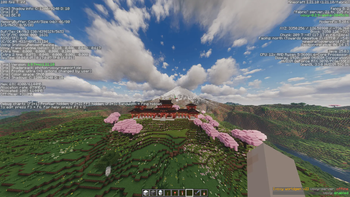
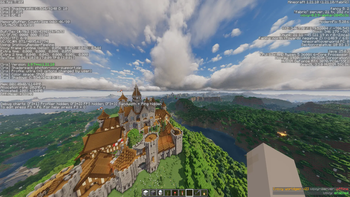
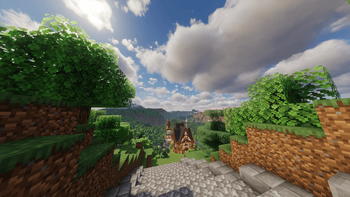
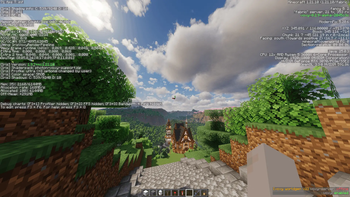
Beautiful Performance is a surgically tuned modpack upgrade designed for having the most optimized and best performance possible, while still having the best visuals ever !
Screenshots


About this Modpack

✨ Beautiful Performance: The Ultimate 1.21.10 Upgrade
Are you tired of "optimization" packs that just throw a bunch of mods together and hope for the best? Beautiful Performance (BP) is different. It is a surgically tuned modpack designed to squeeze every drop of power out of your hardware.
🚀 Why "Beautiful Performance" Wins ?
Compared to Vanilla or standard "all-in-one" packs, BP offers multiple advantages:
Engine vs. Surface: We don't just optimize the graphics; we optimize the logic (Lithium), the memory (FerriteCore), and the chunk loading (C2ME).
Infinite Render Distance: Thanks to Voxy, you can see for thousands of blocks with almost zero impact on your FPS. No more "fog walls."
Zero-Stutter Gameplay: By using ZGC and GraalVM, we eliminate the "garbage collection" spikes that plague 99% of Minecraft players.
Low Memory Requirements: By not allocating a crazy amount of RAM to the game, you actually makes it easier for him to run (feels unnatural but that's how it works!)
🛠 The Technical "Secret Sauce"
To achieve the performance claimed, this pack requires a specific setup. You aren't just running a game; you're running a finely-tuned machine.
1. Use GraalVM (Java 21 or 25)
Standard Java is "good enough," but GraalVM is the "Elite" choice. Its JIT (Just-In-Time) compiler is significantly more intelligent at optimizing Minecraft's code for your specific CPU.
2. The Power Arguments
Paste these into your JVM Arguments in Prism Launcher (or your launcher of choice). These arguments enable Generational ZGC, a low-latency garbage collector that keeps your frame times perfectly flat.
Copy-Paste these Arguments (it requires using GraalVM instead of a standard Java JDK):
-XX:+UseZGC -XX:+ZGenerational -XX:+UnlockExperimentalVMOptions -XX:+AlwaysPreTouch
📦 Detailed Mod Breakdown
🎨 The Rendering Stack (Visuals)
Sodium & Iris: The foundation. Rewrite the rendering engine and enable high-performance shaders.
Indium: The "bridge" that allows complex mods like Voxy to work with Sodium.
Voxy & Voxy World Gen: Implements Level of Detail (LOD) rendering. View the entire world without the performance hit.
Euphoria Patcher: Enhances the most popular shader family : Complementary.
⚡ The Optimization Core (Speed)
Lithium & C2ME: Optimizes game logic and enables multi-threaded chunk management. Your Ryzen 3600X will finally use all its cores.
BadOptimizations: Targets tiny vanilla oversights (sky rendering, light updates) for a smoother feel.
ModernFix: Drastically reduces loading times and fixes deep-rooted memory leaks.
FerriteCore: Slashes RAM usage by optimizing how the game stores block data.
👁️ The "Culling" Suite (Efficiency)
EntityCulling: Stops the game from rendering that cow behind a wall.
More Culling: Disables rendering for faces of blocks that are hidden from view.
Dynamic FPS: Lowers resource usage when you're tabbed out, keeping your PC cool.
🛠 Utility & UX
Spark: The ultimate diagnostic tool. Type /spark health in-game to see your ZGC in action.
Zoomify & Controlling: Essential quality-of-life improvements for better control.
3D Skin Layers: Purely aesthetic, making your character look like a modern AAA model.
📊 The Result
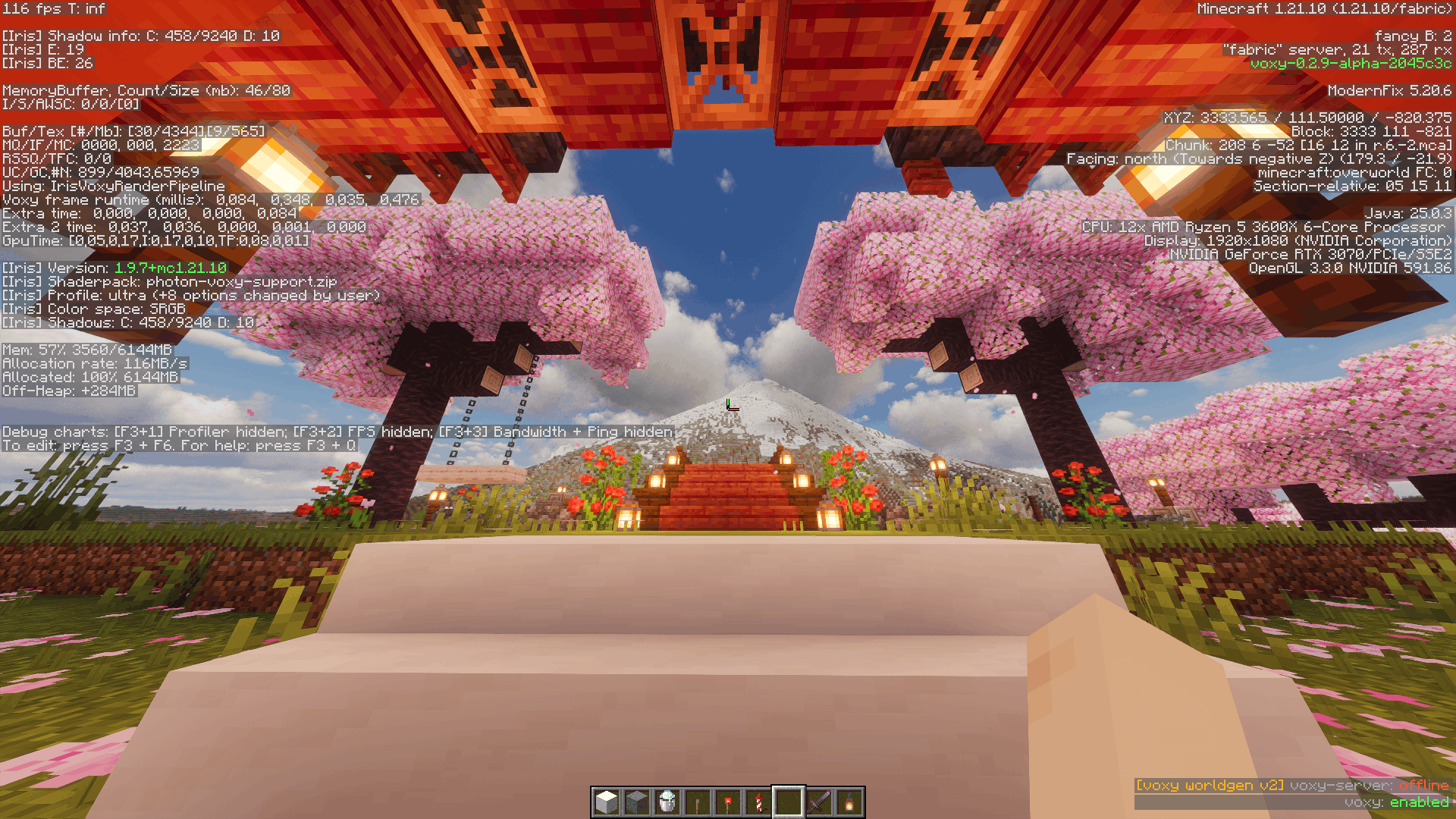
On mid-range hardware (like an RTX 3070), expect 90+ FPS on Ultra Shaders with a steady, liquid-smooth feel. Beautiful Performance isn't just a name—it's a promise.
Stop brute-forcing your FPS. Start optimizing your engine.
Mod List
- 3d-Skin-Layers (1.11.1) (skinlayers3d-fabric-1.11.1-mc1.21.10.jar)
- BadOptimizations (2.4.1) (BadOptimizations-2.4.1-1.21.10.jar)
- Cloth Config v20 (20.0.149) (cloth-config-20.0.149-fabric.jar)
- Concurrent Chunk Management Engine (0.3.6+alpha.0.9+1.21.10) (c2me-fabric-mc1.21.10-0.3.6+alpha.0.9.jar)
- Controlling (28.0.2) (Controlling-fabric-1.21.10-28.0.2.jar)
- Dynamic FPS (3.11.6) (dynamic-fps-3.11.6+minecraft-1.21.9-fabric.jar)
- EntityCulling (1.10.1) (entityculling-fabric-1.10.1-mc1.21.10.jar)
- Euphoria Patcher (1.8.6-r5.7.1-fabric) (EuphoriaPatcher-1.8.6-r5.7.1-fabric.jar)
- Fabric API (0.138.4+1.21.10) (fabric-api-0.138.4+1.21.10.jar)
- Fabric Language Kotlin (1.13.11+kotlin.2.3.21) (fabric-language-kotlin-1.13.11+kotlin.2.3.21.jar)
- FerriteCore (8.1.0) (ferritecore-8.1.0-fabric.jar)
- Indium (1.0.35+mc1.21) (indium-1.0.35+mc1.21.jar)
- Iris (1.9.7+mc1.21.10) (iris-fabric-1.9.7+mc1.21.10.jar)
- Krypton (0.2.10) (krypton-0.2.10.jar)
- Lithium (0.20.1+mc1.21.10) (lithium-fabric-0.20.1+mc1.21.10.jar)
- Model Gap Fix (1.21.10-1.12) (modelfix-1.21.10-1.12-fabric.jar)
- ModernFix (5.20.6) (modernfix-fabric-latest.jar)
- More Culling (1.5.0-beta.2) (moreculling-fabric-1.21.9-1.5.0-beta.2.jar)
- Reese's Sodium Options (1.8.6+mc1.21.10) (reeses-sodium-options-fabric-1.8.6+mc1.21.10.jar)
- Searchables (1.0.2) (Searchables-fabric-1.21.10-1.0.2.jar)
- Sodium (0.7.3+mc1.21.10) (sodium-fabric-0.7.3+mc1.21.10.jar)
- Sodium Extra (0.7.1+mc1.21.10) (sodium-extra-fabric-0.7.1+mc1.21.10.jar)
- Voxy (0.2.9-alpha) (voxy-0.2.9-alpha-1.21.10.jar)
- Voxy World Gen V2 (2.2.4) (Voxy World Gen V2-1.21.11-2.2.4.jar)
- YetAnotherConfigLib (3.8.2+1.21.10-fabric) (yet_another_config_lib_v3-3.8.2+1.21.10-fabric.jar)
- Zoomify (2.15.2+1.21.9) (zoomify-2.15.2+1.21.9.jar)
- spark (1.10.152) (spark-1.10.152-fabric.jar)
Available Versions
How to Set Up a Beatiful Performance Server
Order Server
Choose at least 4 GB RAM (6 GB recommended for Beatiful Performance). Based on player count: per 8 players.
Install Modpack in Dashboard
Open the modpack browser in the dashboard, search for "Beatiful Performance" and click "Install". The fabric loader and Minecraft 1.21.10 are configured automatically.
Start Server & Play
Start the server – all mods are loaded automatically. Share the server IP with friends and play together!
Frequently Asked Questions
Beatiful Performance server crashes or won't start – what to do?
Most common causes: insufficient RAM or wrong fabric loader. Check latest.log for "OutOfMemoryError" → increase RAM to at least 6 GB. For "Mixin" or "ClassNotFoundException" errors: modpack version and loader don't match. With Mado Hosting, loader and Minecraft version are auto-configured on modpack install – preventing most startup issues.
How much RAM does a Beatiful Performance server really need?
Minimum 4 GB, recommended 6 GB for stable performance. per 8 players. Important: Minecraft modpacks need more RAM than vanilla – plan extra per additional player. With Mado Hosting, you can scale RAM up live at any time without data loss (from €8/month).
Can I add custom mods to Beatiful Performance without conflicts?
Yes, but check compatibility: only use mods for the same loader (fabric) and same Minecraft version (1.21.10). Common issues: ID conflicts with recipe mods and incompatible coremod versions. The Mado dashboard mod browser only shows compatible mods and warns about known conflicts.
Beatiful Performance server lagging – performance tips
1) Increase RAM to 6 GB+. 2) Reduce server view-distance to 8 (server.properties). 3) Pre-generate chunks with the "Chunky" plugin. 4) Use /spark profiler to check which mods consume the most tick time. With Mado Hosting, all servers run on NVMe SSDs with dedicated CPU cores – eliminating hardware as a bottleneck.
Rent Beatiful Performance Server
Start your own server with automatic modpack installation.
Supported Versions
Start your Beatiful Performance Server now
From €8.00/month with 6 GB RAM for the best performance.
Configure Server →