
Bed in Nether
Vanilla+ Fabric 1.20.1 modpack with creatures, combat, immersion, performance, and cozy adventures.
Screenshots
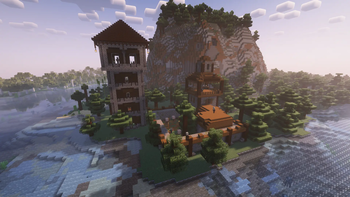

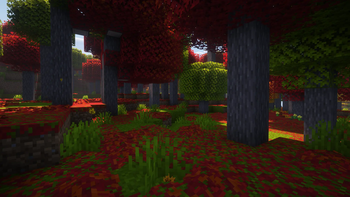
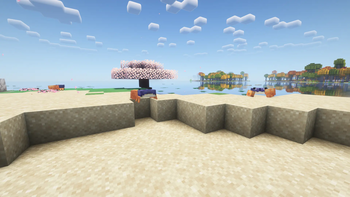
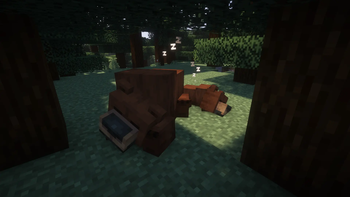
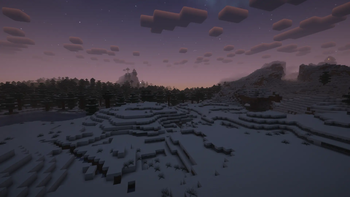
About this Modpack
Bed in Nether
Bed in Nether is a Fabric 1.20.1 modpack designed to enhance the vanilla Minecraft experience as much as possible without overwhelming it.
The goal is to keep the game feeling familiar and balanced, while enriching it with atmosphere, exploration, combat depth, and quality-of-life features.
🌍 World & Nature
- Naturalist – new animals and ecosystems.
- Critters and Companions – cute pets and companions.
- Friends & Foes – adds back unreleased or scrapped mobs.
- Ribbits – frog villagers in swamp villages.
- Promenade – introduces capybaras and other animals, plus new trees such as sakura, palm, amaranth, and biomes tied to them.
- Beneath the Wetlands – swamp biome expansions.
- Illager Invasion – new structures and raid encounters.
- Nyf’s Spiders – diverse spiders that can crawl along sloped surfaces just like the floor.
- Snowy Spirit & Snow! Real Magic! – realistic and immersive snow mechanics.
⚔️ Combat & Adventure
- Medieval Weapons – medieval-style weaponry.
- True Ending: Ender Dragon Overhaul – a more epic dragon fight.
- MmmMmmMmmMmm – combat training dummies.
🎒 Inventory & Utility
- Bean’s Backpacks – portable backpacks.
- Supplementaries & Amendments – decorative and functional blocks.
- Carry On – pick up chests, blocks, and mobs.
- Right Click Harvest – quick crop harvesting.
- Visual Workbench – crafting tables keep their inventory.
🌌 Atmosphere & Immersion
- Sleep Tight – overhauled sleeping system, including Nether beds.
- Exposure – photography camera.
- Immersive Melodies – playable instruments.
- Emotecraft – emotes and custom animations.
- Enhanced Celestials – blood moons and lunar events.
- Immersive Weathering – block aging and natural erosion.
- AmbientSounds, Immersive Thunder, Sound Physics Remastered – immersive audio landscapes.
- Falling Leaves, Visuality, Drip Sounds, Windchimes – small immersive details.
🛠️ Performance & Enhancements
The pack includes Sodium, Lithium, Starlight, FerriteCore, ModernFix, and other optimization mods for smooth performance.
📜 Licenses & Credits
All mods are hosted exclusively on Modrinth and properly credited to their authors.
Every mod in this pack is open-source or allowed in modpacks, with no licensing disputes or violations.
Available Versions
How to Set Up a Bed in Nether Server
Order Server
Choose at least 6 GB RAM (8 GB recommended for Bed in Nether). Based on player count: per 5 players.
Install Modpack in Dashboard
Open the modpack browser in the dashboard, search for "Bed in Nether" and click "Install". The fabric loader and Minecraft 1.20.1 are configured automatically.
Start Server & Play
Start the server – all mods are loaded automatically. Share the server IP with friends and play together!
Frequently Asked Questions
Bed in Nether server crashes or won't start – what to do?
Most common causes: insufficient RAM or wrong fabric loader. Check latest.log for "OutOfMemoryError" → increase RAM to at least 8 GB. For "Mixin" or "ClassNotFoundException" errors: modpack version and loader don't match. With Mado Hosting, loader and Minecraft version are auto-configured on modpack install – preventing most startup issues.
How much RAM does a Bed in Nether server really need?
Minimum 6 GB, recommended 8 GB for stable performance. per 5 players. Important: Minecraft modpacks need more RAM than vanilla – plan extra per additional player. With Mado Hosting, you can scale RAM up live at any time without data loss (from €12/month).
Can I add custom mods to Bed in Nether without conflicts?
Yes, but check compatibility: only use mods for the same loader (fabric) and same Minecraft version (1.20.1). Common issues: ID conflicts with recipe mods and incompatible coremod versions. The Mado dashboard mod browser only shows compatible mods and warns about known conflicts.
Bed in Nether server lagging – performance tips
1) Increase RAM to 8 GB+. 2) Reduce server view-distance to 8 (server.properties). 3) Pre-generate chunks with the "Chunky" plugin. 4) Use /spark profiler to check which mods consume the most tick time. With Mado Hosting, all servers run on NVMe SSDs with dedicated CPU cores – eliminating hardware as a bottleneck.
Rent Bed in Nether Server
Start your own server with automatic modpack installation.
Details
- License
- GNU General Public License v3.0 or later
- Server-side
- Required
- Client-side
- Required
Supported Versions
Start your Bed in Nether Server now
From €12.00/month with 8 GB RAM for the best performance.
Configure Server →