
Beta Renewed
Beta Renewed brings Beta 1.7.3 to modern Minecraft, restoring old features like no hunger, retro textures, and classic world gen. Relive 2011—download now!
Screenshots
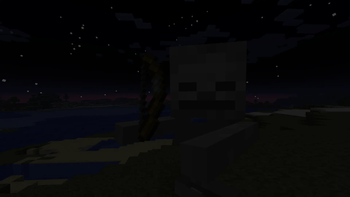
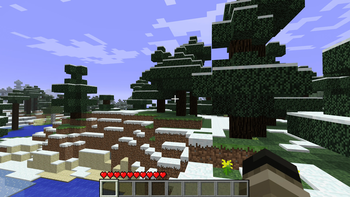
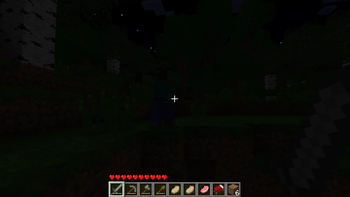
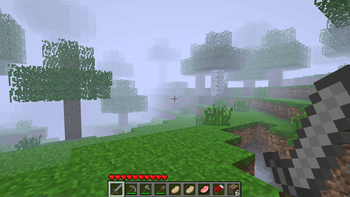
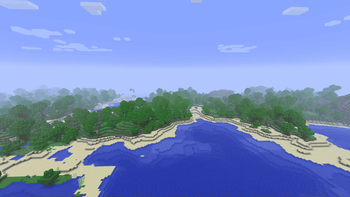
About this Modpack
Beta Renewed: Relive the Golden Age of Minecraft
What it is
Beta Renewed is a complete “port” of Minecraft Beta 1.7.3 to the current 1.20.1 & 1.21.1 releases (Fabric & Forge & NeoForge). Every block, item, mob, tool, armor, texture, crafting recipe and world‑generation rule that existed in the original beta has been recreated – and stripped out the modern additions that would break the vibe.
Key features
- Exact crafting & combat – all beta recipes, sword damage, attack cooldowns, sprinting and walking speed are reproduced with 99.8 % accuracy.
- True beta terrain – surface generation, caves, villages and biomes behave exactly like they did in Beta 1.7.3 (no 1.2x‑era structures).
- Minimalist creative inventory – only the blocks and items that were present in the beta are offered, keeping the UI clean and nostalgic.
- Original textures & skin – classic block/item textures are used; the default Steve skin has been swapped for the beta version (still being polished).
- Re‑made Nether – the Nether has been rebuilt to match its beta layout, with the same ores, lava seas and limited structures.
- Structures – every generated structure has been removed except for the classic Dungeon, preserving the “empty‑world” feel of the early game.
- Render Distance - you can change the render distance in the options, or just by pressing F key as it was back then.
What version to choose?
There are four main versions: 1.20.1 Forge & Fabric, 1.21.1 NeoForge & Fabric.
1.20.1 is the oldest version currently available, but it is still one of the best. It contains all game features and almost completely recreates the 1.7.3 beta. However, if you want the purest gaming experience, we recommend choosing the Fabric version. The Forge version is designed for those who want to play with mods only available on the Forge platform.
1.21.1 is the newest and most optimized version of this modpack. Fabric is the best choice for the ultimate gaming experience. It contains ALL the features presented in this modpack. The Fabric version most accurately recreates the spirit of Beta 1.7.3. Like version 1.20.1, NeoForge for this version is designed for those who want to play with mods. This is done for compatibility.
Conclusion: If you want the purest Minecraft beta experience, choose 1.21.1 Fabric. If you want to play with mods like The Broken Script, Aether, Create, and others, choose NeoForge. Or you can choose any version of 1.20.1.
How to enable “Old‑School Fast Mode”
If you want the game to run exactly like the old beta, apply these three graphics settings:
- Fast Mode – set Graphics → Fast.
- Fast Clouds – enable Clouds → Fast.
- Disable Smooth Lighting – turn Smooth Lighting → Off.
By pressing F while playing you can toggle the classic beta fog (that “hazy” view). This keybinding works regardless of the loader you’re using.
Known Issues (as of v0.1.0)
- The classic Steve skin is still being refined; the current texture is a placeholder.
- Some mobs drop items that is not belong to them.
- Crouching remains functional.
- Old‑style tree are not present.
- A handful of recipes are still broken or missing.
You can try to fix some issues yourself, but that's not recommended. Instead, message me on Discord and we can discuss a solution. Or, if I already created a Discord server, you can reach out to the community.
Enjoy the trip back to Minecraft’s beginnings!
Beta Renewed is a labor of love—hundreds of hours went into recreating every detail. Thank you for giving this nostalgic slice of history a chance to live on in the modern era. Feel free to leave feedback, report bugs, or suggest improvements on the Modrinth page. Happy mining!
Available Versions
How to Set Up a Beta Renewed Server
Order Server
Choose at least 6 GB RAM (8 GB recommended for Beta Renewed). Based on player count: per 5 players.
Install Modpack in Dashboard
Open the modpack browser in the dashboard, search for "Beta Renewed" and click "Install". The forge loader and Minecraft 1.21.1 are configured automatically.
Start Server & Play
Start the server – all mods are loaded automatically. Share the server IP with friends and play together!
Frequently Asked Questions
Beta Renewed server crashes or won't start – what to do?
Most common causes: insufficient RAM or wrong forge loader. Check latest.log for "OutOfMemoryError" → increase RAM to at least 8 GB. For "Mixin" or "ClassNotFoundException" errors: modpack version and loader don't match. With Mado Hosting, loader and Minecraft version are auto-configured on modpack install – preventing most startup issues.
How much RAM does a Beta Renewed server really need?
Minimum 6 GB, recommended 8 GB for stable performance. per 5 players. Important: Minecraft modpacks need more RAM than vanilla – plan extra per additional player. With Mado Hosting, you can scale RAM up live at any time without data loss (from €12/month).
Can I add custom mods to Beta Renewed without conflicts?
Yes, but check compatibility: only use mods for the same loader (forge) and same Minecraft version (1.21.1). Common issues: ID conflicts with recipe mods and incompatible coremod versions. The Mado dashboard mod browser only shows compatible mods and warns about known conflicts.
Beta Renewed server lagging – performance tips
1) Increase RAM to 8 GB+. 2) Reduce server view-distance to 8 (server.properties). 3) Pre-generate chunks with the "Chunky" plugin. 4) Use /spark profiler to check which mods consume the most tick time. With Mado Hosting, all servers run on NVMe SSDs with dedicated CPU cores – eliminating hardware as a bottleneck.
Similar Modpacks
![Cobblemon Official Modpack [Fabric]](https://cdn.modrinth.com/data/5FFgwNNP/e7f9ee2e9d361623847853fe2ddce42f519ee64f.png)
![COBBLEVERSE - Pokemon Adventure [Cobblemon]](https://cdn.modrinth.com/data/Jkb29YJU/581ecf54530972afb18a04660afd820f2f24f6c7.png)
![Better MC [FABRIC] - BMC2](https://cdn.modrinth.com/data/shFhR8Vx/a19c2bcb51d38f32f138d3607e91cb2b7b8e387f_96.webp)


![Better MC [FORGE] - BMC4](https://cdn.modrinth.com/data/4BV47HRn/7f5ef7cc61b2593609aabef3ed07a866a4f11b73_96.webp)
Rent Beta Renewed Server
Start your own server with automatic modpack installation.
Supported Versions
Start your Beta Renewed Server now
From €12.00/month with 8 GB RAM for the best performance.
Configure Server →