
Bingotopia
A modpack that enhances performance, visuals, and quality of life for the Bingo game mode, while staying true to vanilla gameplay experience.
About this Modpack
A modpack designed to enhance the gaming experience of "Yet Another Bingo" through a curated set of mods that improve performance, add visual enhancements and quality of life improvements, while remaining faithful to the original gameplay experience.
⭐ Core Mods
- Yet Another Bingo by fennifith
- The heart of the modpack, it adds the Bingo game mode, lobby, and all its associated mechanics.
- Scoreboard Overhaul by fennifith
- Improves the clarity and presentation of the Bingo scoreboard, making progress tracking easier and more readable during matches.
- Spectators Generate Loot by fennifith
- Allows you to view ungenerated chests in spectator mode once the Bingo match has ended, without having to switch modes.
- Essential Mod
- It allows you to play multiplayer comfortably and easily. You can invite your friends and play together without the need for complicated server setups.
- Just Enough Items (JEI) by mezz
- Allows players to quickly view crafting recipes and item information, which is especially useful when checking Bingo cards using the default ⌨ Y key.
📖 How to play
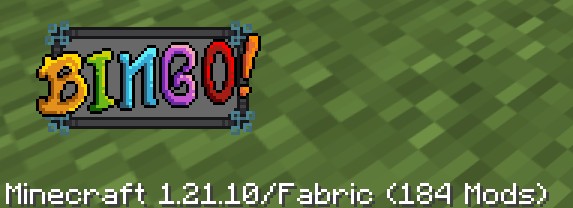
In the lower left corner of the title screen, you should see a "BINGO!" button. Clicking it will directly launch a world with a lobby to set up and start a bingo match.
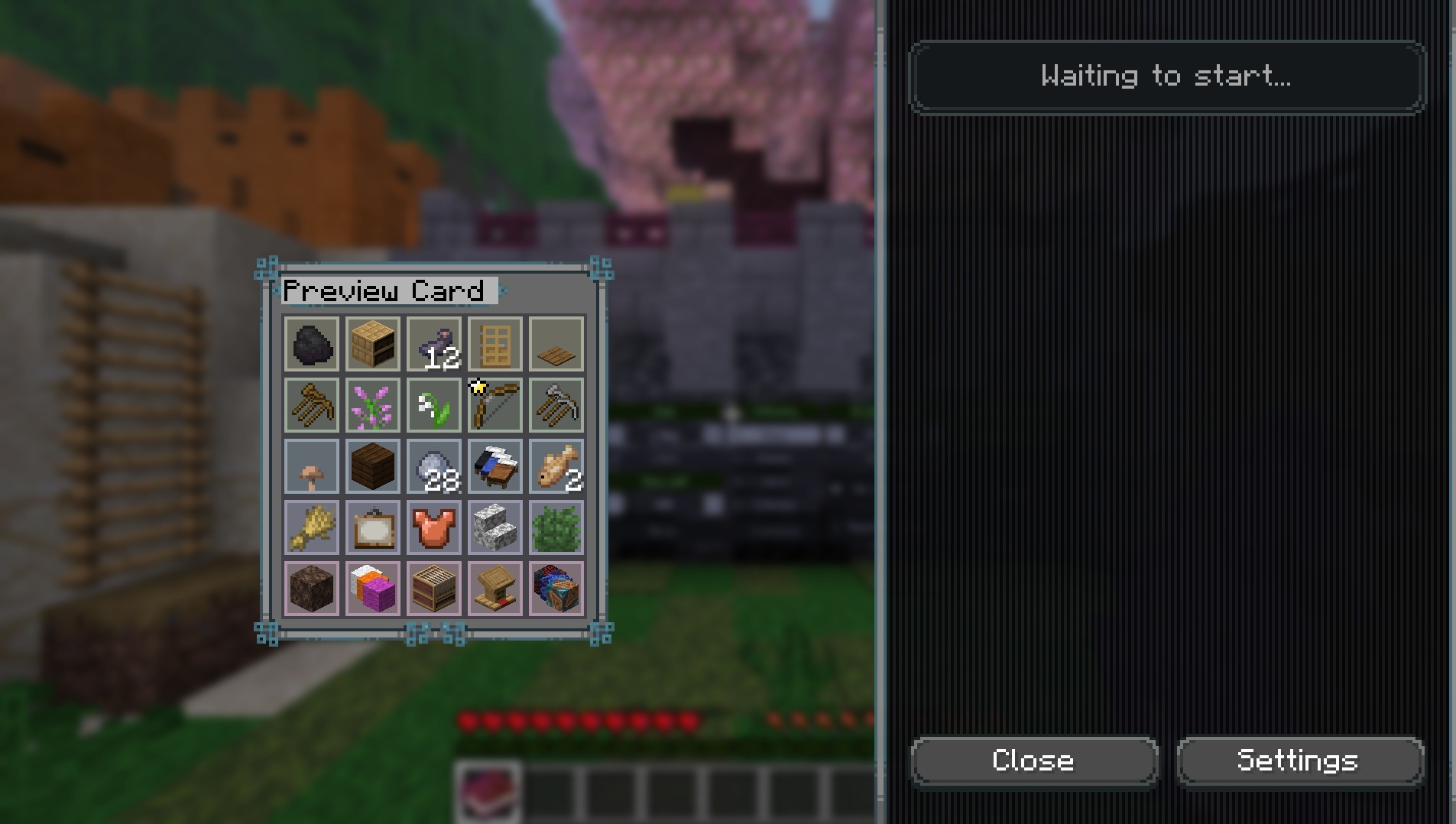
Tip: Press the ⌨ Y key to see the bingo card in an inventory view.
To find out more about the "Yet Another Bingo" mod, visit the official project Wiki.
📦 Modpack Contents
Mods
⚡ Performance & Optimization
- BadOptimizations by Thosea
- Concurrent Chunk Management Engine by RelativityMC, ishland
- EntityCulling by tr7zw
- FerriteCore by malte0811
- ImmediatelyFast by RK_01
- Krypton by tuxed
- Lithium by JellySquid, 2No2Name
- ModernFix-mVUS by embeddedt
- ScalableLux by Spottedleaf, ishland
- ServerCore by Wesley1808
- Sodium Extra by FlashyReese
- Sodium by JellySquid (jellysquid3)
✨ Visual Enhancements & Animations
- 3D Skin Layers by tr7zw
- ChatAnimation by Ezzenix
- Detail Armor Bar Reconstructed by coredex-source
- Immersive Hotbar by DerpDerpling
- LambDynamicLights by LambdAurora
- Not Enough Animations by tr7zw
- Particle Effects by LopyMine, KlashRaick
- Particle Rain by PigCart
- Particular Reforged by Leclowndu93150
- Pickup Notifications by Roundaround
- Status Effect Bars by A5b84
🔊 Audio & Immersion
- Sound Physics Remastered by Sonic Ether, vlad2305m, Max Henkel, Saint
🛠️ Quality of Life (QoL)
- AppleSkin by squeek502
- Boat Item View by 50ap5ud5
- Chat Heads by dzwdz, Fourmisain
- Cubes Without Borders by Kir_Antipov
- Experimentalist by pajic
- Fadeless by DerpDerpling, UltimateBoomer (Original Author)
- Fast IP Ping by Fallen_Breath
- Fix Horizontal Camera Lag by Enchanted_Games
- Language Reload by Jerozgen
- Mod Menu by Prospector, haykam821, TerraformersMC
- Mouse Tweaks by Ivan Molodetskikh (YaLTeR)
- No Chat Reports by Aizistral
- Ok Zoomer by Ennui Langeweile, Up
- Packed Packs by fishstiz
- Ping View by karlsson1000
- Reese's Sodium Options by FlashyReese
- Simple Datapacks by Bizarre Cube
⚙️ Utility & Configuration
- BaguetteLib by Leclowndu93150
- Cloth Config API by shedaniel
- Fabric API by FabricMC
- Forge Config API Port by Fuzs
- Placeholder API by Patbox
- Simple Update Checker by Patbox
- YetAnotherConfigLib by isXander
- Your Options Shall Be Respected (YOSBR) by shedaniel
Resource Packs
- Eating Animation by ThatCuteOne
- Low Fire by Oculie
- Low Shield by Oculie
- Powdered Snow+ by Oculie
- Recolourful Containers GUI + HUD by Vi_Tul
- Weskerson's Torches by weskerson
Available Versions
How to Set Up a Bingotopia Server
Order Server
Choose at least 6 GB RAM (8 GB recommended for Bingotopia). Based on player count: per 5 players.
Install Modpack in Dashboard
Open the modpack browser in the dashboard, search for "Bingotopia" and click "Install". The fabric loader and Minecraft 26.1.2 are configured automatically.
Start Server & Play
Start the server – all mods are loaded automatically. Share the server IP with friends and play together!
Frequently Asked Questions
Bingotopia server crashes or won't start – what to do?
Most common causes: insufficient RAM or wrong fabric loader. Check latest.log for "OutOfMemoryError" → increase RAM to at least 8 GB. For "Mixin" or "ClassNotFoundException" errors: modpack version and loader don't match. With Mado Hosting, loader and Minecraft version are auto-configured on modpack install – preventing most startup issues.
How much RAM does a Bingotopia server really need?
Minimum 6 GB, recommended 8 GB for stable performance. per 5 players. Important: Minecraft modpacks need more RAM than vanilla – plan extra per additional player. With Mado Hosting, you can scale RAM up live at any time without data loss (from €12/month).
Can I add custom mods to Bingotopia without conflicts?
Yes, but check compatibility: only use mods for the same loader (fabric) and same Minecraft version (26.1.2). Common issues: ID conflicts with recipe mods and incompatible coremod versions. The Mado dashboard mod browser only shows compatible mods and warns about known conflicts.
Bingotopia server lagging – performance tips
1) Increase RAM to 8 GB+. 2) Reduce server view-distance to 8 (server.properties). 3) Pre-generate chunks with the "Chunky" plugin. 4) Use /spark profiler to check which mods consume the most tick time. With Mado Hosting, all servers run on NVMe SSDs with dedicated CPU cores – eliminating hardware as a bottleneck.
Similar Modpacks
![Cobblemon Official Modpack [Fabric]](https://cdn.modrinth.com/data/5FFgwNNP/e7f9ee2e9d361623847853fe2ddce42f519ee64f.png)
![COBBLEVERSE - Pokemon Adventure [Cobblemon]](https://cdn.modrinth.com/data/Jkb29YJU/581ecf54530972afb18a04660afd820f2f24f6c7.png)
![Better MC [FABRIC] - BMC2](https://cdn.modrinth.com/data/shFhR8Vx/a19c2bcb51d38f32f138d3607e91cb2b7b8e387f_96.webp)


![Better MC [FORGE] - BMC4](https://cdn.modrinth.com/data/4BV47HRn/7f5ef7cc61b2593609aabef3ed07a866a4f11b73_96.webp)
Rent Bingotopia Server
Start your own server with automatic modpack installation.
Supported Versions
Start your Bingotopia Server now
From €12.00/month with 8 GB RAM for the best performance.
Configure Server →