
Blaze N Caves
This modpack is an amazing experience of the main reason this pack is here, the Blaze And Caves Data Pack!
Screenshots
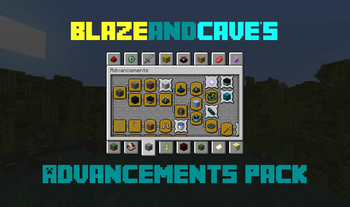
About this Modpack
DOWNLOAD MODPACK AND THEN GO TO THIS ---> STEP BY STEP SETUP GUIDE
NO FULL GUARANTEE THAT YOUR WORLD COULD GET CORRUPTED:
It will most likely tell you that Experimental Features needs to be enabled, which will be needed. If you are worried that your world is going to get corrupted, hit "Create Backup and Load."

Mods:
- 3D Skin Layers by tr7zw
- Advancement Plaques by Grend
- Animal Feeding Trough
- Better Third Person by socolio
- BlazeandCave's Advancements Pack by Cavinator1
- Chat Heads by dzwdz
- Cloth Config API by shedaniel
- Clumps by jaredlll08
- Debugify by isxander
- Eating Animation by theoness1
- Essential Mod by SparkUniverse
- Fabric API by modmuss50
- Fabric Language Kotlin by modmuss50
- Forge Config API Port by Fuzs
- Iceberg by Grend
- Indium by comp500
- Inventory Profiles Next by blackd
- Iris Shaders by coderbot
- Jade 🔍 by Snownee
- Just Enough Items by mezz
- Let Me Despawn by frikinjay
- Lithium by jellysquid3
- Make Bubbles Pop by Tschipcraft
- Mod Menu by
- Mouse Tweaks by YaLTeR
- Not Enough Animations by tr7zw
- Polymer
- Prism by Grend
- ReplayMod by Johni0702
- Sodium by jellysquid3
- Sodium Extra by FlashyReese
- Terralith by
- Tom's Simple Storage Mod
- Toms Server Additions: Concrete!
- Toms Server Additions: Planks!
- Toms Server Additions: Stone!
- Tom's Trading Network
- Traveler's Backpack
- Xaero's Minimap by thexaero
- Xaero's World Map by thexaero
- YUNG's API by
- YUNG's Better Desert Temples by
- YUNG's Better Dungeons by
- YUNG's Better End Island by
- YUNG's Better Jungle Temples by
- YUNG's Better Mineshafts by
- YUNG's Better Nether Fortresses by
- YUNG's Better Ocean Monuments by
- YUNG's Better Strongholds by
- YUNG's Better Witch Huts by
- YUNG's Bridges by
- YUNG's Extras by
- YUNG's Menu Tweaks by
- YetAnotherConfigLib by isxander
- Zoomify by isxander
- libIPN by blackd
- spark by lucko
Resource Packs:
- Fast Better Grass by
- Mandala's GUI - Dark mod by Cesar Zorak
- Motschen's Better Leaves by Motschen
Shaders:
- BSL Shaders by CaptTatsu
Available Versions
How to Set Up a Blaze N Caves Server
Order Server
Choose at least 6 GB RAM (8 GB recommended for Blaze N Caves). Based on player count: per 5 players.
Install Modpack in Dashboard
Open the modpack browser in the dashboard, search for "Blaze N Caves" and click "Install". The fabric loader and Minecraft 1.20.4 are configured automatically.
Start Server & Play
Start the server – all mods are loaded automatically. Share the server IP with friends and play together!
Frequently Asked Questions
Blaze N Caves server crashes or won't start – what to do?
Most common causes: insufficient RAM or wrong fabric loader. Check latest.log for "OutOfMemoryError" → increase RAM to at least 8 GB. For "Mixin" or "ClassNotFoundException" errors: modpack version and loader don't match. With Mado Hosting, loader and Minecraft version are auto-configured on modpack install – preventing most startup issues.
How much RAM does a Blaze N Caves server really need?
Minimum 6 GB, recommended 8 GB for stable performance. per 5 players. Important: Minecraft modpacks need more RAM than vanilla – plan extra per additional player. With Mado Hosting, you can scale RAM up live at any time without data loss (from €12/month).
Can I add custom mods to Blaze N Caves without conflicts?
Yes, but check compatibility: only use mods for the same loader (fabric) and same Minecraft version (1.20.4). Common issues: ID conflicts with recipe mods and incompatible coremod versions. The Mado dashboard mod browser only shows compatible mods and warns about known conflicts.
Blaze N Caves server lagging – performance tips
1) Increase RAM to 8 GB+. 2) Reduce server view-distance to 8 (server.properties). 3) Pre-generate chunks with the "Chunky" plugin. 4) Use /spark profiler to check which mods consume the most tick time. With Mado Hosting, all servers run on NVMe SSDs with dedicated CPU cores – eliminating hardware as a bottleneck.
Similar Modpacks
![Cobblemon Official Modpack [Fabric]](https://cdn.modrinth.com/data/5FFgwNNP/e7f9ee2e9d361623847853fe2ddce42f519ee64f.png)
![COBBLEVERSE - Pokemon Adventure [Cobblemon]](https://cdn.modrinth.com/data/Jkb29YJU/581ecf54530972afb18a04660afd820f2f24f6c7.png)
![Better MC [FABRIC] - BMC2](https://cdn.modrinth.com/data/shFhR8Vx/a19c2bcb51d38f32f138d3607e91cb2b7b8e387f_96.webp)


![Better MC [FORGE] - BMC4](https://cdn.modrinth.com/data/4BV47HRn/7f5ef7cc61b2593609aabef3ed07a866a4f11b73_96.webp)
Rent Blaze N Caves Server
Start your own server with automatic modpack installation.
Supported Versions
Start your Blaze N Caves Server now
From €12.00/month with 8 GB RAM for the best performance.
Configure Server →