
Blighted
Zombie Apocalypse X Dark Fantasy themed Minecraft RPG Modpack. Travel through a corrupted, medieval world as a Vagabond warrior.
Screenshots


About this Modpack

A terrible evil stalks the land, its darkness unchallenged. You alone must rise and end its reign.

Once, a great kingdom stood — its name now buried beneath ash and time.
Pride turned to rot when an ancient evil clawed its way from the depths, unleashing a plague that wrenched the dead from their graves.
The kingdom's stone walls cracked, its banners burned, and its people were torn apart in the streets.
Those few who survived fled into the broken wilds, their hope as brittle as the bones littering the earth.
Now, under a sky choked with ash and smoke, only the desperate claw at life in a world that has already been claimed by the dead.
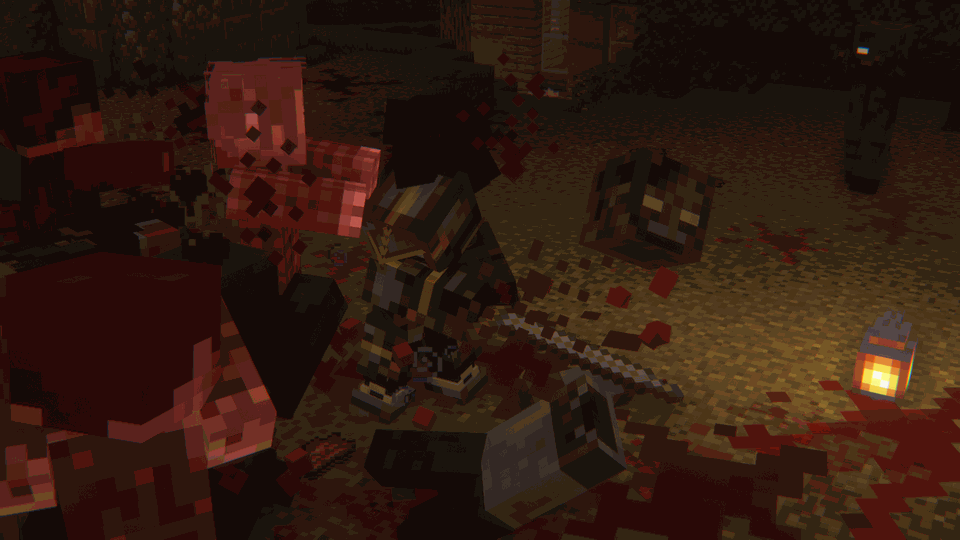

🗡️RPG Aspects: Level up using a combination of simply skills, Epic Knights, and the ZsoltMolnarrr RPG Series modset
🛡️Defend: Defend from dangerous zombies that can scale walls, climb each other, and break into undefended bases
🗺️Terrain: A combination of WWOO, Antique Atlas, and Terralith create the most immersive world possible
🐉Bosses: If you travel far enough, you can fight epic bosses and get unique loot
🧭Exploration: Explore the incredible terrain to find epic structures, castles, and dungeons
🌐Multiplayer: Multiplayer is encoraged for the best experience

Q: Since the zombies can break blocks, how do I defend my base? A: You must use hard blocks like the various types of castle bricks from the Castle Blocks mod, and obsidian to defend your base.
Q Can I disable the gore? A: Yes. In the config for the mods; **Goop, Oooze, and Physics mod, you can customise and enable/disable all of the gore effects.
Q: Can I change the difficulty of the zombies? A: Yes. If you go into the config for the apocalypse mod, you can change diffrent aspects of the hordes.
Q Is this good with Texture Packs? A: Absolutely. the modpack comes with an optional preinstall of Excalibur by Maffhew, which looks incredible.
Available Versions
How to Set Up a Blighted Server
Order Server
Choose at least 6 GB RAM (8 GB recommended for Blighted). Based on player count: per 5 players.
Install Modpack in Dashboard
Open the modpack browser in the dashboard, search for "Blighted" and click "Install". The fabric loader and Minecraft 1.20.1 are configured automatically.
Start Server & Play
Start the server – all mods are loaded automatically. Share the server IP with friends and play together!
Frequently Asked Questions
Blighted server crashes or won't start – what to do?
Most common causes: insufficient RAM or wrong fabric loader. Check latest.log for "OutOfMemoryError" → increase RAM to at least 8 GB. For "Mixin" or "ClassNotFoundException" errors: modpack version and loader don't match. With Mado Hosting, loader and Minecraft version are auto-configured on modpack install – preventing most startup issues.
How much RAM does a Blighted server really need?
Minimum 6 GB, recommended 8 GB for stable performance. per 5 players. Important: Minecraft modpacks need more RAM than vanilla – plan extra per additional player. With Mado Hosting, you can scale RAM up live at any time without data loss (from €12/month).
Can I add custom mods to Blighted without conflicts?
Yes, but check compatibility: only use mods for the same loader (fabric) and same Minecraft version (1.20.1). Common issues: ID conflicts with recipe mods and incompatible coremod versions. The Mado dashboard mod browser only shows compatible mods and warns about known conflicts.
Blighted server lagging – performance tips
1) Increase RAM to 8 GB+. 2) Reduce server view-distance to 8 (server.properties). 3) Pre-generate chunks with the "Chunky" plugin. 4) Use /spark profiler to check which mods consume the most tick time. With Mado Hosting, all servers run on NVMe SSDs with dedicated CPU cores – eliminating hardware as a bottleneck.
Rent Blighted Server
Start your own server with automatic modpack installation.
Supported Versions
Start your Blighted Server now
From €12.00/month with 8 GB RAM for the best performance.
Configure Server →