
Blood on the Clocktower
A Minecraft implementation of Steven Medway's Blood on the Clocktower.
Screenshots
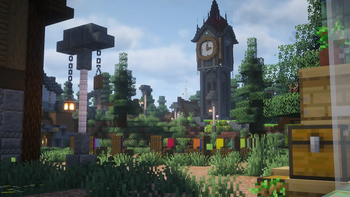
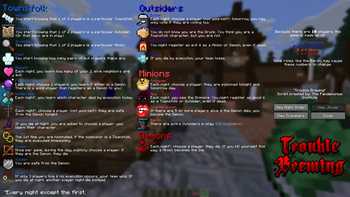
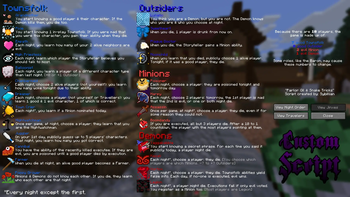
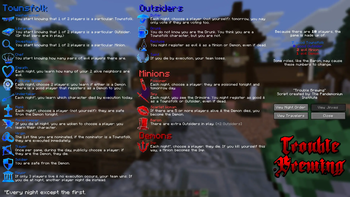
About this Modpack

From The Pandemonium Institute:
In the quiet village of Ravenswood Bluff a demon walks amongst you, killing by night and disguised in human form by day. Will the good townsfolk put the puzzle together in time to execute the true demon, or will evil overrun this once peaceful village?
In Blood on the Clocktower dead players are never eliminated, every player knows something that can impact the outcome, players may enter a game after it starts, the Storyteller may give misinformation to players who are 'drunk' or 'poisoned', and the dynamic Storyteller role leads each game to a nail-biting outcome. No two games are ever the same and death is not the end...
"Clocktower" is a social deduction game that will remind you of games like Werewolf or Town of Salem. This modpack is an implementation of the game's mechanics, making it convenient to play with your friends in Minecraft.
How to Play:
The game rulebook can be found here.
‼️Installation
Adding this modpack to your server is slightly more involved than a regular modpack. I have linked a video guide below, but the instructions are as follows:
- Install the modpack as you would any other.
- Move the contents of /server/config into /config.
- Move the contents of /saves into your server's root folder.
- Setup Simple Voice Chat.
- Op yourself from the server console.
- Run /reload.
- Run /function ct:init/yawp_reset.
- Run /function ct:init/yawp_regions.
- Done!
Video Guide
Issues and Suggestions:
You can find a comprehensive list of known bugs, missing features, and planned QoL on the project's Issues page. Please submit any bugs here!
Credits:
- Blood on the Clocktower by The Pandemonium Instutute.
- Default character icons by tomozbot.
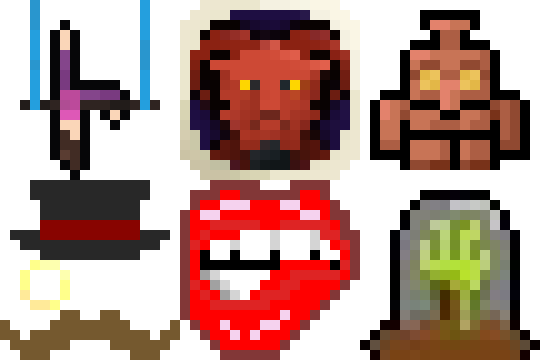
- Pixel icons for every single character in the game made by our Discord community. Thank you so much!

Available Versions
How to Set Up a Blood on the Clocktower Server
Order Server
Choose at least 4 GB RAM (6 GB recommended for Blood on the Clocktower). Based on player count: per 8 players.
Install Modpack in Dashboard
Open the modpack browser in the dashboard, search for "Blood on the Clocktower" and click "Install". The fabric loader and Minecraft 1.21.10 are configured automatically.
Start Server & Play
Start the server – all mods are loaded automatically. Share the server IP with friends and play together!
Frequently Asked Questions
Blood on the Clocktower server crashes or won't start – what to do?
Most common causes: insufficient RAM or wrong fabric loader. Check latest.log for "OutOfMemoryError" → increase RAM to at least 6 GB. For "Mixin" or "ClassNotFoundException" errors: modpack version and loader don't match. With Mado Hosting, loader and Minecraft version are auto-configured on modpack install – preventing most startup issues.
How much RAM does a Blood on the Clocktower server really need?
Minimum 4 GB, recommended 6 GB for stable performance. per 8 players. Important: Minecraft modpacks need more RAM than vanilla – plan extra per additional player. With Mado Hosting, you can scale RAM up live at any time without data loss (from €8/month).
Can I add custom mods to Blood on the Clocktower without conflicts?
Yes, but check compatibility: only use mods for the same loader (fabric) and same Minecraft version (1.21.10). Common issues: ID conflicts with recipe mods and incompatible coremod versions. The Mado dashboard mod browser only shows compatible mods and warns about known conflicts.
Blood on the Clocktower server lagging – performance tips
1) Increase RAM to 6 GB+. 2) Reduce server view-distance to 8 (server.properties). 3) Pre-generate chunks with the "Chunky" plugin. 4) Use /spark profiler to check which mods consume the most tick time. With Mado Hosting, all servers run on NVMe SSDs with dedicated CPU cores – eliminating hardware as a bottleneck.
Similar Modpacks


![Cobblemon Official Modpack [Fabric]](https://cdn.modrinth.com/data/5FFgwNNP/e7f9ee2e9d361623847853fe2ddce42f519ee64f.png)
![COBBLEVERSE - Pokemon Adventure [Cobblemon]](https://cdn.modrinth.com/data/Jkb29YJU/581ecf54530972afb18a04660afd820f2f24f6c7.png)
![Better MC [FABRIC] - BMC2](https://cdn.modrinth.com/data/shFhR8Vx/a19c2bcb51d38f32f138d3607e91cb2b7b8e387f_96.webp)

Rent Blood on the Clocktower Server
Start your own server with automatic modpack installation.
Supported Versions
Start your Blood on the Clocktower Server now
From €8.00/month with 6 GB RAM for the best performance.
Configure Server →