
Blue Lotus: Classic
A modpack focused on exploration while keeping Minecraft's classic style.
Screenshots
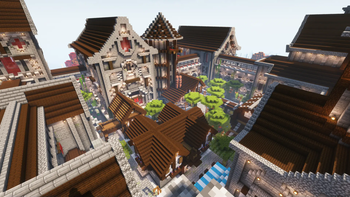
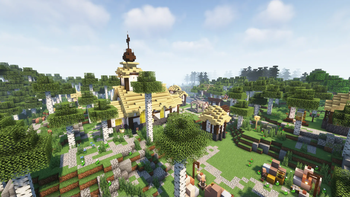
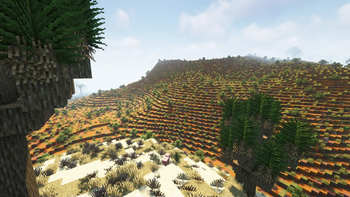


About this Modpack

My new modpack, Blue Lotus : Beyond is now available on modrinth!

Classic
Blue Lotus is a modpack focused on adventure and exproration while keeping minecraft's iconic style and feel.
Im the biggest fan of blue lotus - ant
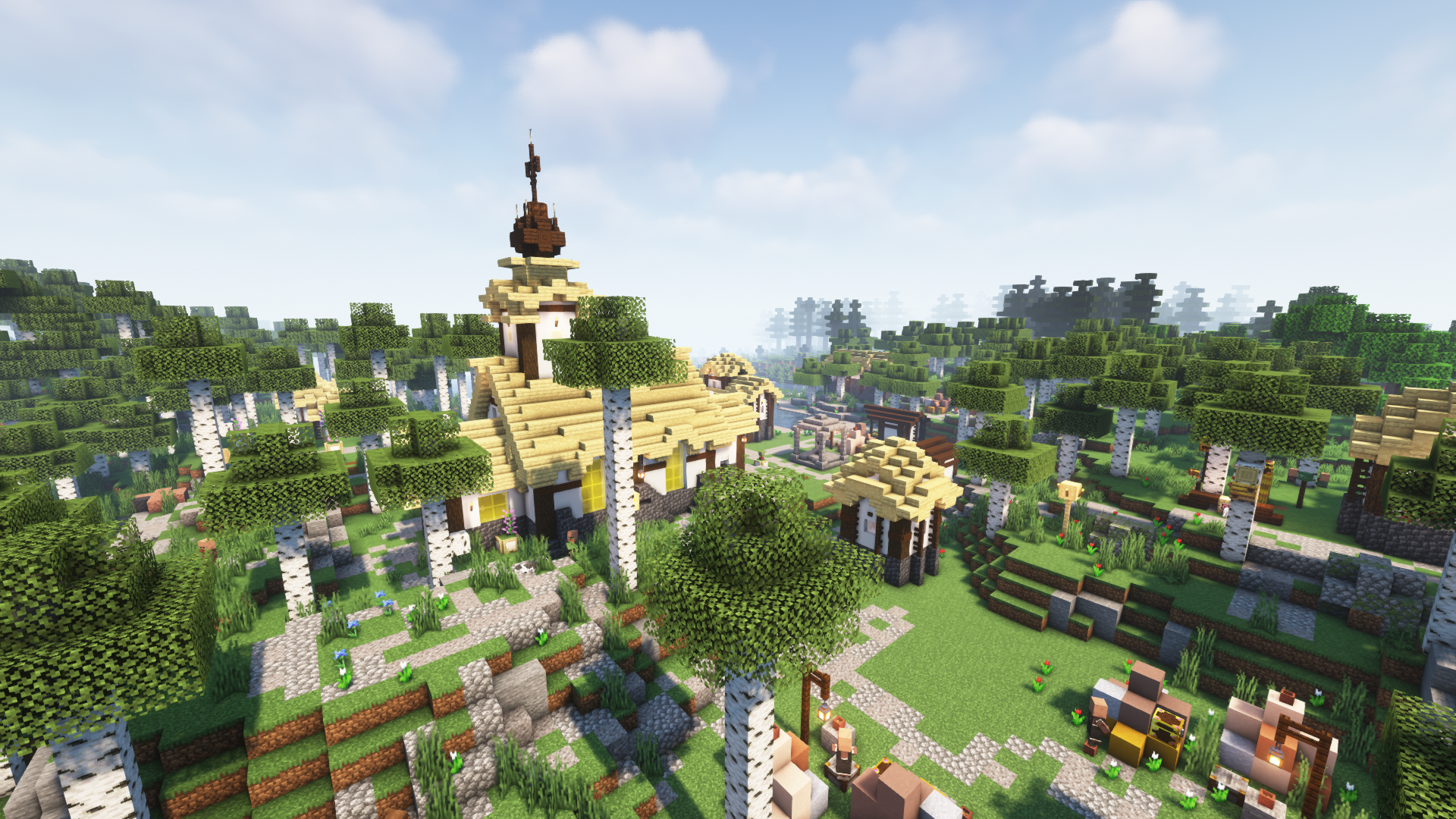
🗺️ Improved world generation
Blue Lotus brings many improvements to Minecraft's boring world. Including better terrain with Tectonic, many new biomes added by Regions Unexplored and the countless structure mods such as Towns and Towers , Repurposed Structures and Yung's Better Structures.
📦 New Content
Blue Lotus has some of the best and most vanilla feeling content mods.
Some of these mods include Botania, Create and Mythical Metals.
- Utilize the natural technology with Botania!
- Discover new ores, smelt and mix them to make the most Mythical Metals!
- Fight the unique enemies of Rotten Creatures and Creeper Overhaul!
- Construct amazing machines with Create!

🏖️ Quality of Life
This modpack also features many QoL Improvents like the cool items by Supplementaries, more immersive experience with Ambient Sounds + Dynamic Sound Filters , and other mods such as:
- Universal Enchants
- Horse Buff
- Double Doors
- Easy Magic
- Right Click Harvest
- Snow Under Trees
- And many, many more...

🚀 Made for multiplayer
Blue Lotus has amazing performance thanks to being based on the 💉Adrenaline optimization pack.
- Many optimization mods for a speedy performance
- Every player has their own loot in chests (MyLoot)
- Only half of the players need to sleep to pass the night (Server Sleep)
- Server side skin system (Fabric Tailor)
- Create parties and claim your chunks

❓ Frequently Asked Questions :
❓ FAQ :
🔄 Verisoning :
Since 2.0.0 the modpack uses a new version system: Major.Minor.Patch
- Major : A new version of minecraft or a big modpack change, these updates are not backwards compatible.
- Minor : New mods might have been added or removed, read the changelogs to see if it's backwards compatible.
- Patch : Updated mods, safe to update worlds.
⁉️ What happened to 1.x.x ? :
Changed too many things too fast. The lack of tesing made the file sizes bloated and added unnecessarily mods. Terralith was also removed because of the high system requirements.
🟪 Why Quilt? :
They have a better website.
💻 Minimum system requirements:
With these specs I was able to achive an average of 60 fps.
- CPU > Dual core 2.4GHz
- RAM > 2 GB (given to minecraft)
- GPU > Integrated Graphics with 2 GB of VRAM
📄 Other stuff included :
🔥 Contains these mods from curseforge :
 |
SpoornPacks |
 |
Dynamic Sound Filters |
⚠️ Older versions include :
⚔️ MC Dungeons Armor/Weapons Mods :
Disclaimer : I was given permission by the developers to include these mods in the modpack as jar files.
 |
MC Dungeons Armor |
 |
MC Dungeons Weapons |
 |
MC Dungeons Artifacts |
- myLoot
- Forgotten Graves
- Open loader
- BCLib
- No fade
- Smooth Boot
- Sound Physics Remastered
- Stoneholm
- Xaero's Minimap
- Xaero's World Map
- Peeping Creepers
- DeathCompass
- YUNG's Better Mines/Ocean Temples/Strongholds/WitchHuts
Available Versions
How to Set Up a Blue Lotus: Classic Server
Order Server
Choose at least 6 GB RAM (8 GB recommended for Blue Lotus: Classic). Based on player count: per 5 players.
Install Modpack in Dashboard
Open the modpack browser in the dashboard, search for "Blue Lotus: Classic" and click "Install". The quilt loader and Minecraft 1.19.2 are configured automatically.
Start Server & Play
Start the server – all mods are loaded automatically. Share the server IP with friends and play together!
Frequently Asked Questions
Blue Lotus: Classic server crashes or won't start – what to do?
Most common causes: insufficient RAM or wrong quilt loader. Check latest.log for "OutOfMemoryError" → increase RAM to at least 8 GB. For "Mixin" or "ClassNotFoundException" errors: modpack version and loader don't match. With Mado Hosting, loader and Minecraft version are auto-configured on modpack install – preventing most startup issues.
How much RAM does a Blue Lotus: Classic server really need?
Minimum 6 GB, recommended 8 GB for stable performance. per 5 players. Important: Minecraft modpacks need more RAM than vanilla – plan extra per additional player. With Mado Hosting, you can scale RAM up live at any time without data loss (from €12/month).
Can I add custom mods to Blue Lotus: Classic without conflicts?
Yes, but check compatibility: only use mods for the same loader (quilt) and same Minecraft version (1.19.2). Common issues: ID conflicts with recipe mods and incompatible coremod versions. The Mado dashboard mod browser only shows compatible mods and warns about known conflicts.
Blue Lotus: Classic server lagging – performance tips
1) Increase RAM to 8 GB+. 2) Reduce server view-distance to 8 (server.properties). 3) Pre-generate chunks with the "Chunky" plugin. 4) Use /spark profiler to check which mods consume the most tick time. With Mado Hosting, all servers run on NVMe SSDs with dedicated CPU cores – eliminating hardware as a bottleneck.
Similar Modpacks
![Cobblemon Official Modpack [Fabric]](https://cdn.modrinth.com/data/5FFgwNNP/e7f9ee2e9d361623847853fe2ddce42f519ee64f.png)
![COBBLEVERSE - Pokemon Adventure [Cobblemon]](https://cdn.modrinth.com/data/Jkb29YJU/581ecf54530972afb18a04660afd820f2f24f6c7.png)
![Better MC [FABRIC] - BMC2](https://cdn.modrinth.com/data/shFhR8Vx/a19c2bcb51d38f32f138d3607e91cb2b7b8e387f_96.webp)


![Better MC [FORGE] - BMC4](https://cdn.modrinth.com/data/4BV47HRn/7f5ef7cc61b2593609aabef3ed07a866a4f11b73_96.webp)
Rent Blue Lotus: Classic Server
Start your own server with automatic modpack installation.
Supported Versions
Start your Blue Lotus: Classic Server now
From €12.00/month with 8 GB RAM for the best performance.
Configure Server →