
Boostify
This Minecraft modpack is designed to significantly boost frame rates, especially on low-end PCs. It includes a curated selection of essential mods aimed at enhancing performance, ensuring smooth gameplay across all devices. The modpack is light-weight
Screenshots
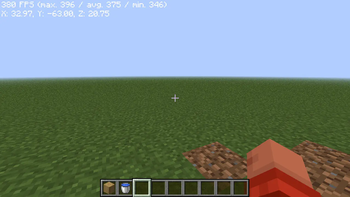
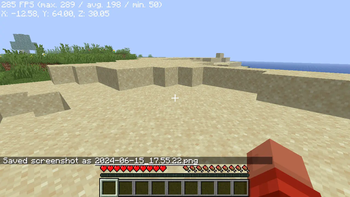
About this Modpack
🚀 Boostify: The Pinnacle of Minecraft Performance
The Ultimate FPS-Boosting Modpack for Smooth, Lag-Free Gameplay
Formerly known as Really Optimized, Boostify delivers the fastest, smoothest, and most visually stunning Minecraft experience. Say goodbye to lag, stutters, and slow chunk loading—this is Minecraft, fully unleashed.
🔹 Higher FPS 🔹 Faster World Loading 🔹 No Visual Compromises
🔥 Why Choose Boostify?
✅ Unmatched Performance 🚀 – Experience supersonic frame rates and ultra-responsive gameplay, even in the most demanding situations.
✅ Instant World Loading ⚡ – Load into worlds in seconds, without lag or frustrating stutters.
✅ Optimized for Low-End PCs 💻 – Runs smoothly on all systems, from budget laptops to high-end setups.
✅ Vanilla-Friendly Enhancements 🎨 – Enjoy stunning visuals while keeping Minecraft’s original feel intact.
✅ Easy Installation & Seamless Compatibility 🔧 – Download from Modrinth and start playing instantly—no complicated setup required.
🎮 Best Video Settings for FPS
| Setting | 💎 High Graphics (Best Visuals, Lower FPS) | ⚖️ Recommended (Balanced Performance) | ⚡ Maximum FPS (For Low-End PCs) |
|---|---|---|---|
| Graphics | Fancy / Fabulous | Fast | Fast |
| Render Distance | 12-16 Chunks | 8-10 Chunks | 4-6 Chunks |
| Simulation Distance | 8+ Chunks | 6 Chunks | 4 Chunks |
| Smooth Lighting | Maximum | Minimum | Off |
| Dynamic Lights | Fancy | Fast | Off |
| Shadows | On | Off | Off |
| Particles | All | Decreased | Minimal |
| V-Sync | On | Off | Off |
| Max Framerate | 120 FPS | Unlimited | Unlimited |
| Entity Distance | 100% | 75% | 50% |
| Clouds | Fancy | Fast | Off |
| Mipmap Levels | 4 (Max) | 2 | 0 (Off) |
| Biome Blend | 15x15 | 5x5 | Off |
| Fullscreen | On | On | On |
| FOV Effects & Distortion | 100% | 75% | 50% |
📌 Click to expand: Extra Optimization Tips ⬇️
💡 Pro Tips for Maximum FPS
✔ Allocate 6-8GB RAM (Modded) or 4-6GB (Vanilla)
✔ Close background apps (Chrome, Discord, etc.)
✔ Use Low-Resolution Texture Packs (16x or 8x)
✔ Update GPU Drivers Regularly
✔ Enable Performance-Boosting Mods in Boostify
🌐 Compatibility & Installation
🔹 Supports Fabric & Forge & Now in NeoForge
🔹 Works on the latest Minecraft versions
🔹 Modrinth Exclusive – Download & install with just one click!
🎯 Inspired by Remarkably Optimized, but even better!
💬 Need help? Join our Discord for support and updates!
🔗 More Awesome Modpacks
Looking for more? Check out:
🔹 Ultimate QoL – Enhances visuals and FPS with no lag.
🔹 Everyday Adventures – A vanilla-friendly exploration upgrade!
⬇ Download Boostify Now & Transform Your Minecraft Experience!
Available Versions
How to Set Up a Boostify Server
Order Server
Choose at least 6 GB RAM (8 GB recommended for Boostify). Based on player count: per 5 players.
Install Modpack in Dashboard
Open the modpack browser in the dashboard, search for "Boostify" and click "Install". The fabric loader and Minecraft 1.21.7 are configured automatically.
Start Server & Play
Start the server – all mods are loaded automatically. Share the server IP with friends and play together!
Frequently Asked Questions
Boostify server crashes or won't start – what to do?
Most common causes: insufficient RAM or wrong fabric loader. Check latest.log for "OutOfMemoryError" → increase RAM to at least 8 GB. For "Mixin" or "ClassNotFoundException" errors: modpack version and loader don't match. With Mado Hosting, loader and Minecraft version are auto-configured on modpack install – preventing most startup issues.
How much RAM does a Boostify server really need?
Minimum 6 GB, recommended 8 GB for stable performance. per 5 players. Important: Minecraft modpacks need more RAM than vanilla – plan extra per additional player. With Mado Hosting, you can scale RAM up live at any time without data loss (from €12/month).
Can I add custom mods to Boostify without conflicts?
Yes, but check compatibility: only use mods for the same loader (fabric) and same Minecraft version (1.21.7). Common issues: ID conflicts with recipe mods and incompatible coremod versions. The Mado dashboard mod browser only shows compatible mods and warns about known conflicts.
Boostify server lagging – performance tips
1) Increase RAM to 8 GB+. 2) Reduce server view-distance to 8 (server.properties). 3) Pre-generate chunks with the "Chunky" plugin. 4) Use /spark profiler to check which mods consume the most tick time. With Mado Hosting, all servers run on NVMe SSDs with dedicated CPU cores – eliminating hardware as a bottleneck.
Similar Modpacks

![Cobblemon Official Modpack [Fabric]](https://cdn.modrinth.com/data/5FFgwNNP/e7f9ee2e9d361623847853fe2ddce42f519ee64f.png)
![COBBLEVERSE - Pokemon Adventure [Cobblemon]](https://cdn.modrinth.com/data/Jkb29YJU/581ecf54530972afb18a04660afd820f2f24f6c7.png)
![Better MC [FABRIC] - BMC2](https://cdn.modrinth.com/data/shFhR8Vx/a19c2bcb51d38f32f138d3607e91cb2b7b8e387f_96.webp)


Rent Boostify Server
Start your own server with automatic modpack installation.
Supported Versions
Start your Boostify Server now
From €12.00/month with 8 GB RAM for the best performance.
Configure Server →