
Borderline Vanilla
A modpack that adds some RPG element like scalable enemies, rogue-like dungeons, more gear progression and bosses while keeping it vanilla to the core.
Screenshots

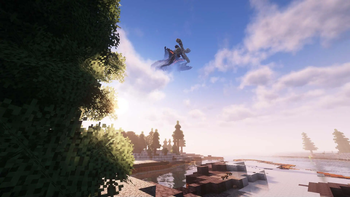
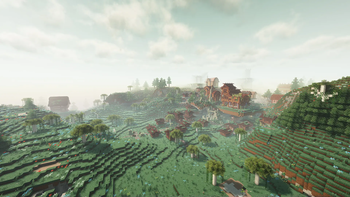
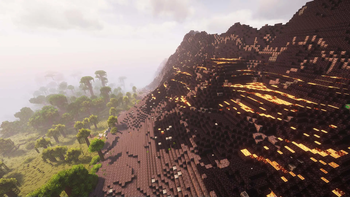
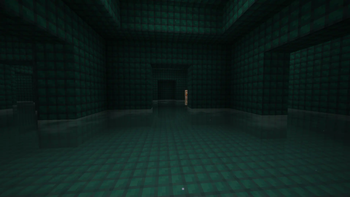
About this Modpack
Borderline Vanilla aims to extend the vanilla experience of Minecraft with more content while exploring beautiful and fresh sceneries. This modpack adds some RPG elements like scalable enemies, rogue-like dungeons, more gear progression, and world bosses
Vanilla+ Experience
To ensure the core gameplay of Minecraft remains, RPG elements like stats/level progression, classes and magic which completely alters the vanilla feeling of Minecraft are not included
World Generation
Borderline Vanilla uses BetterX together with Terralith, William Wythers' Expanded Ecosphere, ChoiceTheorem's Overhauled Village, Towns and Towers, Dungeons and Taverns, When Dungeons Arise, Underground Bunkers, BetterNether, Incendium, and BetterEnd. Vanilla structures remain untouched like Bastion, Fortress, Stronghold, Ocean Monument, Ender Dragon and End City. Added two new dimensions called Saturated and The Void. Added some planets from Ad Astra
Credits
Mods obtained from Curseforge that currently isn't available in Modrinth
Spectral Grass CTM fix:
- Open Spectral zip file using WinRAR
- Navigate to assets/minecraft/optifine/ctm/_grass/
- Open o_grass.properties
- Change the 'tintBlock' value to 'minecraft:grass_block' then close and save changes
Performance tips:
- Disabling the resource pack 'FancyFast Bushy Leaves' will increase the FPS significantly especially near forests and dense trees
- When used together with Complementary Unbound, turning down Shadow Sample Quality below High will disable any light interaction on leaves
- Reduce render distance
- Tweak performance settings on Shader Pack Settings if you are using any Shader Packs
- Choose an alternative shader or disable it completely as a last resort
Please note that I do not own any of the mods on this modpack
Available Versions
How to Set Up a Borderline Vanilla Server
Order Server
Choose at least 6 GB RAM (8 GB recommended for Borderline Vanilla). Based on player count: per 5 players.
Install Modpack in Dashboard
Open the modpack browser in the dashboard, search for "Borderline Vanilla" and click "Install". The fabric loader and Minecraft 1.20.4 are configured automatically.
Start Server & Play
Start the server – all mods are loaded automatically. Share the server IP with friends and play together!
Frequently Asked Questions
Borderline Vanilla server crashes or won't start – what to do?
Most common causes: insufficient RAM or wrong fabric loader. Check latest.log for "OutOfMemoryError" → increase RAM to at least 8 GB. For "Mixin" or "ClassNotFoundException" errors: modpack version and loader don't match. With Mado Hosting, loader and Minecraft version are auto-configured on modpack install – preventing most startup issues.
How much RAM does a Borderline Vanilla server really need?
Minimum 6 GB, recommended 8 GB for stable performance. per 5 players. Important: Minecraft modpacks need more RAM than vanilla – plan extra per additional player. With Mado Hosting, you can scale RAM up live at any time without data loss (from €12/month).
Can I add custom mods to Borderline Vanilla without conflicts?
Yes, but check compatibility: only use mods for the same loader (fabric) and same Minecraft version (1.20.4). Common issues: ID conflicts with recipe mods and incompatible coremod versions. The Mado dashboard mod browser only shows compatible mods and warns about known conflicts.
Borderline Vanilla server lagging – performance tips
1) Increase RAM to 8 GB+. 2) Reduce server view-distance to 8 (server.properties). 3) Pre-generate chunks with the "Chunky" plugin. 4) Use /spark profiler to check which mods consume the most tick time. With Mado Hosting, all servers run on NVMe SSDs with dedicated CPU cores – eliminating hardware as a bottleneck.
Similar Modpacks
![Cobblemon Official Modpack [Fabric]](https://cdn.modrinth.com/data/5FFgwNNP/e7f9ee2e9d361623847853fe2ddce42f519ee64f.png)
![COBBLEVERSE - Pokemon Adventure [Cobblemon]](https://cdn.modrinth.com/data/Jkb29YJU/581ecf54530972afb18a04660afd820f2f24f6c7.png)
![Better MC [FABRIC] - BMC2](https://cdn.modrinth.com/data/shFhR8Vx/a19c2bcb51d38f32f138d3607e91cb2b7b8e387f_96.webp)


![Better MC [FORGE] - BMC4](https://cdn.modrinth.com/data/4BV47HRn/7f5ef7cc61b2593609aabef3ed07a866a4f11b73_96.webp)
Rent Borderline Vanilla Server
Start your own server with automatic modpack installation.
Supported Versions
Start your Borderline Vanilla Server now
From €12.00/month with 8 GB RAM for the best performance.
Configure Server →