
Borukva Modpack
Optimization and QoL modpack for best multiplayer experience!
Screenshots
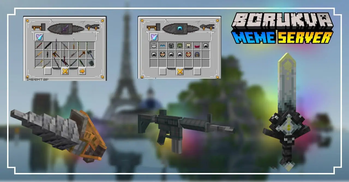
About this Modpack
Borukva Modpack is a simple collection of mods created to improve game optimization and server compatibility.
The modpack was created specifically for playing on the Borukva server.
 Productivity
This modpack is based on Sodium, which is designed to significantly improve the performance of your game with various optimization mods and configurations. This is mainly related to faster game launch and a significant increase in frame rates. Sodium also has additional mods to improve the optimization of certain aspects of the game.
 OptiFine functions
All of us have long been accustomed to the functions of OptiFine, therefore our modpack offers an alternative, improved version of the usual functionality:
- Possibility to install shaders (Iris)
- Dynamic light (LambDynamicLights)
- Custom Item Textures (CIT Resewn)
- Display of various resourcepack entities (Entity Texture Features)
- Correct connections of textures (Continuity)
- Correct operation of all resource packs.
 Gameplay
Mods installed on the server are aimed at improving vanilla minecraft, and client mods are required for their correct operation.
- Simple Voice Chat - adds the ability to communicate in-game using local voice chat, which greatly facilitates communication with players during events or trading.
Bobby downloads drawn chunks, greatly enlarging the drawing. - Xaero's World Map and Xaero's Minimap - a map that greatly simplifies orientation in the game.
- Emotecraft - adds different emotes and poses
- Litematica - is a technical mod that allows you to rebuild your saved projects
- Stendhal - allows you to use Unicode in chat, books and signs. Required to use custom emojis.
- Contains the most used shaders on the server: Vanilla Plus, BSL and Complementary Reimagined.
- Borukva server resourcepack is installed, but you may not use it
 Other mods
Other mods contain a small number of functions that do not affect the gameplay, but fix some inconvenient moments or bugs.
 Compatibility
The modpack is designed to be compatible with a wide range of devices with different specifications, so if you don't have a very powerful computer, our build will be a good choice for you.
The modpack is quite vanilla and does not contain mods that could conflict with others, so you can use it with the other mods created on Fabric if you wish.
To work properly, server must have Plasmo Voice, Emotecraft and Ping Wheel installed.
 Modpack support
We regularly maintain the modpack and update it for better performance.
[UA] Опис українською
Borukva Modpack - це проста збірка модів створена для покращення оптимізації гри. Збірка включає як моди, що імпліментують фунції OptiFine, так і моди які значно покращать вам ігровий досвід на сервері. Модпак створено спеціально для гри на сервері BorukvaГайд по встановленню
Якщо ви бажаєте встановити модпак, перейдіть на цю сторінку на сайті(тут типу гіперссилка на гайд).
Продуктивність
Цей модпак заснований на Sodium, який призначений для значного покращення продуктивності вашої гри за допомогою різних оптимізаційних модів та конфігурацій. В основному це стосується швидшого запуску гри та значного збільшення частоти кадрів. Sodium також має додаткові моди для покращення оптимізації окремих аспектів гри.
Функції OptiFine
Всі ми вже давно звикли до функцій OptiFine тому наш модпак пропонує альтернативну, покращену версію звичного функціоналу:
-можливість встановлення шейдерів
-динамічне світло від речей що знаходяться на підлозі чи у вас в руках.
-коректна робота всіх ресурспаків
Геймлей
На сервері встановлені моди націлені на покращення ванільного майнкрафту, а для їх коректної роботи необхідні клієнтські моди.
PlasmaVoice додає можливість спілкуватись в грі за допомогою локального голосового чату, що сильно полегшує комунікацію з гравцями під час івентів чи торгівлі.
Bobby скачує промальовані чанки значно збільшуючи промальовку.
Xaero's World Map і Xaero's Minimap - мапа, що значно спрощує орієнтацію в грі.
Emotecraft - додає різні емоції та пози
Litematica - технічний мод який дозволяє перебудовувати ваші збережені проєкти
Інші моди
Інші моди містять невелику кількість функції які не впливають на геймплей, але виправляють деякі незручні моменти чи баги.
Сумісність
Модпак розроблений з суміснітю з широким переліком пристроїв з різними технічними характеристиками, тому якщо ви маєте не дуже потужний комп’ютер то наша збірка стане гарним вибором для вас.
Модпак є досить ванільним і не містить модів які б могли конфліктувати з іншими, тому по вашому бажанню ви можете доповнювати його потрібними модами які створені на Fabric.
Підримка модпаку
Ми регулярно підтримуємо модпак і доповнюємо його задля кращої роботи.
Available Versions
How to Set Up a Borukva Modpack Server
Order Server
Choose at least 4 GB RAM (6 GB recommended for Borukva Modpack). Based on player count: per 8 players.
Install Modpack in Dashboard
Open the modpack browser in the dashboard, search for "Borukva Modpack" and click "Install". The fabric loader and Minecraft 1.21.10 are configured automatically.
Start Server & Play
Start the server – all mods are loaded automatically. Share the server IP with friends and play together!
Frequently Asked Questions
Borukva Modpack server crashes or won't start – what to do?
Most common causes: insufficient RAM or wrong fabric loader. Check latest.log for "OutOfMemoryError" → increase RAM to at least 6 GB. For "Mixin" or "ClassNotFoundException" errors: modpack version and loader don't match. With Mado Hosting, loader and Minecraft version are auto-configured on modpack install – preventing most startup issues.
How much RAM does a Borukva Modpack server really need?
Minimum 4 GB, recommended 6 GB for stable performance. per 8 players. Important: Minecraft modpacks need more RAM than vanilla – plan extra per additional player. With Mado Hosting, you can scale RAM up live at any time without data loss (from €8/month).
Can I add custom mods to Borukva Modpack without conflicts?
Yes, but check compatibility: only use mods for the same loader (fabric) and same Minecraft version (1.21.10). Common issues: ID conflicts with recipe mods and incompatible coremod versions. The Mado dashboard mod browser only shows compatible mods and warns about known conflicts.
Borukva Modpack server lagging – performance tips
1) Increase RAM to 6 GB+. 2) Reduce server view-distance to 8 (server.properties). 3) Pre-generate chunks with the "Chunky" plugin. 4) Use /spark profiler to check which mods consume the most tick time. With Mado Hosting, all servers run on NVMe SSDs with dedicated CPU cores – eliminating hardware as a bottleneck.
Similar Modpacks


![Cobblemon Official Modpack [Fabric]](https://cdn.modrinth.com/data/5FFgwNNP/e7f9ee2e9d361623847853fe2ddce42f519ee64f.png)
![COBBLEVERSE - Pokemon Adventure [Cobblemon]](https://cdn.modrinth.com/data/Jkb29YJU/581ecf54530972afb18a04660afd820f2f24f6c7.png)
![Better MC [FABRIC] - BMC2](https://cdn.modrinth.com/data/shFhR8Vx/a19c2bcb51d38f32f138d3607e91cb2b7b8e387f_96.webp)

Rent Borukva Modpack Server
Start your own server with automatic modpack installation.
Supported Versions
Start your Borukva Modpack Server now
From €8.00/month with 6 GB RAM for the best performance.
Configure Server →