
Brew & Bloom
Brew & Bloom is a streamlined modpack featuring experience without overwhelming clutter.
Screenshots


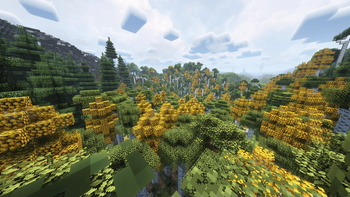
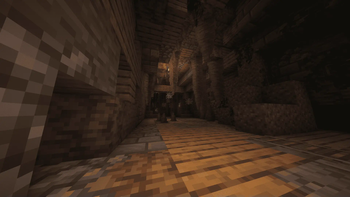
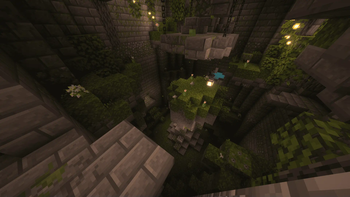
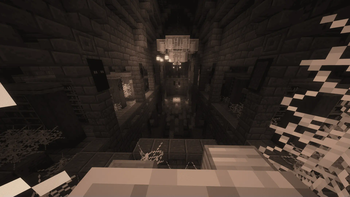
About this Modpack

Fresh Crafted Adventures
Tired of modpacks that cram every possible mod into one chaotic stew? So was I! That's why I whipped up this streamlined yet delightfully quirky modpack, designed for players who want a fresh twist on Minecraft without the overload.
What It Adds:
Revamped Farming and Cooking: Thanks to the [Let's Do] and Farmer's Delight mods, you can feel like a real farmer and cubic Gordon Ramsay. Cultivate crops l1k3 a pr0 and watch your farm flourish, and afterwards turn your crops into culinary masterpieces.
Brewmaster’s Playground: Transform ordinary ingredients into extraordinary potions and brews that add a splash of hilarity to your adventures. After all, as we all know, a good adventure can't do without a good beer or wine.
Charming Furniture: Upgrade your base with stylish, comfy furniture that makes your house truly feel like a home.
Surprise Structures: Encounter altered, whimsically reimagined structures by YUNG'S modline scattered across the world—each one a little mystery waiting to be explored.
Transformed Landscapes: Journey through reworked terrains that offer a fresh, exhilarating experience unlike the usual blocky vistas.
Quality-of-Life Tweaks: Enjoy smoother gameplay with smart enhancements that keep the fun front and center. Because even heroes need a helping hand.
Why Download?
If you're fed up with overwhelming modpacks and long for a balanced (in the author's opinion) gameplay, this modpack is built for you. I crafted it for my own adventures, and it's been a blast—so I decided to share it with fellow explorers who crave innovation without the clutter.
Content used
Thanks to the Fabulously Optimized team, I used their modpack as a base for mine because I don't understand a damn thing about optimizing and mods for that, so thanks to them this modpack doesn't play at 10 fps.
Available Versions
How to Set Up a Brew & Bloom Server
Order Server
Choose at least 6 GB RAM (8 GB recommended for Brew & Bloom). Based on player count: per 5 players.
Install Modpack in Dashboard
Open the modpack browser in the dashboard, search for "Brew & Bloom" and click "Install". The fabric loader and Minecraft 1.20.1 are configured automatically.
Start Server & Play
Start the server – all mods are loaded automatically. Share the server IP with friends and play together!
Frequently Asked Questions
Brew & Bloom server crashes or won't start – what to do?
Most common causes: insufficient RAM or wrong fabric loader. Check latest.log for "OutOfMemoryError" → increase RAM to at least 8 GB. For "Mixin" or "ClassNotFoundException" errors: modpack version and loader don't match. With Mado Hosting, loader and Minecraft version are auto-configured on modpack install – preventing most startup issues.
How much RAM does a Brew & Bloom server really need?
Minimum 6 GB, recommended 8 GB for stable performance. per 5 players. Important: Minecraft modpacks need more RAM than vanilla – plan extra per additional player. With Mado Hosting, you can scale RAM up live at any time without data loss (from €12/month).
Can I add custom mods to Brew & Bloom without conflicts?
Yes, but check compatibility: only use mods for the same loader (fabric) and same Minecraft version (1.20.1). Common issues: ID conflicts with recipe mods and incompatible coremod versions. The Mado dashboard mod browser only shows compatible mods and warns about known conflicts.
Brew & Bloom server lagging – performance tips
1) Increase RAM to 8 GB+. 2) Reduce server view-distance to 8 (server.properties). 3) Pre-generate chunks with the "Chunky" plugin. 4) Use /spark profiler to check which mods consume the most tick time. With Mado Hosting, all servers run on NVMe SSDs with dedicated CPU cores – eliminating hardware as a bottleneck.
Similar Modpacks
![Cobblemon Official Modpack [Fabric]](https://cdn.modrinth.com/data/5FFgwNNP/e7f9ee2e9d361623847853fe2ddce42f519ee64f.png)
![COBBLEVERSE - Pokemon Adventure [Cobblemon]](https://cdn.modrinth.com/data/Jkb29YJU/581ecf54530972afb18a04660afd820f2f24f6c7.png)
![Better MC [FABRIC] - BMC2](https://cdn.modrinth.com/data/shFhR8Vx/a19c2bcb51d38f32f138d3607e91cb2b7b8e387f_96.webp)


![Better MC [FORGE] - BMC4](https://cdn.modrinth.com/data/4BV47HRn/7f5ef7cc61b2593609aabef3ed07a866a4f11b73_96.webp)
Rent Brew & Bloom Server
Start your own server with automatic modpack installation.
Supported Versions
Start your Brew & Bloom Server now
From €12.00/month with 8 GB RAM for the best performance.
Configure Server →