
Builder's Zen
A relaxing building-focused Minecraft experience designed for creative and peaceful construction.
Screenshots
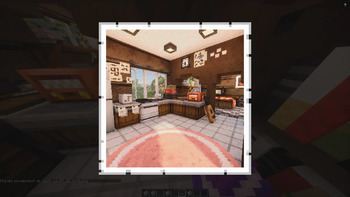
About this Modpack
🧱 Builder’s Zen
A Minecraft Modpack for Creative, Relaxed Building
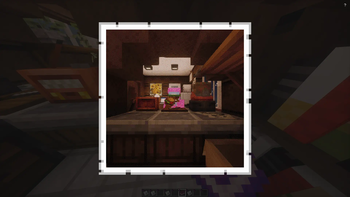
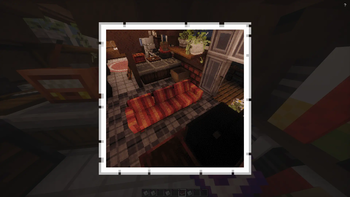
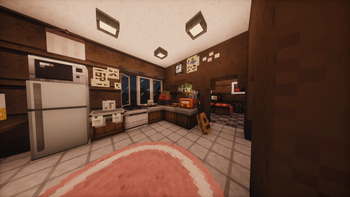
Builder’s Zen is all about crafting your ideal world at your own pace — whether you’re decorating a cozy cottage, designing a modern base, or building massive landscapes. This pack focuses on smooth performance, creative freedom, realism, and atmosphere — giving builders the perfect environment to create and unwind.
🎨 Enhance Your Building
Macaw’s Mods (Doors, Windows, Trapdoors, Fences, Stairs) – Huge variety of architectural blocks to give your builds personality and style.
Yuushya Townscape – Adds intricate urban and traditional details for creative town or city building.
Diagonal Fences, Walls, and Windows – Build more naturally with smoother angles and transitions.
WorldEdit – Essential for efficient building, terraforming, and large-scale design work.
🏡 Decorate and Customize
Paladin’s Furniture, Another Furniture, and [Let’s Do] Furniture – Dozens of furniture pieces and decorations for realistic interiors.
Lucky’s Cozy Home: Refurnished and Dusty Decorations – Add warmth and charm with cozy or rustic decor.
[Let’s Do] Beachparty – Perfect for creating relaxing outdoor or seaside scenes.
Backported Shelves and Storage Delight – Neat storage and display options for clutter-free interiors.
⚙️ Improve Efficiency
Just Enough Items (JEI) – Quickly browse recipes and plan your builds without breaking flow.
Inventory Profiles Next – Organize your items instantly and keep your building tools tidy.
WorldEdit – (Again, because it’s that essential!) Mass editing and copying for efficient construction.
🌿 Realism & Immersion
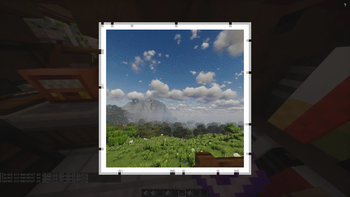
Iris Shaders + Complementary Shaders (Reimagined/Unbound) – Stunning lighting and reflection for a serene, beautiful world.
Better Leaves & Fast Better Grass – More natural-looking foliage and terrain for scenic builds.
Presence Footsteps & Sound Physics Remastered – Realistic, immersive sound design.
Fresh Animations + Not Enough Animations + 3D Skin Layers – Brings your world and characters to life.
LambDynamicLights – Realistic lighting that reacts to torches, lanterns, and more.
💬 Atmosphere & Aesthetic Details
Shrimp’s Immersive Interfaces – Clean, modern UI for better focus and less clutter.
GUI Experience+ – Subtle visual improvements to menus and interfaces.
Exposure – In-game camera for creative screenshots and portfolio-worthy builds.
🌎 Goal of the Modpack
Builder’s Zen is designed to help players find peace in creation. It strips away stress and grind, focusing on building, creativity, and immersion. Whether you’re designing in survival or using creative mode, this pack is your relaxing escape — a space where building feels as calming as it looks.
Available Versions
How to Set Up a Builder's Zen Server
Order Server
Choose at least 6 GB RAM (8 GB recommended for Builder's Zen). Based on player count: per 5 players.
Install Modpack in Dashboard
Open the modpack browser in the dashboard, search for "Builder's Zen" and click "Install". The fabric loader and Minecraft 1.21.1 are configured automatically.
Start Server & Play
Start the server – all mods are loaded automatically. Share the server IP with friends and play together!
Frequently Asked Questions
Builder's Zen server crashes or won't start – what to do?
Most common causes: insufficient RAM or wrong fabric loader. Check latest.log for "OutOfMemoryError" → increase RAM to at least 8 GB. For "Mixin" or "ClassNotFoundException" errors: modpack version and loader don't match. With Mado Hosting, loader and Minecraft version are auto-configured on modpack install – preventing most startup issues.
How much RAM does a Builder's Zen server really need?
Minimum 6 GB, recommended 8 GB for stable performance. per 5 players. Important: Minecraft modpacks need more RAM than vanilla – plan extra per additional player. With Mado Hosting, you can scale RAM up live at any time without data loss (from €12/month).
Can I add custom mods to Builder's Zen without conflicts?
Yes, but check compatibility: only use mods for the same loader (fabric) and same Minecraft version (1.21.1). Common issues: ID conflicts with recipe mods and incompatible coremod versions. The Mado dashboard mod browser only shows compatible mods and warns about known conflicts.
Builder's Zen server lagging – performance tips
1) Increase RAM to 8 GB+. 2) Reduce server view-distance to 8 (server.properties). 3) Pre-generate chunks with the "Chunky" plugin. 4) Use /spark profiler to check which mods consume the most tick time. With Mado Hosting, all servers run on NVMe SSDs with dedicated CPU cores – eliminating hardware as a bottleneck.
Similar Modpacks
![Cobblemon Official Modpack [Fabric]](https://cdn.modrinth.com/data/5FFgwNNP/e7f9ee2e9d361623847853fe2ddce42f519ee64f.png)
![COBBLEVERSE - Pokemon Adventure [Cobblemon]](https://cdn.modrinth.com/data/Jkb29YJU/581ecf54530972afb18a04660afd820f2f24f6c7.png)
![Better MC [FABRIC] - BMC2](https://cdn.modrinth.com/data/shFhR8Vx/a19c2bcb51d38f32f138d3607e91cb2b7b8e387f_96.webp)


![Better MC [FORGE] - BMC4](https://cdn.modrinth.com/data/4BV47HRn/7f5ef7cc61b2593609aabef3ed07a866a4f11b73_96.webp)
Rent Builder's Zen Server
Start your own server with automatic modpack installation.
Supported Versions
Start your Builder's Zen Server now
From €12.00/month with 8 GB RAM for the best performance.
Configure Server →