
Cacimbinhas Approved Bingo
A modpack that allows players to play bingo in Minecraft, with a huge focus on optimization and utilities.
Screenshots
About this Modpack
This modpack is intended for multiplayer purposes, but it can be fun to play alone as a challenge.
Bingo
It uses the YetAnotherBingo mod to generate a bingo chart that the players must fight to complete. It allows for up to 8 players and many customizations, such as:
- Time limit
- Lockout mode
- Objectives (X lines, X items, whole card)
- Select the difficulty of items to catch based on an item tier list
- Start with some perks
- Spawn distant between teams
- And much more.
The mod also comes with a pre-built lobby that allows players to configure the bingo the way they deem it best.
Optimization
This modpack comes with a handful of optimization mods, such as:
- Sodium (and Sodium Extra)
- Lithium
- Indium
- Entity Culling
- FerriteCore
- ImmediatelyFast
- Dynamic FPS
- More Culling
- Clumps
- And much more.
All designed to improve on the optimization of the modpack in all fronts, be it rendering, logic, memory usage, resource usage, etc.
Utilities
The modpack also has some mods incorporated for utility purposes, such as:
- AppleSkin (Food HUD improvement)
- BetterF3 (Cleaner F3 screen)
- Food Effect Tooltips (More information about the food)
- Jade (Information about the block you're looking at)
- JourneyMap (Minimap)
- Just Enough Items (Crafting recipes for items)
- Mod Menu (Enables quick access to mod configs)
- Mouse Tweeks (Enhances inventory management)
- Status Effect Bars (Better active effects HUD)
- Zoomify (Zoom).
Graphics
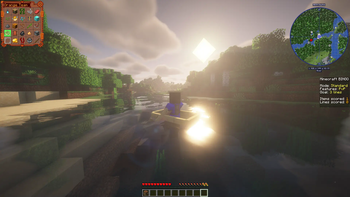
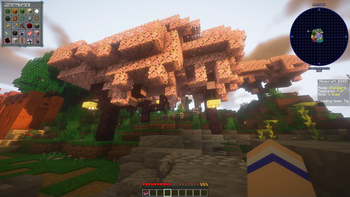
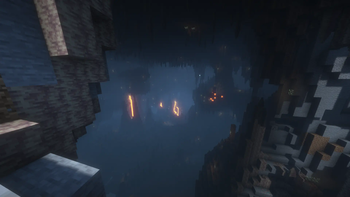
Even though this isn't the focus of the modpack, it comes with Iris and a pre-installed shader pack, aimed at making the lighting and overall feel of Minecraft a bit better. It also makes use of the Dynamic Lights mod to make the whole thing come alive better, allowing items and blocks, such as torches, to interact with the light in a better and smoother way.
Available Versions
How to Set Up a Cacimbinhas Approved Bingo Server
Order Server
Choose at least 4 GB RAM (6 GB recommended for Cacimbinhas Approved Bingo). Based on player count: per 8 players.
Install Modpack in Dashboard
Open the modpack browser in the dashboard, search for "Cacimbinhas Approved Bingo" and click "Install". The fabric loader and Minecraft 1.20.6 are configured automatically.
Start Server & Play
Start the server – all mods are loaded automatically. Share the server IP with friends and play together!
Frequently Asked Questions
Cacimbinhas Approved Bingo server crashes or won't start – what to do?
Most common causes: insufficient RAM or wrong fabric loader. Check latest.log for "OutOfMemoryError" → increase RAM to at least 6 GB. For "Mixin" or "ClassNotFoundException" errors: modpack version and loader don't match. With Mado Hosting, loader and Minecraft version are auto-configured on modpack install – preventing most startup issues.
How much RAM does a Cacimbinhas Approved Bingo server really need?
Minimum 4 GB, recommended 6 GB for stable performance. per 8 players. Important: Minecraft modpacks need more RAM than vanilla – plan extra per additional player. With Mado Hosting, you can scale RAM up live at any time without data loss (from €8/month).
Can I add custom mods to Cacimbinhas Approved Bingo without conflicts?
Yes, but check compatibility: only use mods for the same loader (fabric) and same Minecraft version (1.20.6). Common issues: ID conflicts with recipe mods and incompatible coremod versions. The Mado dashboard mod browser only shows compatible mods and warns about known conflicts.
Cacimbinhas Approved Bingo server lagging – performance tips
1) Increase RAM to 6 GB+. 2) Reduce server view-distance to 8 (server.properties). 3) Pre-generate chunks with the "Chunky" plugin. 4) Use /spark profiler to check which mods consume the most tick time. With Mado Hosting, all servers run on NVMe SSDs with dedicated CPU cores – eliminating hardware as a bottleneck.
Similar Modpacks


![Cobblemon Official Modpack [Fabric]](https://cdn.modrinth.com/data/5FFgwNNP/e7f9ee2e9d361623847853fe2ddce42f519ee64f.png)
![COBBLEVERSE - Pokemon Adventure [Cobblemon]](https://cdn.modrinth.com/data/Jkb29YJU/581ecf54530972afb18a04660afd820f2f24f6c7.png)
![Better MC [FABRIC] - BMC2](https://cdn.modrinth.com/data/shFhR8Vx/a19c2bcb51d38f32f138d3607e91cb2b7b8e387f_96.webp)

Rent Cacimbinhas Approved Bingo Server
Start your own server with automatic modpack installation.
Supported Versions
Start your Cacimbinhas Approved Bingo Server now
From €8.00/month with 6 GB RAM for the best performance.
Configure Server →