![Chronicles of Arcadia: A Journey to Magitech [CAJM]](https://cdn.modrinth.com/data/8Y7eXUbg/9cdc8ff63c036e5082cfe6e83041820076e62e7d_96.webp)
Chronicles of Arcadia: A Journey to Magitech [CAJM]
Try to survive in a fantasy world that will try in every possible way to prevent you from surviving and without a rational approach you will not succeed! To make life easier, you can create plants powered by kinetic energy or electric power, or create your
Screenshots
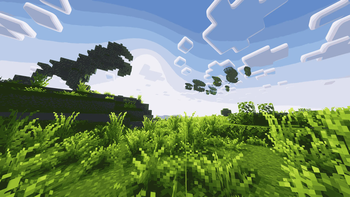

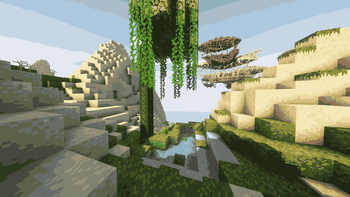
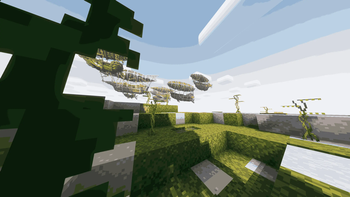
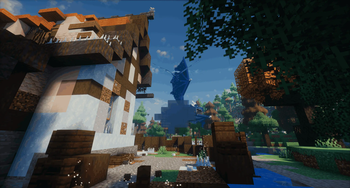
About this Modpack
Description
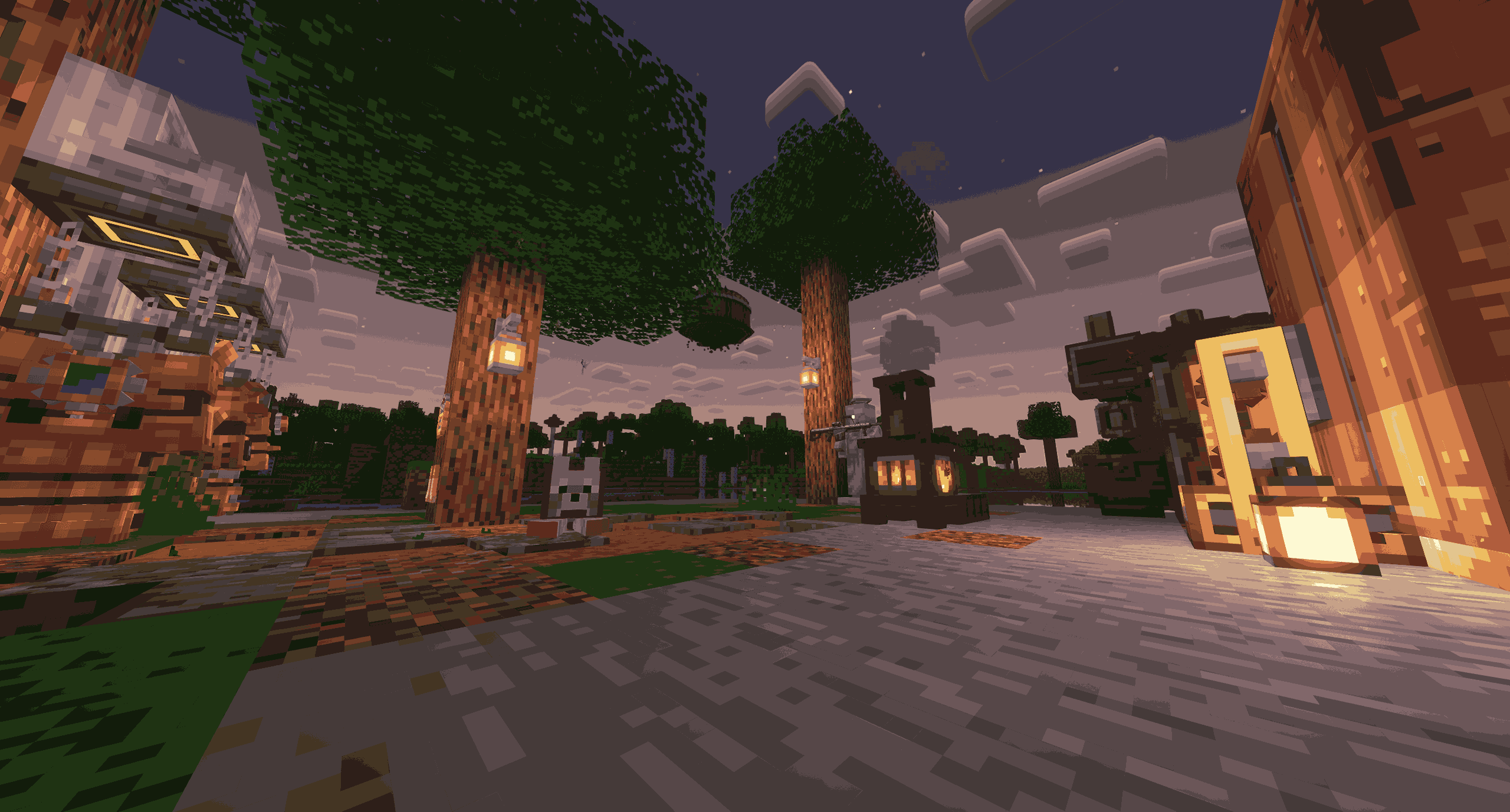
In this world, you can safely pursue only one path of development by playing along the branch of magicians or technicians, because both sides are strong enough to resist the techno-magical world.
But in any case, you will have to face difficulties from both industries!
- Fight against magical monsters that outnumber you many times in strength
- Travel to new, previously unexplored dimensions
- To delve into the exact sciences, which is comparable to magic
- Create huge factories for car farms
This mod pack pursues the idea of the coexistence of magicians and technicians. Each added mod adds something unique to this world and does not force different sides to compete, allowing you to combine both.
You can either use magic for defense, or create your own unique virus that facilitates part of the game, or create a cannon and add your individual intelligence to it.
The build aims to complicate the passage at the beginning of the game by adding new mobs aimed at opposing the player, and slowing down the passage, making it more difficult to get into different dimensions and obtain metal objects by adding a melting system.
When the player is sufficiently responsive, it will be difficult for him to adapt to the world around him: mobs strengthen with him, and further development forces him to travel more and come up with various mechanisms to optimize the process of existence.
P.S. And when you come to the end of the game, routine difficulties will stop looking for you, but this does not mean that they are no more, exploring the world, you will come across various dungeons, difficult bosses, and interesting puzzles.
Mod pack plans

Soon in the build
- Custom mod: meltn metals for create your own weapon with special abilities (replace the Silent Gear)
- A quest tree that will guide you through intricate mechanics and explain their details and new features.
- Plot: Story quests, NPCs, bosses, buildings, and much more that will lure you into a mysterious world.
- Custom crafts that force you to explore and combine different mods
- Ambient musick: special soundtracks for background music
- Improve the balance of the game in the areas of crafting, abilities, enemies and loot
P.S. All updates will be developed only in the author's free time, no exact dates until they are announced by the author himself.



Used mods
Mods&URL
- Advancement Plaques [1.6.9]
- Alex's Caves [2.0.2]
- Alex's Mobs [1.22.9]
- Ambient Environment [11.0.0.1]
- AmbientSounds [6.1.10]
- Amendments [1.20-1.2.19]
- Amplified Nether [1.2.5]
- AppleSkin [2.5.1+mc1.20.1]
- Architectury [9.2.14]
- BaguetteLib [1.0.0]
- Balm [7.3.30]
- BeaconRevisioned [1.2.0]
- Better Block Sounds [1.20.1-0.1.3]
- Better Combat [1.8.6+1.20.1]
- Better End Cities Vanilla [1.0.0-1.20.1]
- BetterF3 [7.0.2]
- Bio-Factory [0.6.0]
- BioForge - Loomborn [1.2]
- Biomancy 2 [2.8.19.0]
- Biomantic Delight [1.0.1]
- Blueprint [7.1.3]
- Blur (Forge) [3.1.1]
- Bookshelf [20.2.13]
- Bountiful [6.0.4+1.20.1]
- CC: Tweaked [1.115.1]
- CameraOverhaul [2.0.4-forge+mc.1.20.0-1.20.5]
- Carry On [2.1.2.7]
- Chefs Delight [1.0.3-forge-1.20.1]
- Chunky [1.3.146]
- Citadel [2.6.1]
- Clean Swing Through Grass [1.8]
- Cloth Config v10 API [11.1.136]
- Collective [8.3]
- Comforts [6.4.0+1.20.1]
- Controlling [12.0.2]
- Corail Backpack [1.20.1-180]
- Corpse [1.20.1-1.0.20]
- CraftTweaker [14.0.57]
- Create [6.0.4]
- Create Deco [2.0.3-1.20.1-forge]
- Create Factory Logistics [1.1.3]
- Create Metallurgy [0.0.7-C6-1.20.1]
- Create Nuclear [1.2.2]
- Create Slice & Dice [3.4.0]
- Create Stuff & Additions [2.1.0]
- Create: Copycats+ [3.0.0+mc.1.20.1-forge]
- Create: Dynamic Village [0.4]
- Create: Enchantable Machinery [3.3.3]
- Create: Mob Spawners [2.2.0]
- Create: Mobile Packages [0.4.1]
- Create: Security Program [0.1.2]
- Create: The Factory Must Grow [0.9.3-1.20.1]
- CreativeCore [2.12.32]
- Creeper Overhaul [3.0.2]
- Curios API [5.12.0+1.20.1]
- Deeper and Darker [1.3.3]
- Ding [1.5.0]
- Distant Worlds [1.1.1]
- Drip Sounds [0.3.2]
- Drippy Loading Screen [3.0.12]
- Dynamic Crosshair [9.3]
- Dynamic Lights [1.8.6+mod]
- Easy Leather [1.0.0]
- Eating Animation [5.1.0]
- Elysium [1.1.2]
- Embeddium [0.3.31+mc1.20.1]
- Embers Rekindled [1.20.1-1.4.0]
- EnchantmentDescriptions [17.1.19]
- End Villager Trader [1.0.1]
- Ender Chested [1.1.0]
- Ender Dragon Fight Remastered [4.3]
- Ender Sins [1.0.0]
- Ender Trigon [1.20.1-1.1]
- Ender's Delight [1.1.3]
- Enderman Overhaul [1.0.4]
- Entity Model Features [2.4.1]
- Entity Texture Features [6.2.9]
- EntityCulling [1.7.4]
- Exposure [1.7.15]
- Fallingleaves [2.1.2]
- FancyMenu [3.5.2]
- Farmer's Delight [1.20.1-1.2.7]
- Ferrite Core [6.0.1]
- FirstPerson [2.4.9]
- Footprint Particle [0.5.2-mc1.20]
- Fzzy Config [0.6.9+1.20.1+forge]
- GeckoLib 4 [4.7.1.2]
- Gliders [1.1.7]
- GlitchCore [0.0.1.1]
- Golem Spawn Animation [1.0.1]
- GroovyModLoader (GML) [s7gFqeVL]
- Grounded [1.20.1-0.1.1]
- Guard Villagers [1.20.1-1.6.10]
- HT's TreeChop [0.19.0]
- Hand Over Your Items [3.6]
- Horse Expert [8.1.1]
- HorseInBoat [1.1.4]
- Ice and Fire [2.1.13-1.20.1]
- Iceberg [1.1.25]
- ImmersiveUI [0.3.0]
- Integrated API [1.5.1+1.20.1-forge]
- Integrated Dungeons and Structures [1.10.3+1.20.1]
- Integrated Stronghold [1.1.1+1.20.1-forge]
- Integrated Villages [1.1.4+1.20.1-forge]
- ItemPhysicLite [1.6.6]
- Jaden's Nether Expansion [2.3.2]
- Just Enough Breeding [1.5.0]
- Just Enough Effects Descriptions [1.20-2.2.5]
- Just Enough Items [15.20.0.106]
- Just Enough Resources [1.4.0.247]
- JustInNETHER [1.0.0]
- Kambrik [6.1.1+1.20.1]
- Key Binding Patch [1.3.3.5]
- Konkrete [1.8.0]
- Kotlin for Forge [hmeyC41q]
- Leawind's Third Person [2.2.0]
- Legendary Survival Overhaul [1.20.1-1.20.1-2.3.11.2]
- Legendary Tooltips [1.4.5]
- Lio's Overhauled Villages [1.18.2-1.21.5-v0.0.7]
- Lodestone [1.20.1-1.6.4.1]
- Lootr [0.7.35.91]
- Majrusz Library [7.0.8]
- Majrusz's Progressive Difficulty [1.9.10]
- Malum [1.20.1-1.6.6]
- Mana and Artifice [3.1.0.8]
- Map Atlases [1.20-6.0.16]
- Markdown Manual [1.2.5+c3f0b88]
- Melody [1.0.2]
- Mineblock's Repeated Utilities [1.0.4+1.20.1+forge]
- MmmMmmMmmmmm [1.20-2.0.6]
- ModernFix [5.23.0+mc1.20.1]
- Moog's End Structures [1.3.4-1.20-forge]
- Moog's Nether Structures [1.0.1-1.20-forge]
- Moonlight Library [1.20-2.14.1]
- More Mob Variants [1.3.0.1]
- Nether's Delight [1.20.1-4.0]
- Nether's Overhaul [1.3.0]
- NetherVillagerTrader [1.2.0]
- NotEnoughAnimations [1.9.3]
- Ocean's Delight [1.0.2-1.20]
- OctoLib [0.5.0.1]
- Oculus [1.8.0]
- Overloaded Armor Bar [1.20.1-1]
- Panda's Falling Tree's [0.13.2]
- PandaLib [0.5.2]
- ParCool! [3.4.0.5]
- ParCool+ / Compatibility Addon [1.0]
- Particle Core [0.2.6+1.20.1+forge]
- Petrol's Parts [1.2.3]
- Petrolpark's Library [1.4.9]
- Player Animator [1.0.2-rc1+1.20]
- PlayerRevive [2.0.31]
- Presence Footsteps (Forge) [1.20.1-1.9.1-beta.1]
- Prism [1.0.5]
- Protection Pixel [1.1.6]
- Puzzles Lib [8.1.32]
- Quark [4.0-462]
- Rare Ice [NONE]
- ReForgedPlay Mod [0.3.1]
- Realistic Horse Genetics [1.20.1-13.5]
- Realm RPG: Fallen Adventurers [1.1.0]
- Realm RPG: Sea Dwellers [2.9.9]
- Remove Terralith Intro Message [1.1]
- Resourceful Lib [2.1.29]
- Resourcefulconfig [2.1.3]
- Respawn Obelisks [2.6-b]
- Searchables [1.0.3]
- Serene Seasons [9.1.0.2]
- Silent Gear [3.6.6]
- Silent Lib [8.0.0]
- Simple Voice Chat [1.20.1-2.5.30]
- Sleep Tight [1.20-1.1.19]
- Snow Under Trees [1.4.10]
- Sons of Sins [2.1.8]
- Sound Physics Remastered [1.20.1-1.4.13]
- Sounds [2.2.1+1.20.1+forge]
- Spyglass Improvements [1.5+mc1.20+forge]
- Starter Kit [7.4]
- Subtle Effects [1.9.4-hotfix.1]
- SuperMartijn642's Config Library [1.1.8]
- SuperMartijn642's Core Lib [1.1.18]
- Supplementaries [1.20-3.1.29]
- TerraBlender [3.0.1.10]
- Terralith [2.5.4]
- Timeless & Classics Guns: Zero [1.1.5]
- Towers of the Wild Modded [1.0.5]
- Towers of the Wild: Additions [1.3.1]
- Traveler's Titles [1.20-Forge-4.0.2]
- Tumbleweed [0.5.5]
- Unusual End [2.3.0]
- Useful Spyglass [0.6.1]
- Variants & Ventures [1.0.6]
- Villager Comfort Updated [1.20.1-1.0.2]
- Villager Recruits Mod [1.13.3]
- Vintage Animations [1.3.0]
- Waystones [14.1.13]
- Wither Spawn Animation [1.5.2]
- Woodworks [3.0.2]
- Workers Mod [1.7.9.1]
- Wormhole (Portals) [1.1.16]
- YDM's Weapon Master [4.2.3]
- YUNG's API [1.20-Forge-4.0.6]
- YUNG's Better Desert Temples [1.20-Forge-3.0.3]
- YUNG's Better Dungeons [1.20-Forge-4.0.4]
- YUNG's Better End Island [1.20-Forge-2.0.6]
- YUNG's Better Jungle Temples [1.20-Forge-2.0.5]
- YUNG's Better Mineshafts [1.20-Forge-4.0.4]
- YUNG's Better Nether Fortresses [1.20-Forge-2.0.6]
- YUNG's Cave Biomes [1.20.1-Forge-2.0.4]
- Zeta [1.0-30]
- corpsecurioscompat [3.0.1]
- iChunUtil [1.0.3]
Available Versions
How to Set Up a Chronicles of Arcadia: A Journey to Magitech [CAJM] Server
Order Server
Choose at least 6 GB RAM (10 GB recommended for Chronicles of Arcadia: A Journey to Magitech [CAJM]). Based on player count: per 4 players.
Install Modpack in Dashboard
Open the modpack browser in the dashboard, search for "Chronicles of Arcadia: A Journey to Magitech [CAJM]" and click "Install". The forge loader and Minecraft 1.20.1 are configured automatically.
Start Server & Play
Start the server – all mods are loaded automatically. Share the server IP with friends and play together!
Frequently Asked Questions
Chronicles of Arcadia: A Journey to Magitech [CAJM] server crashes or won't start – what to do?
Most common causes: insufficient RAM or wrong forge loader. Check latest.log for "OutOfMemoryError" → increase RAM to at least 10 GB. For "Mixin" or "ClassNotFoundException" errors: modpack version and loader don't match. With Mado Hosting, loader and Minecraft version are auto-configured on modpack install – preventing most startup issues.
How much RAM does a Chronicles of Arcadia: A Journey to Magitech [CAJM] server really need?
Minimum 6 GB, recommended 10 GB for stable performance. per 4 players. Important: Minecraft modpacks need more RAM than vanilla – plan extra per additional player. With Mado Hosting, you can scale RAM up live at any time without data loss (from €12/month).
Can I add custom mods to Chronicles of Arcadia: A Journey to Magitech [CAJM] without conflicts?
Yes, but check compatibility: only use mods for the same loader (forge) and same Minecraft version (1.20.1). Common issues: ID conflicts with recipe mods and incompatible coremod versions. The Mado dashboard mod browser only shows compatible mods and warns about known conflicts.
Chronicles of Arcadia: A Journey to Magitech [CAJM] server lagging – performance tips
1) Increase RAM to 10 GB+. 2) Reduce server view-distance to 8 (server.properties). 3) Pre-generate chunks with the "Chunky" plugin. 4) Use /spark profiler to check which mods consume the most tick time. With Mado Hosting, all servers run on NVMe SSDs with dedicated CPU cores – eliminating hardware as a bottleneck.
Similar Modpacks
![Cobblemon Official Modpack [Fabric]](https://cdn.modrinth.com/data/5FFgwNNP/e7f9ee2e9d361623847853fe2ddce42f519ee64f.png)
![COBBLEVERSE - Pokemon Adventure [Cobblemon]](https://cdn.modrinth.com/data/Jkb29YJU/581ecf54530972afb18a04660afd820f2f24f6c7.png)
![Better MC [FABRIC] - BMC2](https://cdn.modrinth.com/data/shFhR8Vx/a19c2bcb51d38f32f138d3607e91cb2b7b8e387f_96.webp)


![Better MC [FORGE] - BMC4](https://cdn.modrinth.com/data/4BV47HRn/7f5ef7cc61b2593609aabef3ed07a866a4f11b73_96.webp)
Rent Chronicles of Arcadia: A Journey to Magitech [CAJM] Server
Start your own server with automatic modpack installation.
Supported Versions
Start your Chronicles of Arcadia: A Journey to Magitech [CAJM] Server now
From €12.00/month with 10 GB RAM for the best performance.
Configure Server →