
Cinnamon Swirl
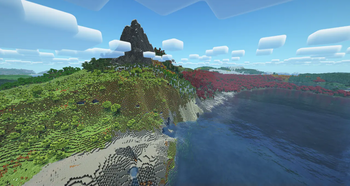
Cinnamon Swirl is a Vanilla+ modpack focusing on the core elements that make Minecraft great: Exploration and Building. It adds many new quality of life mods, completely overhauled terrain generation, and new vanilla-style blocks and content.
Screenshots

About this Modpack
 |
| From the legendary Skyrim and Morrowind modlist author, ForgottenGlory, who has brought such lists as Living Skyrim, Path of the Dovahkiin, and MOISE to over 30,000 players, FG's Modlists is proud to bring you... |
 |

Cinnamon Swirl is a Vanilla+ Minecraft modpack inspired by such packs as Crucial 2, Vanilla Perfected, and many more. Every single one of the ~160 mods has been carefully curated and vetted to provide an enhanced vanilla experience while staying true to the core ideas behind Minecraft: exploration and building. Built on Fabric and (almost) the latest Minecraft version, 1.21.4, Cinnamon Swirl is designed to bring back that sense of wonder and awe we all first experienced when booting up Minecraft for the first time.
The World
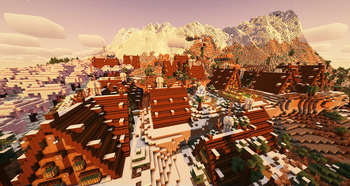
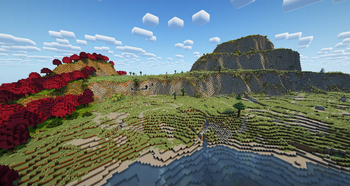
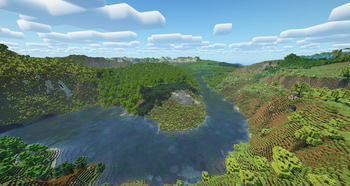
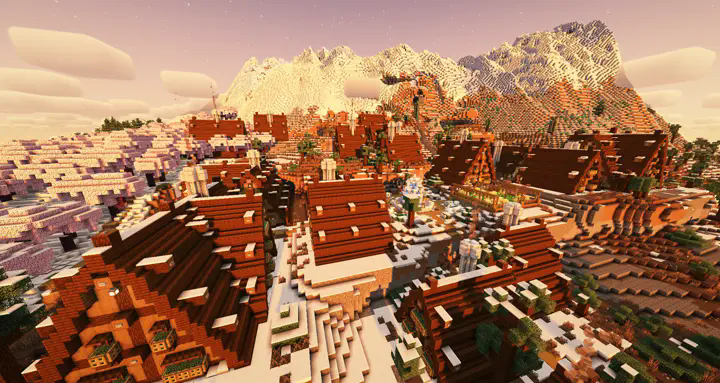
Using Tectonic as a base to overhaul world generation, Cinnamon Swirl is sure to impress. Add in Geophilic, Terralith, Traverse, and Terrestria, and you have a world that's guaranteed to feel fresh on every world you generate. Keep track of what biome you're currently in thanks to Biome Info and explore ruins, overhauled villages, and entirely new locations with Dungeons & Taverns, Better Villages, Philip's Ruins, and Repurposed Structures. Pair all of this with Distant Horizons and Complementary Reimagined Shaders, and your Minecraft world will be screenshot worthy at every turn.
| Dramatic, cinematic worlds! |
|---|
 |
Quality of Life
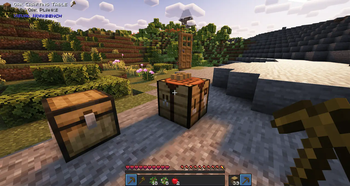
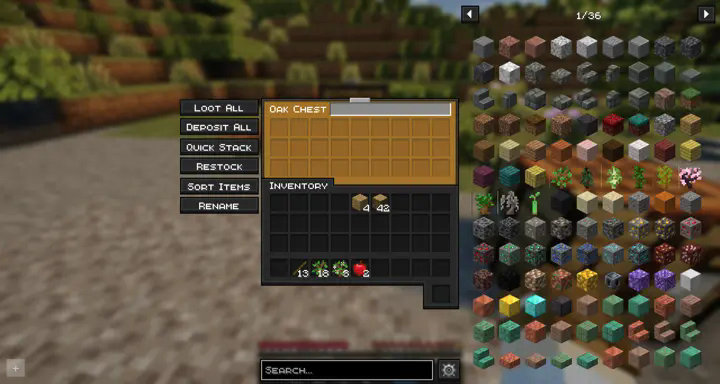
I've put pretty much every quality of life mod I could find or think of into the pack. Everything from Terrastorage to bring quality of life features to chests to something as simple as Better F1 to make taking screenshots a breeze. There's nearly too many things to list here. You'll just have to trust that I've scoured the web for as many quality of life mods as I thought would be useful in the pack.
| More QOL than you can count! |
|---|
 |
Building
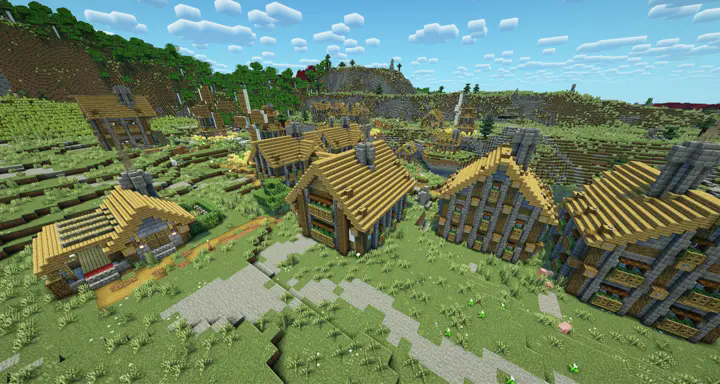
Whether you're drawing inspiration from one of the new structures in the world or wanting to build something from scratch, we've got you covered - in an immersive, vanilla-friendly way. With Jake's Building Tools you'll be able to texture, detail, and demolish to your heart's content. There are also a large collection of new blocks to experiment with thanks to the "More Variants" series of mods and mods such as Stoneworks.
| Inspiring architecture everywhere you look! |
|---|
 |
The UI
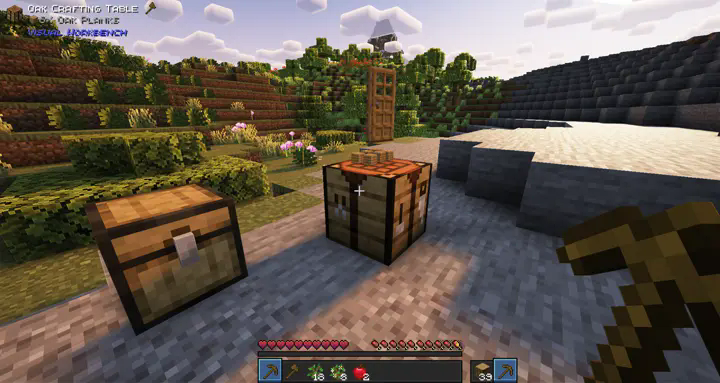
I've spent more time than I'd like to admit getting the UI for the modpack set up exactly the way I like it - useful, pretty, and minimal. With Jade, REI, UniqueDark, and many more the UI is familiar but brought into the modern age - dark mode, search, inventory sorting, easy transfer to chests, and more.
| Clean, easy on the eyes UI! |
|---|
 |
Anything Else?
Sure. We've got more animations, mob variety, crafting station tweaks, backpacks, bug fixes, a whole heap of optimization mods, a loading screen that won't blind you when it opens, particles and effects, more sounds and ambiance, music controls, more weapons, Copper Equipment, fast leaf decay, veinmine, upgradable storage, and shaders, to briefly mention the other features of the pack.
| An entire mountain range of features! |
|---|
 |
FAQ
How do I disable shaders?
Shaders are enabled by default, but you can turn them off by pressing the letter O key on your keyboard and turning them off with that menu.
Distant Horizons uses my entire CPU!
Well, yes, it will when it's first generating LODs for the terrain beyond your chunk render distance. However, if it continues to consume most of your CPU's resources, then you can tweak the settings for it via the Mod Menu. My recommended settings are Low for Quality and Minimal Impact for the CPU usage. Setting those should keep the functionality of Distant Horizons without making your CPU capable of frying an egg.
What isn't included in the pack?
Cinnamon Swirl isn't an expert pack. It's not an automation pack. It's not a magic pack. Mods like Mekanism, Botania, Mystical Agriculture, and so on have all been excluded on purpose. Cinnamon Swirl's purpose is to fulfill my vision of a vanilla+ modpack. To me, that means I'm still playing Minecraft, just with some things to make the game prettier, more interesting, and easier to interact with. I want to be able to wander the world for hours and see something new the whole time, and eventually settle down and make some interesting builds when the urge strikes me. That's what Cinnamon Swirl is, at its core.
Attributions
- This pack uses a modified version of this resource pack: Vanilla Tweaks
Available Versions
How to Set Up a Cinnamon Swirl Server
Order Server
Choose at least 6 GB RAM (8 GB recommended for Cinnamon Swirl). Based on player count: per 5 players.
Install Modpack in Dashboard
Open the modpack browser in the dashboard, search for "Cinnamon Swirl" and click "Install". The fabric loader and Minecraft 1.21.4 are configured automatically.
Start Server & Play
Start the server – all mods are loaded automatically. Share the server IP with friends and play together!
Frequently Asked Questions
Cinnamon Swirl server crashes or won't start – what to do?
Most common causes: insufficient RAM or wrong fabric loader. Check latest.log for "OutOfMemoryError" → increase RAM to at least 8 GB. For "Mixin" or "ClassNotFoundException" errors: modpack version and loader don't match. With Mado Hosting, loader and Minecraft version are auto-configured on modpack install – preventing most startup issues.
How much RAM does a Cinnamon Swirl server really need?
Minimum 6 GB, recommended 8 GB for stable performance. per 5 players. Important: Minecraft modpacks need more RAM than vanilla – plan extra per additional player. With Mado Hosting, you can scale RAM up live at any time without data loss (from €12/month).
Can I add custom mods to Cinnamon Swirl without conflicts?
Yes, but check compatibility: only use mods for the same loader (fabric) and same Minecraft version (1.21.4). Common issues: ID conflicts with recipe mods and incompatible coremod versions. The Mado dashboard mod browser only shows compatible mods and warns about known conflicts.
Cinnamon Swirl server lagging – performance tips
1) Increase RAM to 8 GB+. 2) Reduce server view-distance to 8 (server.properties). 3) Pre-generate chunks with the "Chunky" plugin. 4) Use /spark profiler to check which mods consume the most tick time. With Mado Hosting, all servers run on NVMe SSDs with dedicated CPU cores – eliminating hardware as a bottleneck.
Similar Modpacks
![Cobblemon Official Modpack [Fabric]](https://cdn.modrinth.com/data/5FFgwNNP/e7f9ee2e9d361623847853fe2ddce42f519ee64f.png)
![COBBLEVERSE - Pokemon Adventure [Cobblemon]](https://cdn.modrinth.com/data/Jkb29YJU/581ecf54530972afb18a04660afd820f2f24f6c7.png)
![Better MC [FABRIC] - BMC2](https://cdn.modrinth.com/data/shFhR8Vx/a19c2bcb51d38f32f138d3607e91cb2b7b8e387f_96.webp)


![Better MC [FORGE] - BMC4](https://cdn.modrinth.com/data/4BV47HRn/7f5ef7cc61b2593609aabef3ed07a866a4f11b73_96.webp)
Rent Cinnamon Swirl Server
Start your own server with automatic modpack installation.
Supported Versions
Start your Cinnamon Swirl Server now
From €12.00/month with 8 GB RAM for the best performance.
Configure Server →