
Client-Enhanced
A client-side Minecraft modpack that overhauls and modernizes the experience
Screenshots


About this Modpack


by nickesc — GitHub | Modrinth
Overview



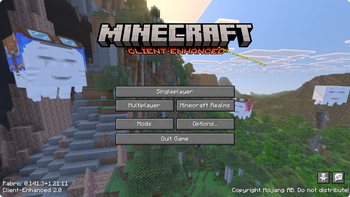
Client-Enhanced is an overhaul of the current Minecraft client. Its goal is to keep the game feeling as close to Vanilla as possible while adding a number of enhancements designed to improve quality of life, visuals, performance, multiplayer, and more.
When you play using Client-Enhanced, you will only be playing with client-side mods. Nothing adds blocks, items, or new gameplay mechanics. And using this modpack, you should still be able to play on Vanilla servers with friends who aren't using it.

Caution: Client-Enhanced is not guaranteed to be compatible with all multiplayer servers. Some mods may be flagged by anti-cheat plugins and result in a ban.
DO NOT connect to a server with Client-Enhanced unless you know the mods in this modpack are permitted on that server.
The sections below cover the major features, but are not exhaustive. For full content lists, see the Mod List, Shader Pack List, and Resource Pack List.
Visuals
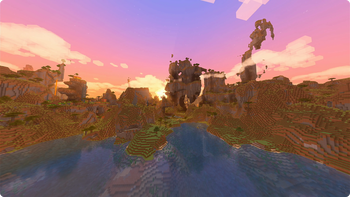
Shaders are supported through Iris, with I Like Vanilla as the default, which overhauls lighting, shadows, and atmosphere while still looking like the Minecraft you know and love.
Camera Overhaul adds more weight and movement to the camera, making it tilt, sway, and bob realistically as you move. Shoulder Surfing Reloaded reworks third-person into an over-the-shoulder perspective. A freecam mode is also available, which lets you detach the camera entirely.
Effects and particles are improved, with tons of new and improved particle effects for blocks, entities, and interactions.
Resource packs like Nautilus 3D and Fresh Animations add 3D detail to block models and more expressive movement to entities. Other packs update the user interface, tweak how things are rendered, and more.


Enhancements
Controlify adds controller support and elytra flight controls are reworked with more natural pitch-and-roll behavior.
The sound engine is overhauled -- audio now reacts to the environment with reverb, echo, and occlusion thanks to Sound Physics Remastered -- and new sound effects have been added throughout the game.
Proximity chat, through Simple Voice Chat, and player emotes are available on supported servers. ViaFabricPlus lets you connect to servers running other Minecraft versions.
Capes, Ears, Show Me Your Skin!, and Female Gender Mod add character customization options, from skin details to player model changes.


HUD and User Interface
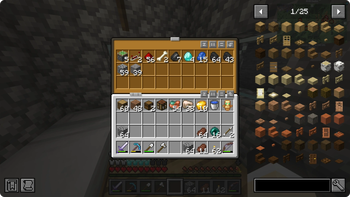
Jade shows block and entity information when you look at something, including container previews. The crosshair will also change based on what you're targeting and what you're holding.
Just Enough Items adds item and recipe lookup in your inventory, and sort buttons in inventory and chest screens make organizing items easier.
JourneyMap adds a minimap and full-screen map with waypoints, synced to the server when supported.
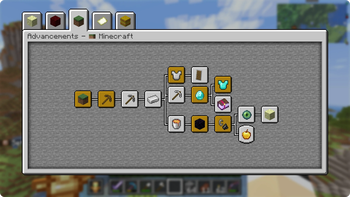
The Achievement, Statistics, and Command Block screens have cleaner layouts and provide additional information.


Optimization and Fixes
Sodium replaces the rendering engine with a much faster one, and mods like Lithium, FerriteCore, ModernNetworking fix performance issues and bugs and make optimizations across the base game.


Optional Features
Resource Packs
Quite a few resource packs are included, and you can select between four preset profiles in the Resource Pack menu:
Enhanced-- all recommended packsVanilla-Like-- drops packs that make significant changesVanilla-- only the necessary packsEnhanced - Shader Alternative
The Enhanced - Shader Alternative profile is a version of the Enhanced profile that uses Core Shaders. It is only recommended if you have performance issues with standard shaders.
To have finer control over all packs, including regularly required and hidden ones, select No Profile.
Shaders
Client-Enhanced uses the I Like Vanilla shader by default. Press O to open the Shader Pack menu, where you can also select Miniature Shader for lower-end machines. Other shaders are enabled automatically in the Nether and End.
Dimension Based Shader Switch enforces shader selection per dimension. Shaders will reset to defaults on world reload (death, dimension change, etc.). To use a different shader that persists across reloads, change it in the Dimension Based Shader Switch config via Mod Menu.
To turn off shaders entirely, use the Shader Pack menu or press K.
Hotkeys
Several enhancements can be toggled with hotkeys:
- Pressing K will toggle camera changes, including shaders
- Pressing J will toggle many HUD elements, including the minimap and block ID
- Pressing L will toggle a couple backend changes like sign click-through and some render culling
Keybinds
Default keybinds (can be customized in the Controls menu):


License
Client-Enhanced is released under the LGPL-3.0 License. For more information, see the LICENSE file.






Available Versions
How to Set Up a Client-Enhanced Server
Order Server
Choose at least 4 GB RAM (6 GB recommended for Client-Enhanced). Based on player count: per 8 players.
Install Modpack in Dashboard
Open the modpack browser in the dashboard, search for "Client-Enhanced" and click "Install". The fabric loader and Minecraft 1.21.11 are configured automatically.
Start Server & Play
Start the server – all mods are loaded automatically. Share the server IP with friends and play together!
Frequently Asked Questions
Client-Enhanced server crashes or won't start – what to do?
Most common causes: insufficient RAM or wrong fabric loader. Check latest.log for "OutOfMemoryError" → increase RAM to at least 6 GB. For "Mixin" or "ClassNotFoundException" errors: modpack version and loader don't match. With Mado Hosting, loader and Minecraft version are auto-configured on modpack install – preventing most startup issues.
How much RAM does a Client-Enhanced server really need?
Minimum 4 GB, recommended 6 GB for stable performance. per 8 players. Important: Minecraft modpacks need more RAM than vanilla – plan extra per additional player. With Mado Hosting, you can scale RAM up live at any time without data loss (from €8/month).
Can I add custom mods to Client-Enhanced without conflicts?
Yes, but check compatibility: only use mods for the same loader (fabric) and same Minecraft version (1.21.11). Common issues: ID conflicts with recipe mods and incompatible coremod versions. The Mado dashboard mod browser only shows compatible mods and warns about known conflicts.
Client-Enhanced server lagging – performance tips
1) Increase RAM to 6 GB+. 2) Reduce server view-distance to 8 (server.properties). 3) Pre-generate chunks with the "Chunky" plugin. 4) Use /spark profiler to check which mods consume the most tick time. With Mado Hosting, all servers run on NVMe SSDs with dedicated CPU cores – eliminating hardware as a bottleneck.
Rent Client-Enhanced Server
Start your own server with automatic modpack installation.
Details
- License
- GNU Lesser General Public License v3.0 or later
- Server-side
- Unsupported
- Client-side
- Required
Supported Versions
Start your Client-Enhanced Server now
From €8.00/month with 6 GB RAM for the best performance.
Configure Server →