
Client+ Modpack
The modpack adds mods that make Minecraft run more stably and all work on multiplayer servers.
Screenshots

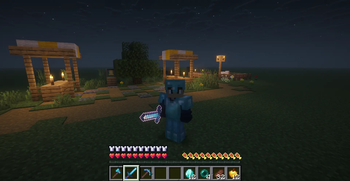
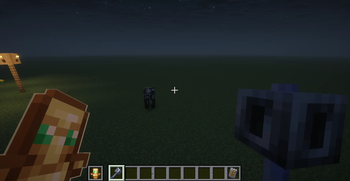

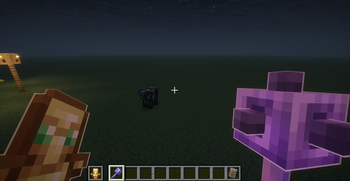
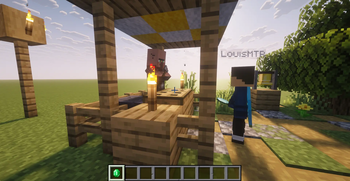
About this Modpack

The modpack adds mods that make Minecraft run more smoothly and all work on multiplayer servers. It includes mods such as Freecam, Zoomify, Iris & Sodium. For a better Vanilla+ experience, resource packs have also been added, which, for example, animate some items or make enchantment books easier to read. Check the changelog for a detailed list of mods.
The modpack will soon be updated to the latest version.


Resourcepack conditions
The GUI Packs should not be used simultaneously!
Die GUI Pakete sollten nicht gleichzeitig benutzt werden!
German description
Dieses Modpack fügt Mods zur Optimierung von Minecraft hinzu. Außerdem kann dieses Modpack auf Multiplayer-Servern benutzt werden. Das Modpack enthält Mods wie Freecam, Zoomify, Iris & Sodium. Für ein besseres Vanilla+ Erlebnis wurden außerdem Ressourcepacks hinzugefügt, die z.B. manche Items oder Blöcke animieren und Verzauberungsbücher besser lesen lässt. Im Changelog ist eine genaue Mod-Auflistung enthalten.
Dieses Projekt wird bald auf die neueste Version aktualisiert.
Available Versions
How to Set Up a Client+ Modpack Server
Order Server
Choose at least 4 GB RAM (6 GB recommended for Client+ Modpack). Based on player count: per 8 players.
Install Modpack in Dashboard
Open the modpack browser in the dashboard, search for "Client+ Modpack" and click "Install". The fabric loader and Minecraft 1.21.10 are configured automatically.
Start Server & Play
Start the server – all mods are loaded automatically. Share the server IP with friends and play together!
Frequently Asked Questions
Client+ Modpack server crashes or won't start – what to do?
Most common causes: insufficient RAM or wrong fabric loader. Check latest.log for "OutOfMemoryError" → increase RAM to at least 6 GB. For "Mixin" or "ClassNotFoundException" errors: modpack version and loader don't match. With Mado Hosting, loader and Minecraft version are auto-configured on modpack install – preventing most startup issues.
How much RAM does a Client+ Modpack server really need?
Minimum 4 GB, recommended 6 GB for stable performance. per 8 players. Important: Minecraft modpacks need more RAM than vanilla – plan extra per additional player. With Mado Hosting, you can scale RAM up live at any time without data loss (from €8/month).
Can I add custom mods to Client+ Modpack without conflicts?
Yes, but check compatibility: only use mods for the same loader (fabric) and same Minecraft version (1.21.10). Common issues: ID conflicts with recipe mods and incompatible coremod versions. The Mado dashboard mod browser only shows compatible mods and warns about known conflicts.
Client+ Modpack server lagging – performance tips
1) Increase RAM to 6 GB+. 2) Reduce server view-distance to 8 (server.properties). 3) Pre-generate chunks with the "Chunky" plugin. 4) Use /spark profiler to check which mods consume the most tick time. With Mado Hosting, all servers run on NVMe SSDs with dedicated CPU cores – eliminating hardware as a bottleneck.
Rent Client+ Modpack Server
Start your own server with automatic modpack installation.
Details
- License
- Creative Commons Attribution 4.0 International
- Server-side
- Unsupported
- Client-side
- Required
Supported Versions
Start your Client+ Modpack Server now
From €8.00/month with 6 GB RAM for the best performance.
Configure Server →