
cobblecure
cobblecure is an expansive yet familiar modpack with a lightweight feel, focused on preserving a classic minecraft cobblemon experience while adding carefully curated accoutrements that feel right at home.
Screenshots

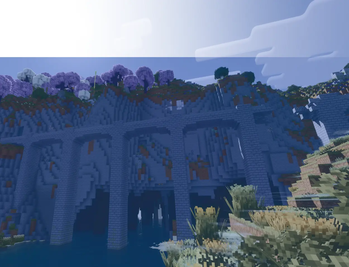
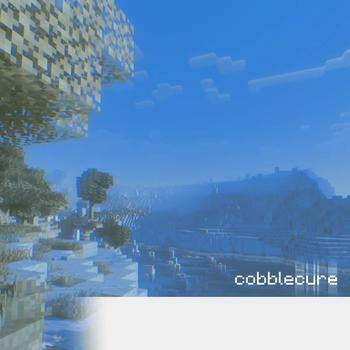
About this Modpack
cobblecure is an expansive cobblemon 1.7 based modpack with a lightweight feel, focused on preserving a classic minecraft experience while adding carefully curated accoutrements that feel right at home. the goal of this modpack is to encourage exploration, creativity and cultivation with the hundreds of beautifully crafted items and blocks in this pack.
exploration - to make exploring your new world exciting but still familiar, no man's land, blooming biosphere and geophilic are a few of the worldgen mods that breathe new life into familiar biomes and expand on the world with new ones as well. enderscape and the aether are a couple other mods that elaborate on this theme beyond the overworld into the end and the iconic aether dimension to extend the life you have with your world. custom cobblemon spawns added by myself also populate many different biomes to ensure diverse ecosystems to get lost in.
creativity - your building palette is greatly expanded with block mods such as architect's palette and the block box to add vast amounts of variations of existing blocks and entirely new possibilities as well; completely survival friendly with recipes included via JEI. the color palette is also expanded with dye depot adding a bunch of new dyes into the game, additionally boasting compatibility with many of the other mods in the pack.
cultivation - farmer's delight, a staple of any vanilla plus modpack is naturally included in cobblecure to enrich gameplay with tons of new food items and crops, and to sweeten the deal even more it comes with amazing addons that add compatibility with the nether, end, aether, and other mods included in the pack as well. however that isn't the only major mod added to expand your agricultural horizons-- bountiful fares populates the world with fruits, new minerals and even more recipe so that you'll never go hungry again.
i really hope that anyone can play this pack and get out of it a classic cobblemon experience with the world expanded greatly while still feeling familiar and not overwhelming! permission has been granted to use the mods in the pack, and none of this would be possible without the craftsmanship of their respective teams and authors.
NOTICE : it is recommended to play with at least 5 gigabytes of ram allocated to this pack.
Available Versions
How to Set Up a cobblecure Server
Order Server
Choose at least 4 GB RAM (6 GB recommended for cobblecure). Based on player count: per 5 players.
Install Modpack in Dashboard
Open the modpack browser in the dashboard, search for "cobblecure" and click "Install". The neoforge loader and Minecraft 1.21.1 are configured automatically.
Start Server & Play
Start the server – all mods are loaded automatically. Share the server IP with friends and play together!
Frequently Asked Questions
cobblecure server crashes or won't start – what to do?
Most common causes: insufficient RAM or wrong neoforge loader. Check latest.log for "OutOfMemoryError" → increase RAM to at least 6 GB. For "Mixin" or "ClassNotFoundException" errors: modpack version and loader don't match. With Mado Hosting, loader and Minecraft version are auto-configured on modpack install – preventing most startup issues.
How much RAM does a cobblecure server really need?
Minimum 4 GB, recommended 6 GB for stable performance. per 5 players. Important: Minecraft modpacks need more RAM than vanilla – plan extra per additional player. With Mado Hosting, you can scale RAM up live at any time without data loss (from €8/month).
Can I add custom mods to cobblecure without conflicts?
Yes, but check compatibility: only use mods for the same loader (neoforge) and same Minecraft version (1.21.1). Common issues: ID conflicts with recipe mods and incompatible coremod versions. The Mado dashboard mod browser only shows compatible mods and warns about known conflicts.
cobblecure server lagging – performance tips
1) Increase RAM to 6 GB+. 2) Reduce server view-distance to 8 (server.properties). 3) Pre-generate chunks with the "Chunky" plugin. 4) Use /spark profiler to check which mods consume the most tick time. With Mado Hosting, all servers run on NVMe SSDs with dedicated CPU cores – eliminating hardware as a bottleneck.
Rent cobblecure Server
Start your own server with automatic modpack installation.
Supported Versions
Start your cobblecure Server now
From €8.00/month with 6 GB RAM for the best performance.
Configure Server →