
CobbleFrite
🌿 Discover a New CobbleFrite Adventure! Welcome to CobbleFrite, a server designed for a smooth and immersive Cobblemon experience. Explore the world, catch Pokémon, and enjoy optimized gameplay. Built to enhance every aspect.
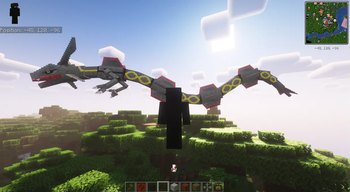
Screenshots
About this Modpack

🌍 Show the description
🇫🇷 French
CobbleFrite
🌿 Bienvenue sur CobbleFrite ! Un serveur basé sur Cobblemon, conçu pour offrir une expérience de jeu fluide et agréable. Que vous soyez un dresseur aguerri ou un explorateur curieux, ce serveur vise à améliorer et optimiser votre aventure tout en restant fidèle à l’esprit du mod.
📌 Qu'est-ce que ce projet ajoute ?
Ce serveur propose une version améliorée de Cobblemon, avec :
Optimisations et équilibrages pour un gameplay plus fluide et agréable.
Modifications personnalisées pour enrichir l’exploration et l’interaction avec l’environnement.
Meilleure compatibilité avec les versions récentes de Minecraft et une installation simplifiée.
🎯 Pourquoi télécharger et rejoindre ce serveur ?
Un serveur pensé pour la communauté, avec une attention portée sur la jouabilité.
Une expérience enrichie, sans trahir l’esprit du mod Cobblemon.
Installation simple, prête à être utilisée sur votre launcher préféré.
❗ Informations importantes avant de télécharger
🔹 Version Minecraft supportée : 1.21.1
🔹 Mods nécessaires : Cobblemon + [liste des mods inclus]
🔹 Ce projet est en cours de développement et évoluera au fil du temps.
🇬🇧 English
CobbleFrite
🌿 Welcome to CobbleFrite! A server based on Cobblemon, designed to provide a smooth and enjoyable gameplay experience. Whether you're a seasoned trainer or a curious explorer, this server aims to enhance and optimize your adventure while staying true to the spirit of the mod.
📌 What does this project add?
This server offers an improved version of Cobblemon, featuring:
✔️ Optimizations and balance tweaks for a smoother and more enjoyable gameplay.
✔️ Custom modifications to enrich exploration and interaction with the environment.
✔️ Better compatibility with recent Minecraft versions and a simplified installation process.
🎯 Why download and join this server?
✅ A community-driven server with a focus on playability.
✅ An enhanced experience that remains faithful to the Cobblemon mod.
✅ Simple installation, ready to use on your favorite launcher.
❗ Important information before downloading
🔹 Supported Minecraft version: 1.21.1
🔹 Required mods: Cobblemon + [list of included mods]
🔹 This project is in active development and will continue to evolve over time.

📂 All Mods
🔹Adorn
🔹Bedrockrify
🔹Better Tab
🔹Bookshelf
...
)
⚠️ The mod list is not final! Some mods may be modified, added, or removed in the future based on updates and server needs.
Available Versions
How to Set Up a CobbleFrite Server
Order Server
Choose at least 6 GB RAM (8 GB recommended for CobbleFrite). Based on player count: per 5 players.
Install Modpack in Dashboard
Open the modpack browser in the dashboard, search for "CobbleFrite" and click "Install". The fabric loader and Minecraft 1.21.1 are configured automatically.
Start Server & Play
Start the server – all mods are loaded automatically. Share the server IP with friends and play together!
Frequently Asked Questions
CobbleFrite server crashes or won't start – what to do?
Most common causes: insufficient RAM or wrong fabric loader. Check latest.log for "OutOfMemoryError" → increase RAM to at least 8 GB. For "Mixin" or "ClassNotFoundException" errors: modpack version and loader don't match. With Mado Hosting, loader and Minecraft version are auto-configured on modpack install – preventing most startup issues.
How much RAM does a CobbleFrite server really need?
Minimum 6 GB, recommended 8 GB for stable performance. per 5 players. Important: Minecraft modpacks need more RAM than vanilla – plan extra per additional player. With Mado Hosting, you can scale RAM up live at any time without data loss (from €12/month).
Can I add custom mods to CobbleFrite without conflicts?
Yes, but check compatibility: only use mods for the same loader (fabric) and same Minecraft version (1.21.1). Common issues: ID conflicts with recipe mods and incompatible coremod versions. The Mado dashboard mod browser only shows compatible mods and warns about known conflicts.
CobbleFrite server lagging – performance tips
1) Increase RAM to 8 GB+. 2) Reduce server view-distance to 8 (server.properties). 3) Pre-generate chunks with the "Chunky" plugin. 4) Use /spark profiler to check which mods consume the most tick time. With Mado Hosting, all servers run on NVMe SSDs with dedicated CPU cores – eliminating hardware as a bottleneck.
Similar Modpacks
![Cobblemon Official Modpack [Fabric]](https://cdn.modrinth.com/data/5FFgwNNP/e7f9ee2e9d361623847853fe2ddce42f519ee64f.png)
![COBBLEVERSE - Pokemon Adventure [Cobblemon]](https://cdn.modrinth.com/data/Jkb29YJU/581ecf54530972afb18a04660afd820f2f24f6c7.png)
![Better MC [FABRIC] - BMC2](https://cdn.modrinth.com/data/shFhR8Vx/a19c2bcb51d38f32f138d3607e91cb2b7b8e387f_96.webp)


![Better MC [FORGE] - BMC4](https://cdn.modrinth.com/data/4BV47HRn/7f5ef7cc61b2593609aabef3ed07a866a4f11b73_96.webp)
Rent CobbleFrite Server
Start your own server with automatic modpack installation.
Supported Versions
Start your CobbleFrite Server now
From €12.00/month with 8 GB RAM for the best performance.
Configure Server →