
Cobblemon Resewn
This project has ben sunset, as it was a modpack intended for friends. It will never receive more updates. Old Description: Alternate Unofficial Fork of the Cobblemon Fabric Pack that's slightly more user friendly
Screenshots
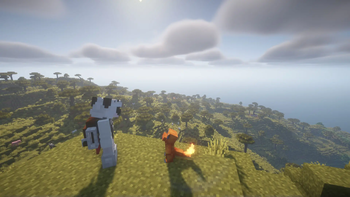
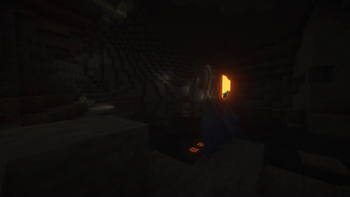
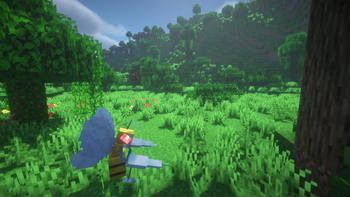
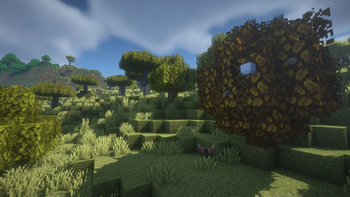
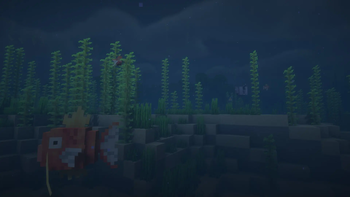
About this Modpack
Cobblemon is an alternate Unofficial Fork of the Cobblemon Fabric Pack that's slightly more user friendly, including additions like Wraith's Waystones and Traveller's Backpack.
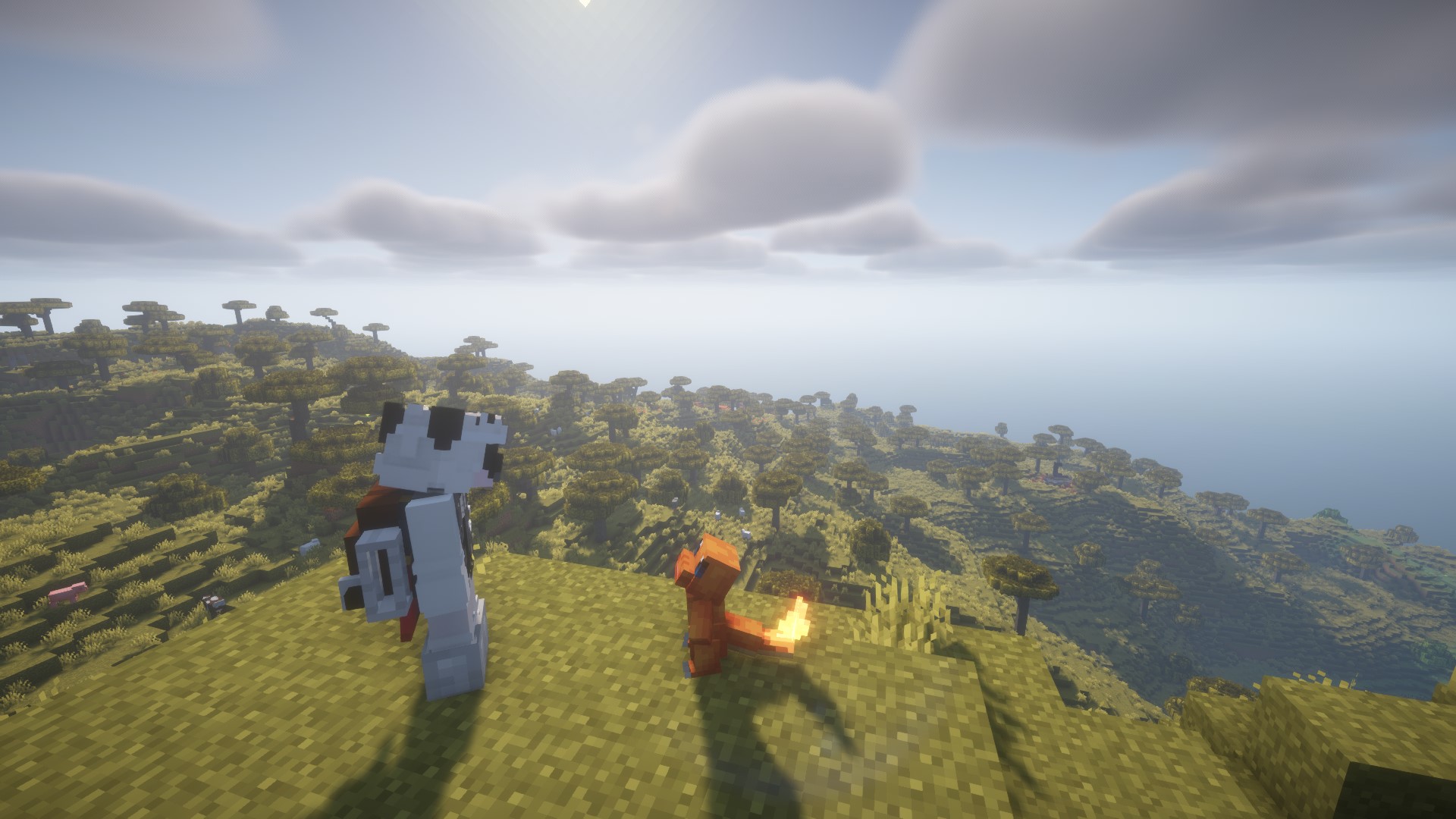
This alternate Cobblemon modpack is designed to be an even more immersive Minecraft experience than the official Cobblemon pack, with extra quality of life mods such as Traveler's Backpack, and Wraith Waystones to make your gameplay less stressful and easier. Also included (but disabled by default) are 2 shaderpacks, Shrimple, and BSL Shaders, which can really make your world come alive (with the expense of being taxing on your system). This pack is also designed to be no more straining on your system than the standard pack, so it can be enjoyed by everyone.
What Cobblemon Includes:
- Capture Pokémon to expand your team, battle wild Pokémon to gain experience, level up to unlock new moves, and evolve your Pokémon. There are over 600 Pokémon to catch!
- Battles using the Pokémon Showdown! engine for accurate competitive battle mechanics.
- Some Legends Arceus-style mechanics, such as move relearning, physically running from battle, and evolving your Pokémon when you decide.
- Toggle free-movement during battles. You can build, mine, or fight mobs while in Pokémon battles!
- You can trade and battle with your friends in multiplayer.
- Let your Pokémon roam free wherever you want using pastures! You can finally enjoy having your Pokémon out with you in the world.
- Apricorn trees in 7 colors. Harvest apricorns by right-clicking them, and each harvest has a chance to also drop a seed that can grow a new tree. You can use bone meal on apricorns too!
- Berries which can be found in the wild, grown on farmland, and cross-bred to mutate new berries. You can also use mulches to affect how berries grow.
- Some new crops that can be grown to craft healing items and foods. They're found in many different places and grow in many different ways.
- Medicine items can be created by putting crops and berries into a brewing stand. Brewed potions heal more!
- Ancient structures in the world to discover. Some of these structures have gilded chests, which may contain valuable loot or other surprises!
- Fossils can be found by excavating suspicious gravel or sand at certain locations, which can then be revived using a ressurection machine.
- All Pokémon from generations 1 to 9 can be spawned and battled with, but if they don't have a model yet then they will display as a substitute doll.
- Support for many biome mods, including Terralith, Oh The Biomes You'll Go, and William Wythers' Overhauled Overworld. There's a growing list of others with support too!
- Full support for custom variations and fakemon using data packs and resource packs. You can find out how to do it using cobblemons' guide!
... and many more to come!
Modpack Contents:
If you want to get any of these mods for personal use, please download them from their original pages to support their authors.
Mods:
- Accurate Block Placement Reborn - Allows for smooth bedrock-like placement mechanics
- AdvancementInfo - Enlarges the advancement page and displays progress info.
- Advancement Plaques - Replaces the boring advancement popup with something more fancy
- AppleSkin - Displays more information on the HUD about food-related values.
- Bad Wither No Cookie - Reloaded - Changes many loud server-wide broadcast sounds to be local.
- Better Advancements - improves the UI and UX for the advancements system.
- Better End Sky - The sky from BetterEnd in a standalone mod.
- Better Ping Display - Displays each player's ping in the player list as a number in (ms).
- Blur+ - blurs backgrounds when in GUIs.
- Boat Item View - Allows you to keep your hand out when riding in boats
- Borderless Mining - Changes fullscreen mode to borderless fullscreen.
- Capes - allows for custom capes
- Cave Dust - Adds cave dust particles to caves.
- Cherished Worlds - Adds the ability to bookmark and search worlds.
- CleanCut - Allows hitting enemies through obstructions like grass.
- ClearDespawn - Makes items blink when they're close to despawning.
- Clumps - Groups EXP orbs in close proximity together into a single entity to reduce lag.
- Cobblemon Capture XP - Grants EXP for your team when you capture a wild Pokemon
- CobblemonExtras - adds support for additional server side commands
- Cobblemon Integrations - Various mod integrations for Cobblemon
- Cobblemon Poképedia: Cobblepedia - An in-game Poképedia wiki book for Cobblemon
- Cobblemon Spawn Notification - broadcasts message when a rare pokemon spawns
- Cobblemon - Adds Pokémon to your Minecraft.
- Cobblemounts - allows you to ride your pokemon
- Continuity - Allows for efficient connected textures, similar to Optifine.
- Controlling - Adds a search bar to the Key-Bindings menu
- Crafting Tweaks - Allows you to rotate, balance, or clear the crafting grid using buttons.
- CraftPresence - Displays info about the game being played on Discord.
- Cull Less Leaves - Improves the performance of leaf rendering.
- Dismount Entity - Allows removing entities from vehicles with "Shift+Right-Click"
- Double Doors - lets you open both doors at once
- Drip Sounds - Adds sounds for drip particles landing.
- Dynamic Crosshair Compat - mod compatibility with Dynamic Crosshair
- Dynamic Crosshair - Changes the crosshair depending on what is being looked at.
- Easy Anvils - overhauled anvils
- Easy Magic - overhauled enchantment tables
- Eating Animation - adds animations to food when eating
- Elytra Slot - adds a dedicated slot for your elytra
- Enchantment Descriptions - Adds descriptions of enchantments to the tooltips of enchanted books.
- Enhanced Attack Indicator - Shows the attack indicator progress meter on more actions.
- Enhanced Block Entities - Reduce block entity FPS lag
- Entity Culling - Skips rendering entities you can't see to improve performance.
- FabricSkyboxes - Allows resource packs to define custom skyboxes
- Falling Leaves - Adds falling leaf and snow particles.
- FancyMenu - Customizes the main menu.
- FastAnim - Optimizes entity animations.
- FerriteCore - Optimizes memory usage.
- FeyTweaks - Optimizes signs and beacons.
- First-person Model - allows you to see your body in first person
- ImmediatelyFast - Optimizes immediate rendering.
- Indium - Sodium addon that adds support for the Fabric Rendering API.
- InvMove - Adds the ability to walk around while in inventories.
- Iris Shaders - allows you to enable and use Shaderpacks
- Iron Chests: Restocked - provides multiple variants of chests that increase in size
- Item Highlighter - Highlights newly picked-up items
- Jade 🔍 - hows information about what you are looking at
- LambDynamicLights - Adds dynamic lights.
- LazyDFU - Optimizes launching the game.
- Legendary Tooltips - Gives your rare items a fancier tooltip
- Let Me Despawn - Allows mobs that pick up items to despawn.
- Lithium - Adds many game optimizations.
- Longer Chat History - Makes the chat history much longer.
- Make Bubbles Pop - Makes bubble particles pop.
- Memory Leak Fix - Fixes multiple memory leaks.
- Model Gap Fix - Fixes gaps in Block Models and Item Models
- Mod Menu - Adds a mod menu to view the list of mods you have installed.
- Monsters in the Closet - Highlights any mobs that are preventing you from sleeping.
- More Culling - Optimizes render culling.
- Mouse Tweaks - Enhances inventory management by adding various functions to the mouse buttons.
- Nature's Compass - Allows you to locate biomes anywhere in the world.
- NetherPortalFix - Fixes a bug with nether portal linking in multiplayer
- Not Enough Animations - Adds more animations to vanilla actions.
- Presence Footsteps - Makes footsteps sound better and more dynamic.
- Reese's Sodium Options - Improves Sodium's options menu.
- Roughly Enough Items - Adds a GUI for searching and viewing recipes.
- Roughly Enough Professions - REI addon to show the worktables required for villager professions.
- Roughly Searchable - REI addon that highlights items that match the current search in REI.
- Show Me Your Skin! - Allows hiding or customizing armor rendering.
- Shulker Box Tooltip - Allows viewing the contents of shulker boxes in your inventory with "Shift".
- Simple Voice Chat - A working voice chat in Minecraft
- Sodium - Optimizes rendering.
- Sodium Extra - Provides more options in the video settings.
- Sodium Shadowy Path Blocks - Smooths shading on path blocks with Sodium.
- Starlight - Rewrites the light engine to improve performance and fix lighting errors.
- Title Fixer - revents screen title displays from running off-screen.
- Tom's Simple Storage Mod - Simple vanilla style storage mod
- Tool Stats - Displays more tool and weapon stats in tooltips.
- ToolTipFix - Fixes tooltips runnning off-screen.
- Traveler's Backpack - Unique and upgradeable backpacks
- Trinkets - A data-driven accessory mod
- Visuality - Adds various particle effects to blocks and entities.
- Visual Workbench - Items stay inside of crafting tables and are also rendered on top
- Wavey Capes - makes Minecraft Capes wavey
- Wraith Waystones - Waystones you can teleport to
- Xaero's Minimap - Displays a minimap of nearby terrain, players, and entities, and allows waypoint use.
- Xaero's World Map - Adds a full-screen world map
- Your Options Shall Be Respected - Prevents configs from being overwritten by updates.
- Zoomify - Adds a keybind for a zoom function.
- Entity Texture Features - Emissive, Random & Custom texture support for entities in resourcepacks
Dependencies:
- Prism - Required by Legendary Tooltips
- YetAnotherConfigLib (YACL) - Required by Cull Less Leaves & Zoomify
- Iceberg - Required by Advancement Plaques, Highlighter, & Legendary Tooltips
- Cloth Config API - Soft dependency for various mods
- Melody - Required by Fancy Menu
- Almanac - Required by Let Me Despawn
- Fabric Language Kotlin - Required by Capes, Cobblemon Capture XP, & Zoomify
- CICADA - Required by Show Me Your Skin
- Balm - Required by Crafting Tweaks & Nether Portal Fix
- Konkrete - Required by Fancy Menu
- Cardinal Components API - Soft dependency for various mods
- Puzzles Lib - Required by Easy Anvils, Easy Magic, & Visual Workbench
- oωo (owo-lib) - Required by Fabric Waystones
- Collective - Required by Dismount & Double Doors
- Architectury API - Required by Roughly Enough Items
- UniLib - Required by CraftPresence
- Patchouli - Required by Cobblepedia
- Searchables - Required by Controlling
- Forge Config API Port - Required by Advancement Plaques, Puzzles Lib, Highlighter, & Legendary Tooltips
- CIT Resewn - Required by Unique Enchanted Books
- Bookshelf - Required by Enchantment Descriptions & Toolstats
Resource Packs:
- Glowing Ores! - ores glow in the dark
- Unique Enchanted Books - Every enchanted book looks unique
- Better Lanterns - 3D Lanterns
- Fast Better Grass - sides of grass blocks use the top texture
- Geometric Font Legacy - replace's Minecrafts' font with a much nicer and rounder font
- Low On Fire - allows you to see more when you're on fire
- Motschen's Better Leaves - Bushy leaves
Shader Packs:
- Shrimple - useful for it's RTX mode shaders
- BSL Shaders - Original - Standard nice shaderpack
Available Versions
How to Set Up a Cobblemon Resewn Server
Order Server
Choose at least 6 GB RAM (8 GB recommended for Cobblemon Resewn). Based on player count: per 5 players.
Install Modpack in Dashboard
Open the modpack browser in the dashboard, search for "Cobblemon Resewn" and click "Install". The fabric loader and Minecraft 1.20.1 are configured automatically.
Start Server & Play
Start the server – all mods are loaded automatically. Share the server IP with friends and play together!
Frequently Asked Questions
Cobblemon Resewn server crashes or won't start – what to do?
Most common causes: insufficient RAM or wrong fabric loader. Check latest.log for "OutOfMemoryError" → increase RAM to at least 8 GB. For "Mixin" or "ClassNotFoundException" errors: modpack version and loader don't match. With Mado Hosting, loader and Minecraft version are auto-configured on modpack install – preventing most startup issues.
How much RAM does a Cobblemon Resewn server really need?
Minimum 6 GB, recommended 8 GB for stable performance. per 5 players. Important: Minecraft modpacks need more RAM than vanilla – plan extra per additional player. With Mado Hosting, you can scale RAM up live at any time without data loss (from €12/month).
Can I add custom mods to Cobblemon Resewn without conflicts?
Yes, but check compatibility: only use mods for the same loader (fabric) and same Minecraft version (1.20.1). Common issues: ID conflicts with recipe mods and incompatible coremod versions. The Mado dashboard mod browser only shows compatible mods and warns about known conflicts.
Cobblemon Resewn server lagging – performance tips
1) Increase RAM to 8 GB+. 2) Reduce server view-distance to 8 (server.properties). 3) Pre-generate chunks with the "Chunky" plugin. 4) Use /spark profiler to check which mods consume the most tick time. With Mado Hosting, all servers run on NVMe SSDs with dedicated CPU cores – eliminating hardware as a bottleneck.
Similar Modpacks
![Cobblemon Official Modpack [Fabric]](https://cdn.modrinth.com/data/5FFgwNNP/e7f9ee2e9d361623847853fe2ddce42f519ee64f.png)
![COBBLEVERSE - Pokemon Adventure [Cobblemon]](https://cdn.modrinth.com/data/Jkb29YJU/581ecf54530972afb18a04660afd820f2f24f6c7.png)
![Better MC [FABRIC] - BMC2](https://cdn.modrinth.com/data/shFhR8Vx/a19c2bcb51d38f32f138d3607e91cb2b7b8e387f_96.webp)


![Better MC [FORGE] - BMC4](https://cdn.modrinth.com/data/4BV47HRn/7f5ef7cc61b2593609aabef3ed07a866a4f11b73_96.webp)
Rent Cobblemon Resewn Server
Start your own server with automatic modpack installation.
Supported Versions
Start your Cobblemon Resewn Server now
From €12.00/month with 8 GB RAM for the best performance.
Configure Server →