Cobblemon World Cup

Cobblemon World Cup

Battle your friends on the Cobblemon World Cup Island map!

by Veraxiel
1.4K Downloads
0 Followers
fabricMC 1.21.1combatlightweightmultiplayer

Screenshots

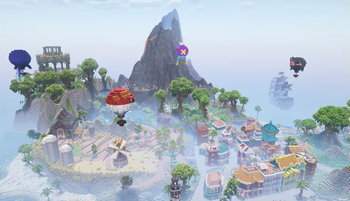
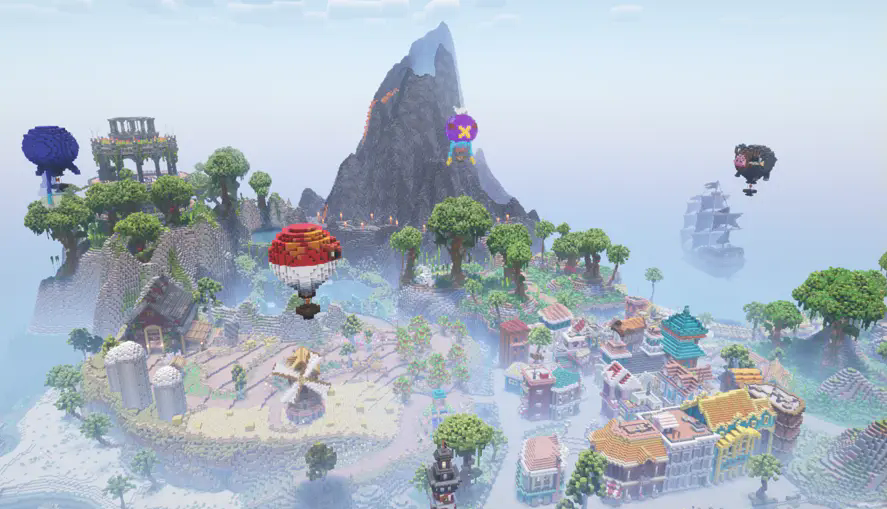
Explore the CWC Island
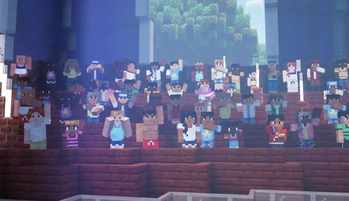
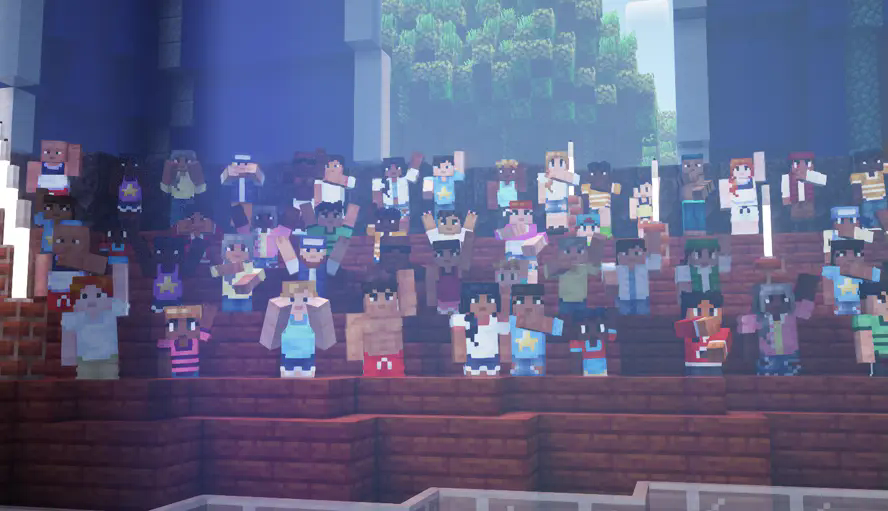
Experience Cobblemon's Various Advanced NPCs
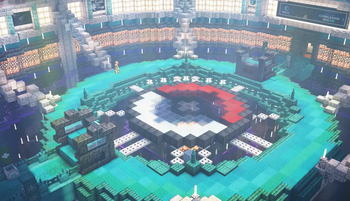
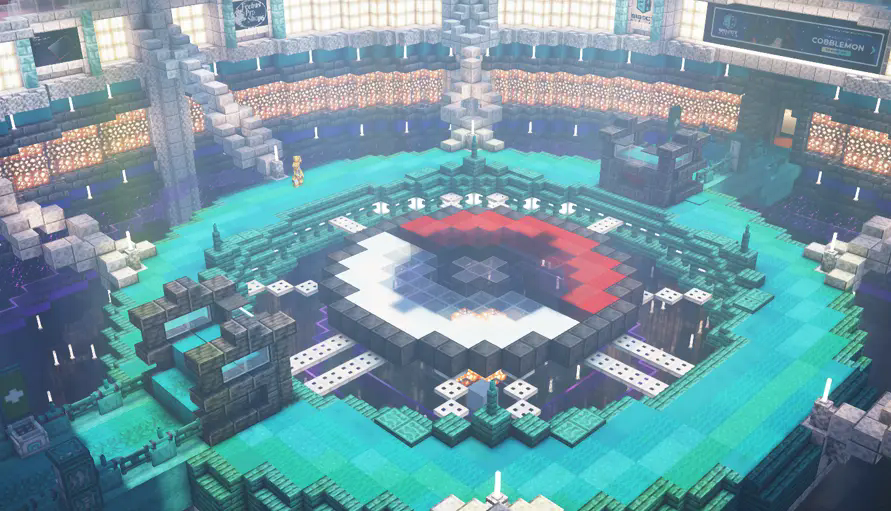
Battle on the Island's Arenas
Cobblemon World Cup

About this Modpack

The Cobblemon World Cup Modpack for Fabric

About This Modpack:

Battle your friends on the Cobblemon World Cup Island!

The CWC Island comes pre-installed in your singleplayer worlds. Explore the island, battle in the Fire, Water, Grass, or Champion's arenas, and experience Cobblemon's NPCs as cheering crowds, referee Gholdengos, fast-travel portals, animated builds and more!

The Cobblemon World Cup modpack is designed to make your Minecraft experience immersive with improved visuals and audio while running better than vanilla Cobblemon by using many optimization mods. Included are optional extras such a recommended resource pack and shader pack, disabled by default.

Alternatively, you can download the official Cobblemon modpack on Modrinth or CurseForge! We recommend downloading the modpack with the Modrinth App, but Prism Launcher is also a good alternative launcher that can download modpacks from any of these sites.

Note: The Cobblemon mod is still in development and is being actively updated. There are many features that are work-in-progress or placeholders until things are finished. There are also some existing features that will be getting more polish as we keep moving. Many more features are planned, including but not limited to things like NPCs, riding Pokémon, breeding, and structures.

Join our Discord to follow development progress, chat with the team, ask questions, and get sneak peeks into upcoming features!

Explore the Cobblemon World Cup Island!

Battle Your Friends on the Island's 4 Arenas!

Discover Unique NPCs Around the Map!

Modpack Contents:

If you want to get any of these mods for personal use, please download them from their original pages to support their authors.

Mods:

  • Ambient Environment - Adds color noise to biome colors.
  • Better Ping Display - Displays each player's ping in the player list as a number in (ms).
  • Better Third Person - Allows independent rotation of the camera in third-person view. Permission
  • Cobblemon - Adds the Pokémon to your Minecraft.
  • CraftPresence - Displays info about the game being played on Discord.
  • Entity Culling - Skips rendering entities you can't see to improve performance.
  • Entity View Distance - Allows range extension of the distance entities are visible.
  • Falling Leaves - Adds falling leaf and snow particles.
  • FancyMenu - Customizes the main menu.
  • FerriteCore - Optimizes memory usage.
  • ImmediatelyFast - Optimizes immediate rendering.
  • InvMove - Adds the ability to walk around while in inventories.
  • Krypton - Optimizes the networking stack.
  • LambDynamicLights - Adds dynamic lights.
  • Language Reload - Improves the language selection menu.
  • Lithium - Adds many game optimizations.
  • Make Bubbles Pop - Makes bubble particles pop.
  • Particle Rain - Replaces the default weather with particle effects, better on performance than vanilla rain.
  • Particular - Enhances the ambience with particle-based visual effects.
  • Presence Footsteps - Makes footsteps sound better and more dynamic.
  • Reese's Sodium Options - Improves Sodium's options menu.
  • Satin Free Wakes - Adds wakes that trail behind things moving across water, updated version of Wakes.
  • Sodium - Optimizes rendering.
  • Sodium Extra - Provides more options in the video settings.
  • Sodium Extras - Adds features to Sodium to improve the experience and performance.
  • Sodium Leaf Culling - Improves the performance of leaf rendering.
  • Sodium Shadowy Path Blocks - Smooths shading on path blocks with Sodium.
  • ToolTipFix - Fixes tooltips runnning off-screen.
  • Visuality - Adds various particle effects to blocks and entities.
  • Your Options Shall Be Respected (YOSBR) - Prevents configs from being overwritten by updates.
  • Dependencies:

  • Cloth Config API - Required by many mods to use their in-game config menus.
  • Fabric API - Required by all Fabric mods.
  • Iris Shaders - Required by all shader packs.
  • Konkrete - Required by FancyMenu.
  • Melody - Required by FancyMenu.
  • Mod Menu - Allows in-game configuration of Fabric mods.
  • oωo-lib - Required by Particular.
  • Sodium Options API - Required by Sodium Leaf Culling, and Sodium Extras.
  • UniLib - Required by CraftPresence.
  • YetAnotherConfigLib - Required by Satin Free Wakes.
  • Resourcepacks:

  • Motschen's Better Leaves (not enabled by default) - Resource pack to make leaves look bushier.
  • Shaderpacks:

  • Complementary Shaders - Reimagined (not enabled by default) - Recommended shader pack.
  • Cobblemon is not affiliated with Pokémon nor Minecraft.

    Minecraft is a trademark of Mojang Synergies AB | Pokémon is a trademark of Nintendo, Creatures Inc. and GAME FREAK inc.

    Available Versions

    Cobblemon World Cup Modpack 1.0release
    MC 1.21.1fabric1.4K downloads
    August 15, 2025

    How to Set Up a Cobblemon World Cup Server

    1

    Order Server

    Choose at least 4 GB RAM (6 GB recommended for Cobblemon World Cup). Based on player count: per 8 players.

    2

    Install Modpack in Dashboard

    Open the modpack browser in the dashboard, search for "Cobblemon World Cup" and click "Install". The fabric loader and Minecraft 1.21.1 are configured automatically.

    3

    Start Server & Play

    Start the server – all mods are loaded automatically. Share the server IP with friends and play together!

    Frequently Asked Questions

    Cobblemon World Cup server crashes or won't start – what to do?

    Most common causes: insufficient RAM or wrong fabric loader. Check latest.log for "OutOfMemoryError" → increase RAM to at least 6 GB. For "Mixin" or "ClassNotFoundException" errors: modpack version and loader don't match. With Mado Hosting, loader and Minecraft version are auto-configured on modpack install – preventing most startup issues.

    How much RAM does a Cobblemon World Cup server really need?

    Minimum 4 GB, recommended 6 GB for stable performance. per 8 players. Important: Minecraft modpacks need more RAM than vanilla – plan extra per additional player. With Mado Hosting, you can scale RAM up live at any time without data loss (from €8/month).

    Can I add custom mods to Cobblemon World Cup without conflicts?

    Yes, but check compatibility: only use mods for the same loader (fabric) and same Minecraft version (1.21.1). Common issues: ID conflicts with recipe mods and incompatible coremod versions. The Mado dashboard mod browser only shows compatible mods and warns about known conflicts.

    Cobblemon World Cup server lagging – performance tips

    1) Increase RAM to 6 GB+. 2) Reduce server view-distance to 8 (server.properties). 3) Pre-generate chunks with the "Chunky" plugin. 4) Use /spark profiler to check which mods consume the most tick time. With Mado Hosting, all servers run on NVMe SSDs with dedicated CPU cores – eliminating hardware as a bottleneck.

    Rent Cobblemon World Cup Server

    Start your own server with automatic modpack installation.

    Recommended RAM:
    6 GB(min. 4 GB)
    From 8.00 / month
    Create Server Now
    1-Click Modpack Install
    NVMe SSD Storage
    DDoS Protection included
    Automatic Backups

    Details

    License
    Mozilla Public License 2.0
    Server-side
    Optional
    Client-side
    Optional

    Supported Versions

    1.21.1

    Start your Cobblemon World Cup Server now

    From €8.00/month with 6 GB RAM for the best performance.

    Configure Server →