
Cobbromon
This modpack blends the creature-collecting adventure of Cobblemon with the mechanical creativity of Create. Explore the world, build clever contraptions, and grow your team—all in a seamless mix of exploration and engineering.
Screenshots
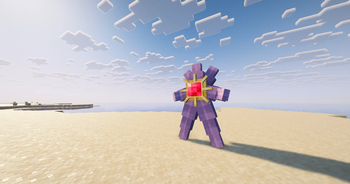
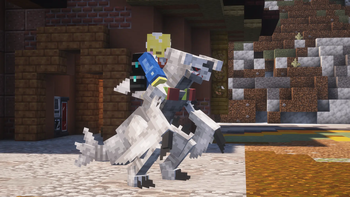

About this Modpack

The Official Cobbromon Server Modpack

This modpack combines the creature-collecting fun of Cobblemon with the mechanical creativity of Create to deliver a fresh, adventure-driven Minecraft experience. Explore the world while discovering, training, and battling Cobblemon, then bring your journey to life with fully automated factories, intricate contraptions, and kinetic machinery. Whether you're building advanced bases, engineering complex systems, or forming your ultimate Cobblemon team, this pack blends exploration and engineering into one seamless, immersive world.
Full List of Mods
Spoiler
- Sodium Options API
- Create: Oxidized
- Sodium Leaf Culling
- Sodium Shadowy Path Blocks
- Balm
- Konkrete
- Cobblemon Move Inspector
- Cherished Worlds
- Xaero's World Map
- KryptonFoxified
- Open Loader
- CIT Resewn
- Iris Shaders
- Tips
- Create: Storage Drawers compat
- Cobbreeding
- Prickle
- Create: Bells & Whistles
- CITResewnNeoPatcher
- Lootr
- Sodium Extras
- NetherPortalFix
- Falling Leaves (NeoForge/Forge)
- Create: Copycats+
- InvMoveCompats
- Advanced Loot Info
- Cobblemon
- Cobblemon: Mega Showdown
- Enhanced Attack Indicator
- Create
- Reese's Sodium Options
- [EMF] Entity Model Features
- ImmediatelyFast
- EMI
- Ability Upgrade - Cobblemon
- Better Tooltips
- Sodium
- Lithium
- SwingThrough
- Wakes Reforged
- EMI professions (EMIP)
- InvMove
- Pretty Rain
- Create Encased
- Almanac
- Sodium Extra
- Bad Wither No Cookie - Reloaded
- Sophisticated Core
- Cobblemon: Create Industries (3D Production Models)
- Create: Enchantment Industry
- Clumps
- Default Options
- LanguageReloadUnofficial
- FerriteCore
- Melody
- AppleSkin
- UniLib
- Particular ✨ Reforged
- Just Enough Items (JEI)
- LambDynamicLights [Unofficial NeoForge]
- Sinytra Connector
- EMI Ores
- Not Enough Animations
- Create Crafts & Additions
- Cobblemon Box Link
- Cobblemon Pokenav
- Cloth Config API
- Better Ping Display [Forge/NeoForge]
- Just Zoom
- Pommel - Held Item Models
- Forgified Fabric API
- Crafting Tweaks
- Puzzles Lib
- Ambient Environment
- CraftPresence
- Simple Voice Chat
- Visuality: Reforged
- Create: Dragons Plus
- Xaero's Minimap
- Shulker Box Tooltip
- Storage Drawers
- Let Me Despawn
- Sophisticated Backpacks
- oωo (owo-lib)
- Better Third Person
- Entity Culling
- Accessories
- Enchantment Descriptions
- Lithostitched
- Bookshelf
- Tectonic
- Better Advancements
- Cobblemore Lib
- [ETF] Entity Texture Features
- FancyMenu
- Monsters in the Closet
- Just Enough Effect Descriptions (JEED)
- EMI Enchanting
- Kotlin for Forge
- Architectury API
Available Versions
How to Set Up a Cobbromon Server
Order Server
Choose at least 6 GB RAM (8 GB recommended for Cobbromon). Based on player count: per 5 players.
Install Modpack in Dashboard
Open the modpack browser in the dashboard, search for "Cobbromon" and click "Install". The neoforge loader and Minecraft 1.21.1 are configured automatically.
Start Server & Play
Start the server – all mods are loaded automatically. Share the server IP with friends and play together!
Frequently Asked Questions
Cobbromon server crashes or won't start – what to do?
Most common causes: insufficient RAM or wrong neoforge loader. Check latest.log for "OutOfMemoryError" → increase RAM to at least 8 GB. For "Mixin" or "ClassNotFoundException" errors: modpack version and loader don't match. With Mado Hosting, loader and Minecraft version are auto-configured on modpack install – preventing most startup issues.
How much RAM does a Cobbromon server really need?
Minimum 6 GB, recommended 8 GB for stable performance. per 5 players. Important: Minecraft modpacks need more RAM than vanilla – plan extra per additional player. With Mado Hosting, you can scale RAM up live at any time without data loss (from €12/month).
Can I add custom mods to Cobbromon without conflicts?
Yes, but check compatibility: only use mods for the same loader (neoforge) and same Minecraft version (1.21.1). Common issues: ID conflicts with recipe mods and incompatible coremod versions. The Mado dashboard mod browser only shows compatible mods and warns about known conflicts.
Cobbromon server lagging – performance tips
1) Increase RAM to 8 GB+. 2) Reduce server view-distance to 8 (server.properties). 3) Pre-generate chunks with the "Chunky" plugin. 4) Use /spark profiler to check which mods consume the most tick time. With Mado Hosting, all servers run on NVMe SSDs with dedicated CPU cores – eliminating hardware as a bottleneck.
Similar Modpacks
![Cobblemon Official Modpack [Fabric]](https://cdn.modrinth.com/data/5FFgwNNP/e7f9ee2e9d361623847853fe2ddce42f519ee64f.png)
![COBBLEVERSE - Pokemon Adventure [Cobblemon]](https://cdn.modrinth.com/data/Jkb29YJU/581ecf54530972afb18a04660afd820f2f24f6c7.png)
![Better MC [FABRIC] - BMC2](https://cdn.modrinth.com/data/shFhR8Vx/a19c2bcb51d38f32f138d3607e91cb2b7b8e387f_96.webp)


![Better MC [FORGE] - BMC4](https://cdn.modrinth.com/data/4BV47HRn/7f5ef7cc61b2593609aabef3ed07a866a4f11b73_96.webp)
Rent Cobbromon Server
Start your own server with automatic modpack installation.
Supported Versions
Start your Cobbromon Server now
From €12.00/month with 8 GB RAM for the best performance.
Configure Server →