
Community
Simple modpack for fun with friends! - Minecraft was meant to be played together; Adding mods just dials it up a notch!
Screenshots
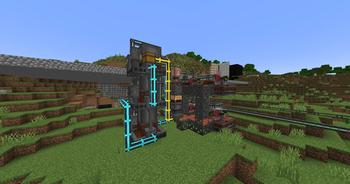
About this Modpack
Overview
This modpack allows players to enjoy modded skyblock while not having to wait and grind for several hours to get into the fun parts of modded Minecraft. It does this by easing the starting processes of several mods, making it fun for new players.
We designed this pack to be played with friends on a dedicated server, but you can play solo or on LAN as well.
It was meant to be played as a skyblock, but you can play it with normal terrain too!
Object of Play
The goal in this modpack is to grind your way through the quests to eventually craft a full set of Infinity armor and tools/weapons. There is even 1 extra bonus quest for those who want to do that.
Length of Play
This modpack should take advanced players 1 to 2 months to fully complete depending on how active they are and how much they already know about the mods included in the pack.
For players who are new to modded Minecraft or for players who are new to the mods inside this pack, it might take a little bit longer, but we aim to include a lot of good information inside the modpack to get players started (done via quests).
Helpful Tips for Playing
Get yourself set up with a Refined Storage or Applied Energistics storage system as fast as possible and grind setting up auto crafting. There is going to be a lot of crafting you need to do in this modpack, so getting set up with a good way to automate this as fast as possible would help a lot.
Getting Mystical Aggriculture seeds set up as fast as possible will also allow you to get a quick start on needed materials. The quest book will guide you through which seeds you should craft first. Resource Essences (gotten from Mystical Aggriculture seeds) is probably one of the biggest parts of the modpack, so getting this automated will be very helpful.
Also, try to get to the nether as fast as possible so you can get your hands on copious amounts of nether quartz. The nether is default so you do not need to worry about not having resources and this is intended behavior to help progress the modpack.
And getting a backpack that has a feeding upgrade and having a hopper botany pot with carrots for golden carrots will go a long way to ensure peak efficiency.
Mods
We focus mainly on the Tech, Magic, and Exploration mods in the modpack; but there are still other mods that we dive into.
Sample of Provided Tech Mods
- Applied Energistics
- Refined Storage
- Mekanism
- Ender IO
- Thermal
- Create
- Powah!
- Pipez
Sample of Provided Magic Mods
- Botania
- Elemental Craft
Other Notable Mods
- (Fork of) Ex Nihilo
- FTB Modset
- FTB Quests
- FTB Teams
- FTB Chunks
- FTB Essentials
- And more…
- Botania: Garden of Glass
Performance is Key
We have also provided quite a few performance mods in this modpack.
Why install Community?
The simplicity of the questline along with key mods like Refined Storage and Mekanism make this modpack great for both new and returning modded Minecraft players. And the performance improvements this pack provides allow you to enjoy it even more!
Set Up
Quick Note about the Server Pack downloads (SRV zip files)
Please note that when downloading the Server Packs, you need to download the Server Pack that is for your use-case.
Use-Cases
Curseforge Installer: Use the Curseforge Installer SRV pack if and ONLY if you are installing the Server Pack with the Curseforge installer (which is typical if you are using a host or self-hosting with a Pterodactyl instance running a Curseforge Egg)
Standalone: Use the Standalone SRV pack if you are using this for anything else.
The Standalone pack is a good fallback if you are unsure which is the proper use-case for you.
To be able to play this as a skyblock (which is the intended play-style), please follow the following:
Skyblock Builder Method (This is the Intended Way)
- Install the modpack.
- If on a Singleplayer / LAN playthrough:
- Create a world with the generator of
Skyblock.
- Create a world with the generator of
- If on a Server:
- Delete the
worldfolder. (Make a backup first!) - In the
server.propertiesfile: - Change the line
level-type=minecraft\:normaltolevel-type=skyblockbuilder\:skyblock - Restart the server.
- Delete the
Garden of Glass Method
- Install the modpack.
- If on a Singleplayer / LAN playthrough:
- Create a world with the generator of
Garden of Glass.
- Create a world with the generator of
- If on a Server:
- Delete the
worldfolder. (Make a backup first!) - In the
server.propertiesfile: - Change the line
level-type=minecraft\:normaltolevel-type=gardenofglass\:gardenofglass - Restart the server.
- Delete the
NOTE: If you are making this as a server, make sure to have a way for players to get a new island after joining. This is because by default, when a player joins for the first time, they will be sent to the Spawn island which looks like a normal player island. So, unless you want all players to play on one island (the Spawn island), then do this.
Authors
- Drak (Developer and Pack Manager)
- Legor (Quest and Crafting Manager)
- Included Mods' Developers.
Special Thanks
Beta Testers
- jp067
- TheEnderNight2
- Ferno_Liar
- Flaming_Thunder_
- Topothetop
Notice / Credits
All Mods
We do not own or maintain any of these mods.
Scripts
Scripts for KubeJS and CraftTweaker are heavily inspired by Sky Factory and Not Too Complicated 2, but we are the original authors of these scripts.
Available Versions
How to Set Up a Community Server
Order Server
Choose at least 6 GB RAM (8 GB recommended for Community). Based on player count: per 5 players.
Install Modpack in Dashboard
Open the modpack browser in the dashboard, search for "Community" and click "Install". The forge loader and Minecraft 1.20.1 are configured automatically.
Start Server & Play
Start the server – all mods are loaded automatically. Share the server IP with friends and play together!
Frequently Asked Questions
Community server crashes or won't start – what to do?
Most common causes: insufficient RAM or wrong forge loader. Check latest.log for "OutOfMemoryError" → increase RAM to at least 8 GB. For "Mixin" or "ClassNotFoundException" errors: modpack version and loader don't match. With Mado Hosting, loader and Minecraft version are auto-configured on modpack install – preventing most startup issues.
How much RAM does a Community server really need?
Minimum 6 GB, recommended 8 GB for stable performance. per 5 players. Important: Minecraft modpacks need more RAM than vanilla – plan extra per additional player. With Mado Hosting, you can scale RAM up live at any time without data loss (from €12/month).
Can I add custom mods to Community without conflicts?
Yes, but check compatibility: only use mods for the same loader (forge) and same Minecraft version (1.20.1). Common issues: ID conflicts with recipe mods and incompatible coremod versions. The Mado dashboard mod browser only shows compatible mods and warns about known conflicts.
Community server lagging – performance tips
1) Increase RAM to 8 GB+. 2) Reduce server view-distance to 8 (server.properties). 3) Pre-generate chunks with the "Chunky" plugin. 4) Use /spark profiler to check which mods consume the most tick time. With Mado Hosting, all servers run on NVMe SSDs with dedicated CPU cores – eliminating hardware as a bottleneck.
Similar Modpacks


![Cobblemon Official Modpack [Fabric]](https://cdn.modrinth.com/data/5FFgwNNP/e7f9ee2e9d361623847853fe2ddce42f519ee64f.png)
![COBBLEVERSE - Pokemon Adventure [Cobblemon]](https://cdn.modrinth.com/data/Jkb29YJU/581ecf54530972afb18a04660afd820f2f24f6c7.png)
![Better MC [FABRIC] - BMC2](https://cdn.modrinth.com/data/shFhR8Vx/a19c2bcb51d38f32f138d3607e91cb2b7b8e387f_96.webp)

Rent Community Server
Start your own server with automatic modpack installation.
Details
- License
- GNU Lesser General Public License v3.0 or later
- Server-side
- Required
- Client-side
- Required
Supported Versions
Start your Community Server now
From €12.00/month with 8 GB RAM for the best performance.
Configure Server →