
Conquest Of Hunterra Modpack
This modpack is built around the idea of turning minecraft into a fully fleshed out fantasy RPG
Screenshots
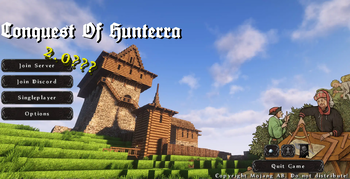
![Early game spearman[Epicknights armour]](https://cdn.modrinth.com/data/IuMWg3Gg/images/14d777f6f6eed64aa546a7b3e923fc53977baa66_350.webp)
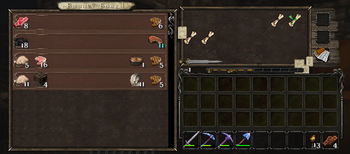
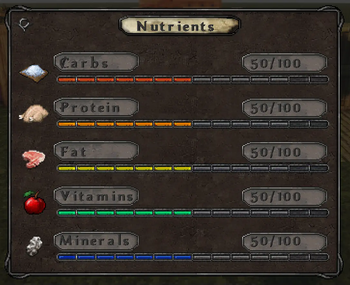
About this Modpack
The Conquest Of Hunterra modpack is designed for the Conquest of Hunterra server, It can be used alone but is not recommended. This mod is very MP focused and would be incredible hard and slow to play alone.
players will start off selecting a Class from our custom Origins list.
The classes will give you stats in for Levelz, these stats will unlock the ability to craft
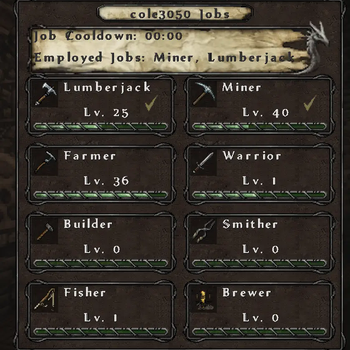
and use certain items. Make sure to select a job in the jobsaddon tab, its right beside the
LevelZ menu in the inventory screen. You can have a max of 2 jobs at one time and the cool down starts after selecting 1 so make sure to wait to start your second job.
as you level up you will unlock armors, from epic knights, cooking equipment from Farmers delight and brewin and chewin, waystones from the waystones mod and much much more. you can see what is unlocked by clicking on the stat icon in the levelz menu.
Also dont be scared if all this sounds hard, even peaceful builders can survive, we have a builders job that will provide XP for building with including all the Conquest reforged blocks.
Travel the world in a galley or brig from the small ships mod! or decorate a horse with banner covered armour and tow around a wagon from nifty carts!
In the future We plan to host events that fit the medieval/light fantasy them and hope you will join us!
Once you download the modpack make sure to increase the memory in the settings before launching. We recommend 6-8GB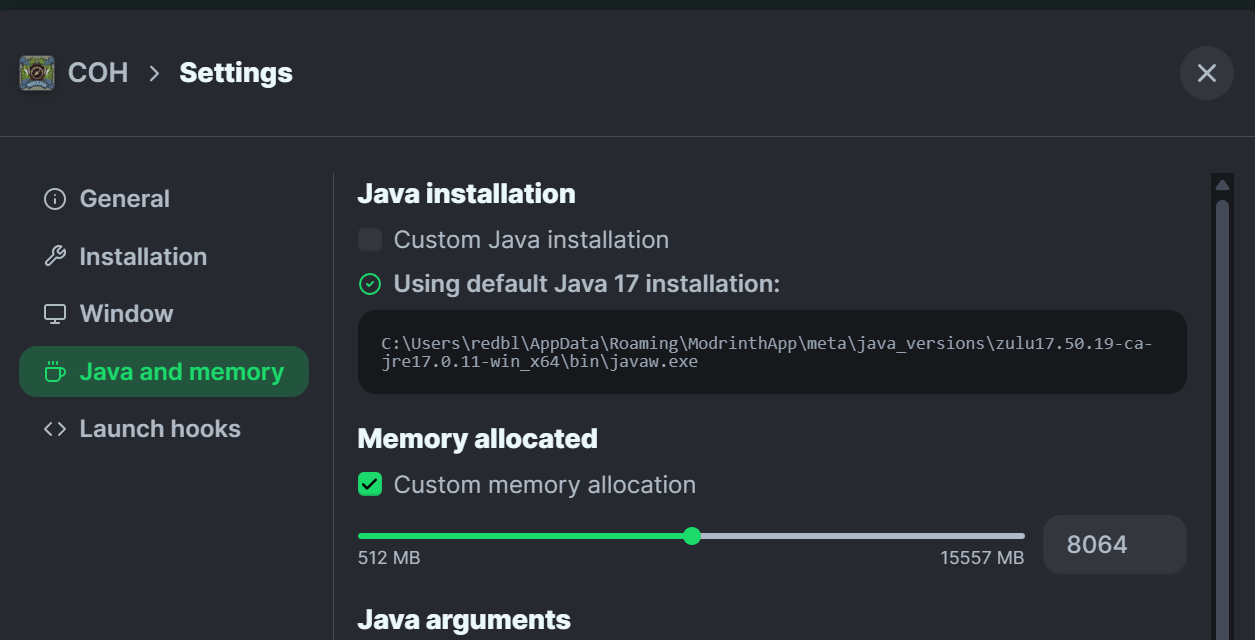 !
!
Available Versions
How to Set Up a Conquest Of Hunterra Modpack Server
Order Server
Choose at least 6 GB RAM (8 GB recommended for Conquest Of Hunterra Modpack). Based on player count: per 5 players.
Install Modpack in Dashboard
Open the modpack browser in the dashboard, search for "Conquest Of Hunterra Modpack" and click "Install". The fabric loader and Minecraft 1.20.1 are configured automatically.
Start Server & Play
Start the server – all mods are loaded automatically. Share the server IP with friends and play together!
Frequently Asked Questions
Conquest Of Hunterra Modpack server crashes or won't start – what to do?
Most common causes: insufficient RAM or wrong fabric loader. Check latest.log for "OutOfMemoryError" → increase RAM to at least 8 GB. For "Mixin" or "ClassNotFoundException" errors: modpack version and loader don't match. With Mado Hosting, loader and Minecraft version are auto-configured on modpack install – preventing most startup issues.
How much RAM does a Conquest Of Hunterra Modpack server really need?
Minimum 6 GB, recommended 8 GB for stable performance. per 5 players. Important: Minecraft modpacks need more RAM than vanilla – plan extra per additional player. With Mado Hosting, you can scale RAM up live at any time without data loss (from €12/month).
Can I add custom mods to Conquest Of Hunterra Modpack without conflicts?
Yes, but check compatibility: only use mods for the same loader (fabric) and same Minecraft version (1.20.1). Common issues: ID conflicts with recipe mods and incompatible coremod versions. The Mado dashboard mod browser only shows compatible mods and warns about known conflicts.
Conquest Of Hunterra Modpack server lagging – performance tips
1) Increase RAM to 8 GB+. 2) Reduce server view-distance to 8 (server.properties). 3) Pre-generate chunks with the "Chunky" plugin. 4) Use /spark profiler to check which mods consume the most tick time. With Mado Hosting, all servers run on NVMe SSDs with dedicated CPU cores – eliminating hardware as a bottleneck.
Similar Modpacks
![Cobblemon Official Modpack [Fabric]](https://cdn.modrinth.com/data/5FFgwNNP/e7f9ee2e9d361623847853fe2ddce42f519ee64f.png)
![COBBLEVERSE - Pokemon Adventure [Cobblemon]](https://cdn.modrinth.com/data/Jkb29YJU/581ecf54530972afb18a04660afd820f2f24f6c7.png)
![Better MC [FABRIC] - BMC2](https://cdn.modrinth.com/data/shFhR8Vx/a19c2bcb51d38f32f138d3607e91cb2b7b8e387f_96.webp)


![Better MC [FORGE] - BMC4](https://cdn.modrinth.com/data/4BV47HRn/7f5ef7cc61b2593609aabef3ed07a866a4f11b73_96.webp)
Rent Conquest Of Hunterra Modpack Server
Start your own server with automatic modpack installation.
Supported Versions
Start your Conquest Of Hunterra Modpack Server now
From €12.00/month with 8 GB RAM for the best performance.
Configure Server →