
CoreCraft
Make and share core memories in our Minecraft modpack! New content to expand upon Vanilla Minecraft.
Screenshots

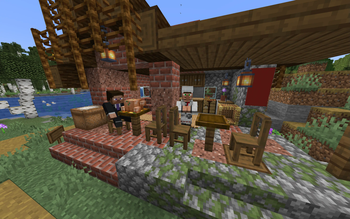
About this Modpack


CoreCraft
CoreCraft is a semi-lightweight Minecraft modpack, meaning there is some modded content to discover, while still maintaining many (improved) vanilla elements to give users a sense of familiarity while being able to run well on most machines. Here to making new experiences and core memories in our favourite block game!
What does CoreCraft feature in your gameplay?
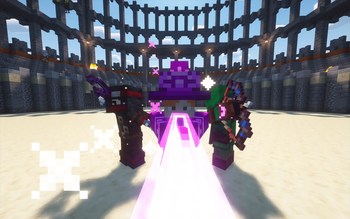
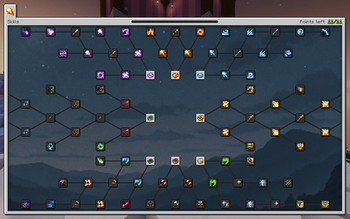
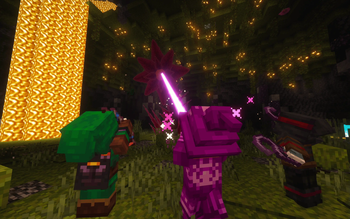
🗡️ Better Combat: Pick between a variety of classes that each have their own equipment and abilities. Enhance your power by unlocking new spells, uncovering new trinkets, and advancing through the skill tree. Dominate your opponents with combat roll, trinkets, and new enchantments.
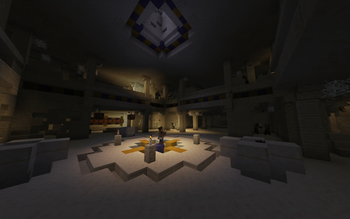
🌎 A Remodelled World: Find overhauled vanilla structures, new structures and biomes loaded with new and existing mobs that still fits the vanilla feel. Whether you find jungle temples or sand temples filled with puzzles, traps, and treasure or find massive volcanoes and mountains, or even encounter battle arenas with bosses in them.
🚀 Handpicked Quality of Life Features: QOL features such as sort, loot, restock, quick stack in inventories, backpacks with abilities, being able to hold right-click to build fast, bone meal working for all crops, auto harvesting and planting with hoes, and much more.
👥 Parties and Guilds: Create parties and guilds with other players that disables accidental friendly fire on your teammates
🎤 Proximity Voice Chat: Talk to nearby players! But be careful as your voice can also trigger sculk sensors and can be heard by the warden
🎮 Newbie Friendly: Does installing a modpack seem daunting to you? No problem, we have a variety of mods to help new players like EMI mod which is an item and crafting recipe browser in your inventory, Jade mod to display information from blocks or entities that you are looking at, Controlling mod which helps you configure your keybinds, and much more!
[1.20.1, waiting for a Quest mod for Fabric 1.21.1 that is available for Modrinth]
- 📜 Quests: Quests guide players on progression and mod content. Like advancements, they create extrinsic goals for the player.
Recommendations
Our recommendations for an optimal experience:
💻 Allocate at least 3 GB of RAM to the instance if playing single-player. More RAM allocated would be recommended for higher player counts and loading big structures
🗺️ Pregenerate chunks using Chunky. to avoid unnecessary lag loading chunks and to create clean looking map renders for the world. This guide also has a world size calculator to calculate the storage needed to generate the world size
🖥️ Cap your FPS to your monitor refresh rate and turn off V-sync
☕️ Setting Java installation to Adoptium Temurin
⬇️ Install the modpack through Modrinth App or Prism Launcher as it allows you to automatically install the modpack and configure microphone permissions for Simple Voice Chat
💾 Whenever you update the modpack, backup your worlds for good practice
⚙️ Copying the configureddefaults files to your main installation after each modpack update and enabling updated resourcepacks
💬 Feel free to join the Discord server for inquiries and to share core memories together
Credits
thricebite and SaviorD22 for developing the CoreCraft modpack
Special thanks to thriceassist for helping to create the tutorial world, finding exploits and bugs, and contributing to the Modrinth gallery
Thanks to S19D for suggesting a few mods in CoreCraft 1.20.1 such as Bosses of Mass Destruction, Aquamirae, and Exposure
Thanks to Mojang/Microsoft as this modpack is a modification to Minecraft
This modpack contains Vanilla Tweaks' resource packs and data packs: https://vanillatweaks.net/
Thanks to modders, resource pack, and shader pack developers for allowing their creations to be used in modpacks
Available Versions
How to Set Up a CoreCraft Server
Order Server
Choose at least 6 GB RAM (8 GB recommended for CoreCraft). Based on player count: per 5 players.
Install Modpack in Dashboard
Open the modpack browser in the dashboard, search for "CoreCraft" and click "Install". The fabric loader and Minecraft 1.21.1 are configured automatically.
Start Server & Play
Start the server – all mods are loaded automatically. Share the server IP with friends and play together!
Frequently Asked Questions
CoreCraft server crashes or won't start – what to do?
Most common causes: insufficient RAM or wrong fabric loader. Check latest.log for "OutOfMemoryError" → increase RAM to at least 8 GB. For "Mixin" or "ClassNotFoundException" errors: modpack version and loader don't match. With Mado Hosting, loader and Minecraft version are auto-configured on modpack install – preventing most startup issues.
How much RAM does a CoreCraft server really need?
Minimum 6 GB, recommended 8 GB for stable performance. per 5 players. Important: Minecraft modpacks need more RAM than vanilla – plan extra per additional player. With Mado Hosting, you can scale RAM up live at any time without data loss (from €12/month).
Can I add custom mods to CoreCraft without conflicts?
Yes, but check compatibility: only use mods for the same loader (fabric) and same Minecraft version (1.21.1). Common issues: ID conflicts with recipe mods and incompatible coremod versions. The Mado dashboard mod browser only shows compatible mods and warns about known conflicts.
CoreCraft server lagging – performance tips
1) Increase RAM to 8 GB+. 2) Reduce server view-distance to 8 (server.properties). 3) Pre-generate chunks with the "Chunky" plugin. 4) Use /spark profiler to check which mods consume the most tick time. With Mado Hosting, all servers run on NVMe SSDs with dedicated CPU cores – eliminating hardware as a bottleneck.
Similar Modpacks
![Cobblemon Official Modpack [Fabric]](https://cdn.modrinth.com/data/5FFgwNNP/e7f9ee2e9d361623847853fe2ddce42f519ee64f.png)
![COBBLEVERSE - Pokemon Adventure [Cobblemon]](https://cdn.modrinth.com/data/Jkb29YJU/581ecf54530972afb18a04660afd820f2f24f6c7.png)
![Better MC [FABRIC] - BMC2](https://cdn.modrinth.com/data/shFhR8Vx/a19c2bcb51d38f32f138d3607e91cb2b7b8e387f_96.webp)


![Better MC [FORGE] - BMC4](https://cdn.modrinth.com/data/4BV47HRn/7f5ef7cc61b2593609aabef3ed07a866a4f11b73_96.webp)
Rent CoreCraft Server
Start your own server with automatic modpack installation.
Supported Versions
Start your CoreCraft Server now
From €12.00/month with 8 GB RAM for the best performance.
Configure Server →