
Corsair SMP
A modpack for the Corsair SMP community
Screenshots
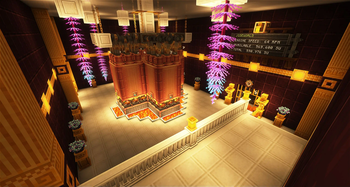
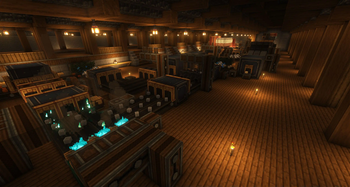
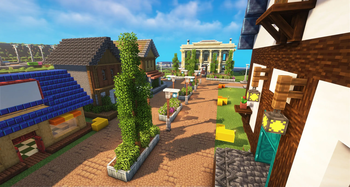

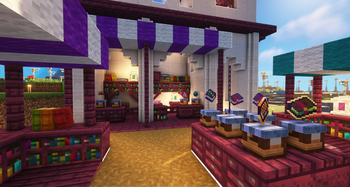
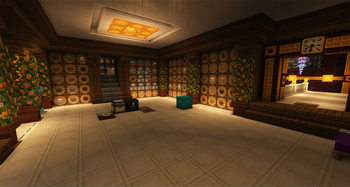
About this Modpack
Corsair SMP
Corsair SMP is a customized modpack that originates from the robust yet user-friendly Create Live 4. This modpack is specifically crafted to cater to the members of the 'Corsair SMP' server community.
In the spirit of Create Live 4, we continue to uphold the principle of keeping the modpack light and approachable, enabling newcomers to navigate through the realm of modpacks without feeling overwhelmed by extensive modifications. Our primary emphasis remains on the Create mod, which forms the core of our unique Minecraft experience.
Note: while this modpack idea comes from an existing modpack, we've taken great care to redo all the custom recipes and remove any assets under copyright from the awesome Create Live team.
💟 Attributions 💟
Thanks to all the mod authors for their work and for letting us use their mod in our modpack.
Client Mods
- AmbientSounds
- Better Ping Display [Fabric]
- Better Third Person
- Chat Heads
- CIT Resewn
- Continuity
- Controlling
- CreateFabric&REIBugFix
- CTM Refabricated
- Disable Custom Worlds Advice
- Default Options
- Enchantment Descriptions
- Entity Culling
- [ETF] Entity Texture Features
- ImmediatelyFast
- Indium
- Iris Shaders
- Light Overlay
- Mod Menu
- More Culling
- Mouse Tweaks
- Not Enough Animations
- Satin API
- Sodium
- ToolTipFix
- Visuality
- Zoomify
- xali's Enchanted Books
- xali's Potion
- Complementary Reimagined
- Complementary Shaders v4
Shared Mods
- Advancements Debug
- AdventureZ
- AppleSkin
- Architectury API
- AttributeFix
- Balm
- BCLib
- Better Combat
- BetterEnd
- BetterNether
- Oh The Biomes You'll Go
- Bookshelf
- Bountiful (Fabric)
- Concurrent Chunk Management Engine (Fabric)
- Cardinal Components API
- Carpet
- Charm of Undying
- Chipped
- Chunky
- CleanCut
- Cloth Config API
- Clumps
- Collective
- Colorful Azaleas
- Comforts
- Consistency+
- CorgiLib
- Crafting Tweaks
- Create Deco Fabric
- Create Enchantment Industry Fabric
- Create Fabric
- Create: Steam n’ Rails
- Create Crafts & Additions
- CreativeCore
- Creeper Overhaul
- ChoiceTheorem's Overhauled Village
- CTOV - Farmer Delight Compat
- Cupboard
- Custom Portals
- Decorative Blocks
- Delightful Creators [Fabric]
- Disable Enderman Picking Up Blocks
- Let's Do: API
- Easy Anvils
- Ecologics
- Effective
- Eldritch Mobs
- Elytra Slot
- Entity Collision FPS Fix
- Extended Drawers
- Fabric API
- [Fabric] Extended Armor Bars Forked
- Fabric Language Kotlin
- Farmer's Delight [Fabric]
- Fast Backups
- Fastload
- FerriteCore
- Forge Config API Port
- Geckolib
- Grind Enchantments
- Handcrafted
- Hardcore Revival
- Immersive Paintings
- Jade Addons (Fabric)
- Jade 🔍
- Kambrik
- Konkrete
- Krypton
- KubeJS Create
- KubeJS
- LazyDFU
- Leaf Decay
- Lithium
- LootJS: KubeJS Addon
- Lootr (Fabric)
- Macaw's Bridges
- MaLiLib
- Measurements
- Memory Leak Fix
- MidnightLib
- Mine Cells - Dead Cells Mod
- ModernFix
- Moonlight Lib
- MoreJS: KubeJS Addon
- Mouse Wheelie
- Naturalist
- Nature's Compass
- NetherPortalFix
- No Chat Reports
- Create Support for Open Parties and Claims
- Open Parties and Claims
- oωo (owo-lib)
- Packet Fixer
- Patchouli
- playerAnimator
- Puzzles Lib
- Roughly Enough Items (REI)
- Resourceful Config
- Resourceful Lib
- Rhino
- Simple Magnets
- Simple Voice Chat
- Simply Swords
- Smooth Boot (Fabric)
- spark
- Spirit
- Starlight (Fabric)
- Starter Kit
- SuperMartijn642's Config Lib
- SuperMartijn642's Core Lib
- Supplementaries
- TerraBlender
- The Bumblezone - Quilt/Fabric
- Trade Cycling
- Traveler's Backpack
- Trinkets
- Universal Shops
- Let's Do: Vinery
- Visual Workbench
- VoidZ
- When Dungeons Arise
- Xaero's Minimap
- Xaero's World Map
- YetAnotherConfigLib
- You're in Grave Danger
- YUNG's API
- YUNG's Better Desert Temples
- YUNG's Better Dungeons
- YUNG's Better Mineshafts
- YUNG's Better Ocean Monuments
- YUNG's Bridges
- xali's Bushy Leaves
- xali's Enhanced Vanilla
Server Mods
Available Versions
How to Set Up a Corsair SMP Server
Order Server
Choose at least 6 GB RAM (8 GB recommended for Corsair SMP). Based on player count: per 5 players.
Install Modpack in Dashboard
Open the modpack browser in the dashboard, search for "Corsair SMP" and click "Install". The fabric loader and Minecraft 1.19.2 are configured automatically.
Start Server & Play
Start the server – all mods are loaded automatically. Share the server IP with friends and play together!
Frequently Asked Questions
Corsair SMP server crashes or won't start – what to do?
Most common causes: insufficient RAM or wrong fabric loader. Check latest.log for "OutOfMemoryError" → increase RAM to at least 8 GB. For "Mixin" or "ClassNotFoundException" errors: modpack version and loader don't match. With Mado Hosting, loader and Minecraft version are auto-configured on modpack install – preventing most startup issues.
How much RAM does a Corsair SMP server really need?
Minimum 6 GB, recommended 8 GB for stable performance. per 5 players. Important: Minecraft modpacks need more RAM than vanilla – plan extra per additional player. With Mado Hosting, you can scale RAM up live at any time without data loss (from €12/month).
Can I add custom mods to Corsair SMP without conflicts?
Yes, but check compatibility: only use mods for the same loader (fabric) and same Minecraft version (1.19.2). Common issues: ID conflicts with recipe mods and incompatible coremod versions. The Mado dashboard mod browser only shows compatible mods and warns about known conflicts.
Corsair SMP server lagging – performance tips
1) Increase RAM to 8 GB+. 2) Reduce server view-distance to 8 (server.properties). 3) Pre-generate chunks with the "Chunky" plugin. 4) Use /spark profiler to check which mods consume the most tick time. With Mado Hosting, all servers run on NVMe SSDs with dedicated CPU cores – eliminating hardware as a bottleneck.
Similar Modpacks

![Cobblemon Official Modpack [Fabric]](https://cdn.modrinth.com/data/5FFgwNNP/e7f9ee2e9d361623847853fe2ddce42f519ee64f.png)
![COBBLEVERSE - Pokemon Adventure [Cobblemon]](https://cdn.modrinth.com/data/Jkb29YJU/581ecf54530972afb18a04660afd820f2f24f6c7.png)
![Better MC [FABRIC] - BMC2](https://cdn.modrinth.com/data/shFhR8Vx/a19c2bcb51d38f32f138d3607e91cb2b7b8e387f_96.webp)


Rent Corsair SMP Server
Start your own server with automatic modpack installation.
Supported Versions
Start your Corsair SMP Server now
From €12.00/month with 8 GB RAM for the best performance.
Configure Server →