
Cozy Farming Life
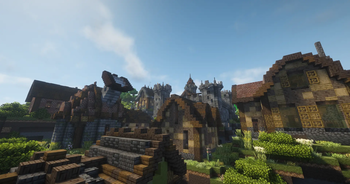
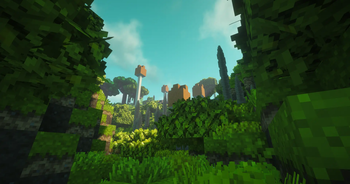
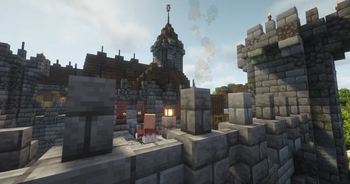
A peaceful farming valley stretches under warm golden light, where a cozy countryside life thrives in a beautifully modded Minecraft world.
Screenshots

About this Modpack
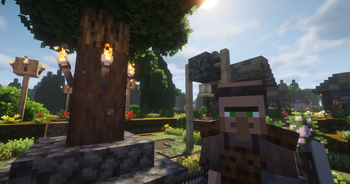
This scene presents a peaceful countryside farming village built for a slow, immersive lifestyle experience. Warm sunset light washes over golden wheat fields, vegetable gardens, and flower patches, while wooden farmhouses, fences, lanterns, and a distant windmill create a cozy rural atmosphere. Animals wander near barns and pens, smoke rises gently from an outdoor kitchen, and soft shadows stretch across the fields, making the world feel alive, calm, and safe. The environment is designed to make players relax, build a home, and enjoy daily life rather than survive danger, with nature, comfort, and creativity at the center of the experience.
Here, gameplay is about routine, creativity, and progression at your own pace instead of pressure or combat. You can build and decorate your dream farmhouse using detailed furniture and building blocks, grow seasonal crops and manage large farms, cook complex meals in a fully functional kitchen, raise and feed animals automatically, go fishing in rivers and lakes, explore beautiful biomes and improved villages, automate small farming processes using mechanical Create contraptions, trade and interact with better villagers and guards, travel easily between settlements, organize storage systems, and simply enjoy the atmosphere with dynamic sounds, lighting, and weather changes that make every in-game day feel different.
Things you can do in this world
• Build a detailed farmhouse, barn, and storage areas
• Create large crop fields with many food varieties
• Experience farming that changes with the seasons
• Cook advanced meals using kitchen systems
• Raise animals with feeding trough automation
• Decorate interiors with furniture, lights, windows, and paintings
• Use Create mod windmills and machines for gentle automation
• Explore new biomes, villages, and natural environments
• Fish with improved mechanics
• Use backpacks and storage networks to manage items
• Relax with ambient sounds, realistic audio, and soft lighting
• Fast travel between farms and villages
• Roleplay a peaceful village life
Visual, lighting, and atmosphere related mods in this pack
• Oculus — enables shader support
• Embeddium — performance renderer that works with shaders
• Dynamic Lights — light sources glow while held
• Ambient Sounds — environmental background audio
• Sound Physics Remastered — realistic sound reflection and depth
• Fog — distance fog for cinematic atmosphere
• BetterDays — improves sky, time, and lighting transitions
• Entity Texture Features & Entity Model Features — better mob visuals
• Continuity & CIT Resewn — connected textures and visual detail
• Supplementaries (lanterns, decor lighting elements)
• Macaw’s Lights and Lamps — decorative light blocks
• Serene Seasons & Serene Seasons Plus — seasonal color and world tone shifts
• Terralith & Biomes O’ Plenty — scenic world generation that affects overall visuals
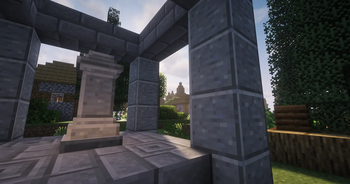
Together, these create a soft, warm, cozy visual style with moving plants, gentle shadows, rich environmental audio, and a living countryside feeling that supports a calm farming life experience.
Available Versions
How to Set Up a Cozy Farming Life Server
Order Server
Choose at least 6 GB RAM (8 GB recommended for Cozy Farming Life). Based on player count: per 5 players.
Install Modpack in Dashboard
Open the modpack browser in the dashboard, search for "Cozy Farming Life" and click "Install". The forge loader and Minecraft 1.20.1 are configured automatically.
Start Server & Play
Start the server – all mods are loaded automatically. Share the server IP with friends and play together!
Frequently Asked Questions
Cozy Farming Life server crashes or won't start – what to do?
Most common causes: insufficient RAM or wrong forge loader. Check latest.log for "OutOfMemoryError" → increase RAM to at least 8 GB. For "Mixin" or "ClassNotFoundException" errors: modpack version and loader don't match. With Mado Hosting, loader and Minecraft version are auto-configured on modpack install – preventing most startup issues.
How much RAM does a Cozy Farming Life server really need?
Minimum 6 GB, recommended 8 GB for stable performance. per 5 players. Important: Minecraft modpacks need more RAM than vanilla – plan extra per additional player. With Mado Hosting, you can scale RAM up live at any time without data loss (from €12/month).
Can I add custom mods to Cozy Farming Life without conflicts?
Yes, but check compatibility: only use mods for the same loader (forge) and same Minecraft version (1.20.1). Common issues: ID conflicts with recipe mods and incompatible coremod versions. The Mado dashboard mod browser only shows compatible mods and warns about known conflicts.
Cozy Farming Life server lagging – performance tips
1) Increase RAM to 8 GB+. 2) Reduce server view-distance to 8 (server.properties). 3) Pre-generate chunks with the "Chunky" plugin. 4) Use /spark profiler to check which mods consume the most tick time. With Mado Hosting, all servers run on NVMe SSDs with dedicated CPU cores – eliminating hardware as a bottleneck.
Similar Modpacks
![Cobblemon Official Modpack [Fabric]](https://cdn.modrinth.com/data/5FFgwNNP/e7f9ee2e9d361623847853fe2ddce42f519ee64f.png)
![COBBLEVERSE - Pokemon Adventure [Cobblemon]](https://cdn.modrinth.com/data/Jkb29YJU/581ecf54530972afb18a04660afd820f2f24f6c7.png)
![Better MC [FABRIC] - BMC2](https://cdn.modrinth.com/data/shFhR8Vx/a19c2bcb51d38f32f138d3607e91cb2b7b8e387f_96.webp)


![Better MC [FORGE] - BMC4](https://cdn.modrinth.com/data/4BV47HRn/7f5ef7cc61b2593609aabef3ed07a866a4f11b73_96.webp)
Rent Cozy Farming Life Server
Start your own server with automatic modpack installation.
Supported Versions
Start your Cozy Farming Life Server now
From €12.00/month with 8 GB RAM for the best performance.
Configure Server →