
Create: Endless Industry
A large Create-focused modpack about automation, engineering, factories, exploration, building, changed progression, and creating your own endless industrial world.
Screenshots
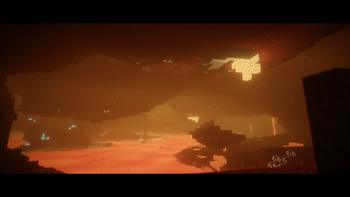
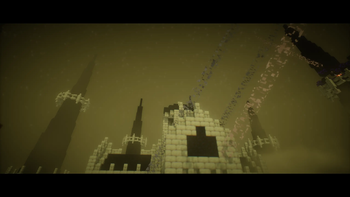
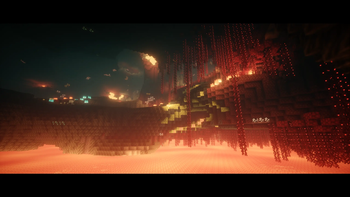
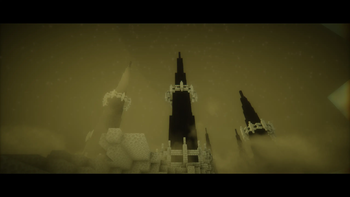
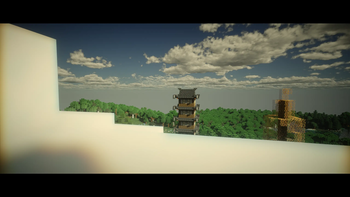
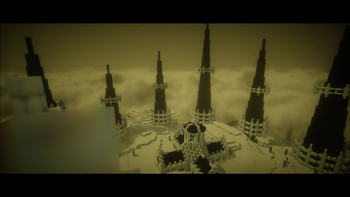
About this Modpack
Create: Endless Industry
Create: Endless Industry is a large-scale industrial survival modpack built around Create, automation, engineering, exploration, progression, and world interaction.
What begins as a small workshop can eventually become a fully automated industrial network with massive factories, transportation systems, production chains, resource processing facilities, and large-scale infrastructure projects.
Unlike many Create-based packs, automation is only one part of the experience. The world itself evolves alongside your industry, introducing environmental systems, dynamic events, exploration challenges, and long-term progression that continue to matter throughout your playthrough.
With 420 mods, 60+ Create addons, and 100+ additional gameplay mechanics, Create: Endless Industry offers a technical sandbox designed for hundreds of hours of progression.
Note: The in-game mod list may display around 342 mods, while the actual modpack loads 420 mods. Some libraries, dependencies, and bundled components are not shown in the standard mod menu.
Core Idea
The goal of Create: Endless Industry is simple:
Build an industrial world without losing the feeling of survival.
Every machine, factory, railway, production line, and infrastructure project becomes part of your progression.
You are free to choose your own path:
- Build massive factories
- Design transportation networks
- Automate farms and resource production
- Explore distant regions
- Develop industrial cities
- Expand infrastructure
- Create large engineering projects
- Master environmental challenges
Progress is not defined by rushing to the endgame.
It is defined by what you build along the way.
What Can You Expect?
- Create-focused gameplay
- 60+ Create addons
- Advanced automation systems
- Factory building and engineering
- Mechanical production chains
- Resource processing and logistics
- Dynamic world events
- Environmental simulation systems
- Expanded survival mechanics
- Improved exploration
- New structures and locations
- Building and decoration content
- Long-term progression
- Quality-of-life improvements
- Optimization and performance enhancements
Create and Automation
Create remains the heart of the modpack.
Build production lines, automated farms, storage systems, transportation networks, industrial complexes, rail infrastructure, and large-scale factories using an expanded collection of Create content.
The pack includes more than 60 Create addons, introducing new machines, production methods, engineering tools, logistics systems, automation possibilities, and mechanical challenges.
Whether you prefer compact workshops or continent-sized factory networks, the progression is designed to support both approaches.
Dynamic World Systems
The world is no longer static.
Natural events can reshape the environment and create new challenges during gameplay.
Features include:
- Earthquakes
- Volcanic eruptions
- Geological activity
- Tectonic movement systems
These events make the world feel more dynamic and add additional reasons to adapt and expand your infrastructure.
Environmental Survival
Survival extends beyond food and equipment.
Extreme environments now require preparation.
Features include:
- Oxygen system for high-altitude and underground exploration
- Oxygen tanks for extended expeditions
- Air pollution generated by industrial activity
- Reduced air quality near heavy industry
- Acid rain caused by excessive pollution
- Gas masks for hazardous regions
Your industrial growth now has visible consequences for the world around you.
Living World
The environment reacts to player activity.
Frequently traveled routes gradually become visible trails, creating natural roads across the landscape.
Weather also plays a larger role:
- Rain can create temporary water sources
- Cauldrons fill naturally during storms
- Environmental conditions affect the world around you
Additional details such as collectible sticks, stones, and other natural objects help make the world feel more alive and immersive.
Industrial Progression
Progression is designed to encourage planning and expansion rather than rushing through content.
As you advance, you will:
- Improve production efficiency
- Expand storage systems
- Upgrade transportation networks
- Develop industrial infrastructure
- Increase automation capabilities
- Prepare for advanced stages of progression
Factories are not decorative projects.
They become essential parts of your development.
Changed End Progression
Reaching the End requires significantly more effort than in vanilla Minecraft.
Instead of collecting a single type of Eye of Ender, players must obtain 11 unique Eyes through exploration, progression, and world interaction.
After gathering all required components, they must be activated within a special portal hidden inside a massive castle structure.
This transforms the End into a true late-game objective rather than a quick milestone.
Exploration
Exploration plays an important role throughout the entire playthrough.
Discover:
- New structures
- Rare resources
- Unique locations
- Progression-related discoveries
- Hidden rewards
- Improved world generation
Traveling beyond your base is often necessary to unlock new opportunities and continue advancing.
Building and Decoration
Industry looks better when it feels part of the world.
The modpack includes a large selection of decorative and architectural content for:
- Factories
- Warehouses
- Train stations
- Industrial districts
- Workshops
- Farms
- Cities
- Infrastructure projects
Create your own industrial landscapes without sacrificing functionality.
Performance and Optimization
Despite its size, performance remains a major focus.
Recent optimization improvements provide:
- Approximately 10–30% better performance
- Improved FPS stability
- Reduced memory usage
- Faster world loading
- Better performance in large Create factories
- Increased overall stability
Recommended RAM:
9–12 GB
Minimum:
6 GB (not recommended)
If the game appears frozen during startup, allow additional time for initialization before closing it.
Included Content
Current version:
- 420 mods
- 60+ Create addons
- 100+ additional gameplay mechanics
Main categories:
- Create and automation
- Engineering systems
- Industrial progression
- Environmental mechanics
- Dynamic world events
- Exploration
- Structures
- Building and decoration
- Farming and survival
- Logistics and transportation
- Optimization
- Atmosphere and immersion
- Quality-of-life improvements
Final Note
Create: Endless Industry is designed for players who enjoy building something that continues to grow long after the first machines are placed.
Start with a workshop.
Expand into a factory.
Connect entire regions.
Adapt to a changing world.
Build your own endless industry.
Available Versions
How to Set Up a Create: Endless Industry Server
Order Server
Choose at least 6 GB RAM (8 GB recommended for Create: Endless Industry). Based on player count: per 5 players.
Install Modpack in Dashboard
Open the modpack browser in the dashboard, search for "Create: Endless Industry" and click "Install". The neoforge loader and Minecraft 1.21.1 are configured automatically.
Start Server & Play
Start the server – all mods are loaded automatically. Share the server IP with friends and play together!
Frequently Asked Questions
Create: Endless Industry server crashes or won't start – what to do?
Most common causes: insufficient RAM or wrong neoforge loader. Check latest.log for "OutOfMemoryError" → increase RAM to at least 8 GB. For "Mixin" or "ClassNotFoundException" errors: modpack version and loader don't match. With Mado Hosting, loader and Minecraft version are auto-configured on modpack install – preventing most startup issues.
How much RAM does a Create: Endless Industry server really need?
Minimum 6 GB, recommended 8 GB for stable performance. per 5 players. Important: Minecraft modpacks need more RAM than vanilla – plan extra per additional player. With Mado Hosting, you can scale RAM up live at any time without data loss (from €12/month).
Can I add custom mods to Create: Endless Industry without conflicts?
Yes, but check compatibility: only use mods for the same loader (neoforge) and same Minecraft version (1.21.1). Common issues: ID conflicts with recipe mods and incompatible coremod versions. The Mado dashboard mod browser only shows compatible mods and warns about known conflicts.
Create: Endless Industry server lagging – performance tips
1) Increase RAM to 8 GB+. 2) Reduce server view-distance to 8 (server.properties). 3) Pre-generate chunks with the "Chunky" plugin. 4) Use /spark profiler to check which mods consume the most tick time. With Mado Hosting, all servers run on NVMe SSDs with dedicated CPU cores – eliminating hardware as a bottleneck.
Similar Modpacks

![Cobblemon Official Modpack [Fabric]](https://cdn.modrinth.com/data/5FFgwNNP/e7f9ee2e9d361623847853fe2ddce42f519ee64f.png)
![COBBLEVERSE - Pokemon Adventure [Cobblemon]](https://cdn.modrinth.com/data/Jkb29YJU/581ecf54530972afb18a04660afd820f2f24f6c7.png)
![Better MC [FABRIC] - BMC2](https://cdn.modrinth.com/data/shFhR8Vx/a19c2bcb51d38f32f138d3607e91cb2b7b8e387f_96.webp)


Rent Create: Endless Industry Server
Start your own server with automatic modpack installation.
Supported Versions
Start your Create: Endless Industry Server now
From €12.00/month with 8 GB RAM for the best performance.
Configure Server →