
Create Expanded
Create with more stuff to do!
Screenshots
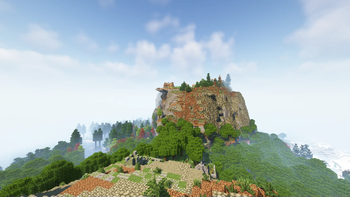
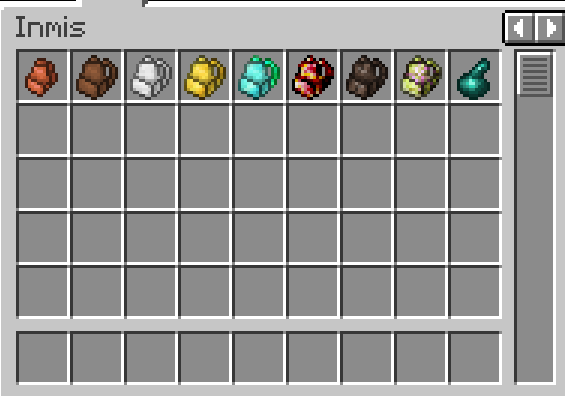
About this Modpack
Embark on an awe-inspiring journey into the world of engineering, creativity, and automation with the Minecraft Create Modpack! This meticulously crafted modpack is designed to immerse players in a world where ingenuity knows no bounds. Dive into a universe where your imagination becomes reality as you conquer complex challenges and construct intricate machines that will shape the very fabric of your Minecraft world.
Recommended minimum of 4-5GB RAM! Don't forget to report any bugs and give Feedback !
Key Features:
Create Mod Integration: The modpack focuses on seamless integration with the Create mod, which is the centerpiece of this engineering masterpiece. Utilize rotating contraptions, gears, belts, and axles to automate tasks, create incredible structures, and solve intricate puzzles.
A Vast World Awaits: Explore an expansive and beautifully customized Minecraft world, designed to both challenge and inspire. Discover hidden caves, lush forests, towering mountains, and expansive plains ripe for your engineering marvels.
Ingenious Crafting: Unleash your creativity with an extensive crafting system that encourages experimentation. Combine various mods to craft powerful tools, unique gadgets, and game-changing devices that will help you tackle any obstacle.
Complex Challenges: Take on a series of increasingly intricate challenges that will test your engineering prowess. From automating resource collection to designing massive transportation networks, this modpack ensures that you're never short of exciting projects.
Community-Driven: Join a vibrant community of fellow engineers, share your creations, and collaborate on ambitious projects. Engage in multiplayer gameplay to team up with friends or compete in friendly engineering competitions.
Mod Variety: Beyond the Create mod, the modpack features a carefully curated selection of complementary mods. These mods enhance your gameplay experience, providing diverse options for building, crafting, and exploration.
Stunning Visuals: Experience a visually stunning world with updated textures, shaders, and lighting effects that enhance the beauty of Minecraft. Your creations will look even more breathtaking in this immersive environment.
Regular Updates: The modpack is continuously updated to ensure compatibility with the latest versions of Minecraft and mods. Expect new content, optimizations, and bug fixes to keep your engineering adventure fresh.
Are you ready to unleash your inner engineer? Join the Minecraft Create Modpack community and embark on an unforgettable journey where imagination and innovation converge to shape a world limited only by your creativity! Build, automate, and engineer your way to greatness in this extraordinary Minecraft experience.
Available Versions
How to Set Up a Create Expanded Server
Order Server
Choose at least 6 GB RAM (8 GB recommended for Create Expanded). Based on player count: per 5 players.
Install Modpack in Dashboard
Open the modpack browser in the dashboard, search for "Create Expanded" and click "Install". The fabric loader and Minecraft 1.20.1 are configured automatically.
Start Server & Play
Start the server – all mods are loaded automatically. Share the server IP with friends and play together!
Frequently Asked Questions
Create Expanded server crashes or won't start – what to do?
Most common causes: insufficient RAM or wrong fabric loader. Check latest.log for "OutOfMemoryError" → increase RAM to at least 8 GB. For "Mixin" or "ClassNotFoundException" errors: modpack version and loader don't match. With Mado Hosting, loader and Minecraft version are auto-configured on modpack install – preventing most startup issues.
How much RAM does a Create Expanded server really need?
Minimum 6 GB, recommended 8 GB for stable performance. per 5 players. Important: Minecraft modpacks need more RAM than vanilla – plan extra per additional player. With Mado Hosting, you can scale RAM up live at any time without data loss (from €12/month).
Can I add custom mods to Create Expanded without conflicts?
Yes, but check compatibility: only use mods for the same loader (fabric) and same Minecraft version (1.20.1). Common issues: ID conflicts with recipe mods and incompatible coremod versions. The Mado dashboard mod browser only shows compatible mods and warns about known conflicts.
Create Expanded server lagging – performance tips
1) Increase RAM to 8 GB+. 2) Reduce server view-distance to 8 (server.properties). 3) Pre-generate chunks with the "Chunky" plugin. 4) Use /spark profiler to check which mods consume the most tick time. With Mado Hosting, all servers run on NVMe SSDs with dedicated CPU cores – eliminating hardware as a bottleneck.
Rent Create Expanded Server
Start your own server with automatic modpack installation.
Supported Versions
Start your Create Expanded Server now
From €12.00/month with 8 GB RAM for the best performance.
Configure Server →