Create Extreme
This modpack offres a complete and smooth exprience with all the addons from create
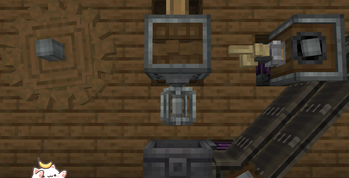
Screenshots
About this Modpack
This modpack offres a complete expirence with the create mods with all the addons of the create mod who are findable on modrinth Enjoy multiple create addons with qol mods and optimitaion mods to get your game run faster
Included mods
- dependency-icon
- Create: Factory
- Create: Extended Cogwheels
- Xaero's Minimap
- Entity Culling
- Cull Less Leaves Reforged
- Create Katana
- Create Jetpack
- WTHIT
- EMI
- Bookshelf
- Kotlin for Forge
- Create Mechanical Spawner
- Create: Vintage Improvements
- Geckolib
- Create: Dynamic Lights
- Create Mechanical Extruder
- Reap Mod
- Create: Dreams & Desires
- Immersive Engineering
- Curios API
- Create Goggles
- Megane: Forge
- Canary
- (Create) Smart Chutes Curvified
- FancyMenu
- AttributeFix
- Create: Central Kitchen
- Create: Teleporters Remastered
- Radon
- Create Crafts & Additions
- Potion Descriptions
- Create: Interiors
- Create: Power Loader
- Melody
- Mouse Tweaks
- Create: Interactive
- Starlight (Forge)
- AppleSkin
- Konkrete
- Clumps
- Create: Retweaked Controller
- Max Health Fix
- bad packets
- Puzzles Lib
- FerriteCore
- Crafting Tweaks
- Create Colorful Belts
- Create: Copycats+
- Create: Tweaked Controllers
- Create Styled Tempad
- Create: Armory
- Balm
- Create Slice & Dice
- Create: Copper & Zinc
- Yeetus Experimentus
- Create: Crystal Clear
- Create: Train Perspective
- Create: Diesel Generators
- Create Ore Excavation
- Create Encased
- Create: Bells & Whistles
- Xaero's World Map
- Create: Framed
- Create: Easy Structures
- Memory Leak Fix
- Create: The Factory Must Grow
- Architectury API
- Controlling
- Cloth Config API
- Create Re-Created
- Pick Up Notifier
- Enchantment Descriptions
- Create Utilities
- GraveStone Mod
- Create Railways Navigator
- Create: Connected
- Create: New Age
- Create: Steam 'n' Rails
- Embeddium
- Clockwork
- Create: Potato Gun CIT
- BetterF3
- Botarium
- Create: Structures
- Cull Leaves
- Create: Enchantment Industry
- Create
- Create: New Age: New Textures
- Create: Structures Arise
- Valkyrien Skies
Knowed Bugs:
If not at fullscreen the title will clip out
Guide book not working
Search on creative mode not working
Available Versions
How to Set Up a Create Extreme Server
Order Server
Choose at least 6 GB RAM (10 GB recommended for Create Extreme). Based on player count: per 4 players.
Install Modpack in Dashboard
Open the modpack browser in the dashboard, search for "Create Extreme" and click "Install". The forge loader and Minecraft 1.20.1 are configured automatically.
Start Server & Play
Start the server – all mods are loaded automatically. Share the server IP with friends and play together!
Frequently Asked Questions
Create Extreme server crashes or won't start – what to do?
Most common causes: insufficient RAM or wrong forge loader. Check latest.log for "OutOfMemoryError" → increase RAM to at least 10 GB. For "Mixin" or "ClassNotFoundException" errors: modpack version and loader don't match. With Mado Hosting, loader and Minecraft version are auto-configured on modpack install – preventing most startup issues.
How much RAM does a Create Extreme server really need?
Minimum 6 GB, recommended 10 GB for stable performance. per 4 players. Important: Minecraft modpacks need more RAM than vanilla – plan extra per additional player. With Mado Hosting, you can scale RAM up live at any time without data loss (from €12/month).
Can I add custom mods to Create Extreme without conflicts?
Yes, but check compatibility: only use mods for the same loader (forge) and same Minecraft version (1.20.1). Common issues: ID conflicts with recipe mods and incompatible coremod versions. The Mado dashboard mod browser only shows compatible mods and warns about known conflicts.
Create Extreme server lagging – performance tips
1) Increase RAM to 10 GB+. 2) Reduce server view-distance to 8 (server.properties). 3) Pre-generate chunks with the "Chunky" plugin. 4) Use /spark profiler to check which mods consume the most tick time. With Mado Hosting, all servers run on NVMe SSDs with dedicated CPU cores – eliminating hardware as a bottleneck.
Similar Modpacks
![Cobblemon Official Modpack [Fabric]](https://cdn.modrinth.com/data/5FFgwNNP/e7f9ee2e9d361623847853fe2ddce42f519ee64f.png)
![COBBLEVERSE - Pokemon Adventure [Cobblemon]](https://cdn.modrinth.com/data/Jkb29YJU/581ecf54530972afb18a04660afd820f2f24f6c7.png)
![Better MC [FABRIC] - BMC2](https://cdn.modrinth.com/data/shFhR8Vx/a19c2bcb51d38f32f138d3607e91cb2b7b8e387f_96.webp)


![Better MC [FORGE] - BMC4](https://cdn.modrinth.com/data/4BV47HRn/7f5ef7cc61b2593609aabef3ed07a866a4f11b73_96.webp)
Rent Create Extreme Server
Start your own server with automatic modpack installation.
Supported Versions
Start your Create Extreme Server now
From €12.00/month with 10 GB RAM for the best performance.
Configure Server →