
Create Fabulously 2
Highly Optimized Create Modpack for Technical Redstone Player.
Screenshots
About this Modpack
Create Fabulously 2

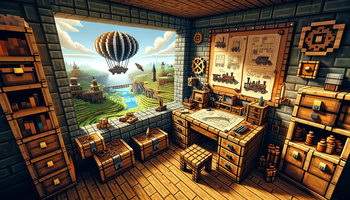
Welcome to Create Fabulously, a modpack meticulously designed with a fusion of improved visuals, performance tweaks, and a core emphasis on the Create mod and its extensions. With the inclusion of Tom's Simple Storage mod, players can initiate intricate complex automation that isn't abstracted away with complex storage mods, maximizing fundamental gameplay for Create without the help of powerful mods. In addition Farmer's Delight enriches food and diet options, while the Fabric Seasons further elevates the visual ambiance and immersion. Player who enjoy technical farm designing and redstoning in vanilla gameplay will enjoy playing this pack as we aim not to add mods that heavily alter vanilla gameplay. This modpack is also heavily focus on visuals and sounds related mods despite the performance boost this ensures the best performance while having the best immersion.
Installation Issues
Problems
- Game crashing due to
Fabulously Optimizeddependency error and being suggested to reinstallFabulously Optimized.- No reinstallation needed.
- open your game instance folder.
- Remove
fabric_loader_dependencies.json. - problem solved.
Core Features
Core Gameplay Mods
Createmod for steampunk themed automation.- Various
Compassmods for faster biome & structure search. Yung'sand various other structures for immersive structure generation.Let's Doseries of mods adding Vinery, Bakery and more gameplays in to the game.Tom's Storage modfor reducing storage hell. (AE2isn't included, feel free to add it manually)Farmer's Delightfor food varieties,Dietfor nutrition andSpice of Fabricfor encouraging players eating wide varieties of food, lastly,Dehydrationas an additional survival needs.- Vanilla biome generation. (No new biome added, feel free to add it manually,
Terralithis a good option) EMIas a complete replacement ofJEIandREIrecipe viewers, a unique recipe tree graph for productive crafting.Vanilla Tweaksdownloader directly integrated in resourcepack settings.
Performance Optimization
Gameplay smoothness is paramount. Our inclusion of select performance mods ensures a seamless and responsive game experience.
Visual Enhancements
Elevate your Minecraft visuals with our curated selection of mods such as Visuality, Camera Overhaul, and more, bringing depth, vibrancy, and immersion to your world.
Quality of Life
We've incorporated mods that enhance interface interaction and in-game mechanics to improve overall vanilla gameplay, such as freecam, Better 3rd Person, in game Screenshot Viewer and a music player called Playlist.
Preconfigured Shaders
Unbound your visual journey with Complementary Unbound shaders to elevate the game's aesthetics (configured for the best balance between performance and visuals).
Semantic Versioning
It is recommended to backup the entire game instance by duplicating it before every modpack update.
Version are numbered as X.Y.Z, each of them are incremented during:
- X: Loader or game version updates or mod removal that could impact existing world.
- Y: Mod addition that will not impact existing world.
- Z: Configuration change or mod updates that will not impact existing world.
More performance
Lossless Scaling Tool
- Configure Modrinth Launcher to start up in window mode.
- Have
Lossless Scaling Toolinstalled. - Create new profile pointing to
javaw.exethat is provided by Modrinth Launcher (see instance settings) and have auto scale enabled. - Set scaling mode to custom with a factor of
1.5,1.7or2. - Resize before scaling on, windowed mode on, scaling type
FSR,NISorLS1. - Enable clip cusor and adjust cursor speed.
- Enable HDR (for supported screen)
There is currently a bug where HDR will sometimes be disabled in fullscreen mode for
win11, thus windowed mode is required for this.
Sometimes your cursor may be invisible, alt+tab out and back in will resolve the issue or you could fiddle around with the scaling tool cursor settings to see if there is any difference.
Mod List
Show List
Last Update: 1.0.0
Full List
- Advancement Plaques
- AmbientSounds
- AttributeFix
- Better Advancements
- Better Third Person
- Bookshelf
- CIT Resewn
- CameraOverhaul
- Casualness Delight
- Controlify
- CreativeCore
- Debugify
- Drip Sounds (Fabric)
- Easy Magic
- Enchantment Descriptions
- Equipment Compare
- Explorer's Compass
- Festive Delight [Forge / Fabric]
- Forge Config API Port
- Iceberg
- ImmediatelyFast
- Inventory Profiles Next
- Jade 🔍
- Jade Addons (Fabric)
- JourneyPAC
- Mouse Tweaks
- Nature's Compass
- No Chat Reports
- Presence Footsteps
- Puzzles Lib
- Remove Reloading Screen
- Create: Steam 'n' Rails
- TerraBlender
- Traveler's Titles
- YUNG's API
- YUNG's Better Desert Temples
- YUNG's Better Dungeons
- YUNG's Better End Island
- YUNG's Better Jungle Temples
- YUNG's Better Mineshafts
- YUNG's Better Nether Fortresses
- YUNG's Better Ocean Monuments
- YUNG's Better Strongholds
- YUNG's Better Witch Huts
- YUNG's Bridges
- YUNG's Extras
- YUNG's Menu Tweaks
- Zoomify
- Ad Astra
- Amecs
- Animatica
- AppleSkin
- Architectury API
- Balm
- Better Mount HUD
- Better Statistics Screen
- Blur (Fabric)
- Borderless Mining
- Botarium
- Capes
- CC: Tweaked
- CC:C Bridge
- Chat Heads
- Chef's Delight
- Cloth Config API
- Continuity
- Crafting Tweaks
- Create
- Create Fabric
- Create Fabric Sodium Fix
- Create: Structures
- Create Track Map
- Create Jetpack
- Create Crafts & Additions
- Create Big Cannons
- Create Goggles
- Create Ore Excavation
- Create Utilities
- ChoiceTheorem's Overhauled Village
- CTOV - Chef's delight Compat
- CTOV - Farmer Delight Compat
- DeathLog
- Dehydration
- Delightful Creators [Fabric]
- Let's Do: API
- Dynamic FPS
- Dynamic Crosshair
- Dynamic Crosshair Compat
- e4mc
- EMI
- EMI Loot
- EMIffect
- EMI Trades
- End's Delight
- Enhanced Block Entities
- [EMF] Entity Model Features
- [ETF] Entity Texture Features
- Entity Culling
- Every Compat (Wood Good)
- Expanded Delight
- Create: Extended Cogwheels
- EMI Addon: Extra Mod Integrations
- Fabric API
- Fabric Language Kotlin
- Fabric Seasons
- Fabric Seasons: Delight Compat
- FabricSkyboxes
- Fabrishot
- Fadeless
- FancyMenu
- Farmer's Delight [Fabric]
- Farmer's Knives [Fabric]
- FastQuit
- FerriteCore
- First-person Model
- Freecam (Modrinth Edition)
- FabricSkyBoxes Interop
- Fusion (Connected Textures)
- Create: Garnished
- Gravestones
- Immersive structures
- Indium
- Iris Shaders
- JourneyMap
- Konkrete
- LambDynamicLights
- Language Reload
- Let's Do: Bakery
- Let's Do: Beachparty
- Let's Do: Candlelight
- Let's Do: Meadow
- Let's Do: Vinery
- libIPN
- Lithium
- Main Menu Credits
- Memory Leak Fix
- MES - Moog's End Structures
- MixinTrace
- Model Gap Fix
- ModernFix
- Mod Menu
- Moonlight Lib
- More Chat History
- More Culling
- More Mob Variants
- More Music
- MVS - Moog's Voyager Structures
- Not Enough Animations
- Create Support for Open Parties and Claims
- Open Parties and Claims
- OptiGUI
- oωo (owo-lib)
- Playlist
- Polymorph
- Puzzle
- Rechiseled
- Rechiseled: Create
- Recipe Book Delight
- Reese's Sodium Options
- Resourceful Config
- Resourceful Lib
- Respite Creators [Fabric]
- Screenshot to Clipboard
- Screenshot Viewer
- SeasonHUD-Fabric
- Create Slice & Dice
- Smarter Farmers (farmers replant)
- Sodium Extra
- Sodium
- Sound Physics Remastered
- Spice of Fabric
- SuperMartijn642's Config Lib
- SuperMartijn642's Core Lib
- Supplementaries
- Supplementaries Squared
- Tom's Simple Storage Mod
- ToolTipFix
- Trash Cans
- Ube's Delight
- Veinminer
- Visuality
- YetAnotherConfigLib
- Your Options Shall Be Respected (YOSBR)
- Chat Reporting Helper
- Default Dark Mode
- Fast Better Grass
- Fresh Animations
- Translations for Sodium
- Complementary Shaders - Unbound
Available Versions
How to Set Up a Create Fabulously 2 Server
Order Server
Choose at least 6 GB RAM (8 GB recommended for Create Fabulously 2). Based on player count: per 5 players.
Install Modpack in Dashboard
Open the modpack browser in the dashboard, search for "Create Fabulously 2" and click "Install". The quilt loader and Minecraft 1.20.1 are configured automatically.
Start Server & Play
Start the server – all mods are loaded automatically. Share the server IP with friends and play together!
Frequently Asked Questions
Create Fabulously 2 server crashes or won't start – what to do?
Most common causes: insufficient RAM or wrong quilt loader. Check latest.log for "OutOfMemoryError" → increase RAM to at least 8 GB. For "Mixin" or "ClassNotFoundException" errors: modpack version and loader don't match. With Mado Hosting, loader and Minecraft version are auto-configured on modpack install – preventing most startup issues.
How much RAM does a Create Fabulously 2 server really need?
Minimum 6 GB, recommended 8 GB for stable performance. per 5 players. Important: Minecraft modpacks need more RAM than vanilla – plan extra per additional player. With Mado Hosting, you can scale RAM up live at any time without data loss (from €12/month).
Can I add custom mods to Create Fabulously 2 without conflicts?
Yes, but check compatibility: only use mods for the same loader (quilt) and same Minecraft version (1.20.1). Common issues: ID conflicts with recipe mods and incompatible coremod versions. The Mado dashboard mod browser only shows compatible mods and warns about known conflicts.
Create Fabulously 2 server lagging – performance tips
1) Increase RAM to 8 GB+. 2) Reduce server view-distance to 8 (server.properties). 3) Pre-generate chunks with the "Chunky" plugin. 4) Use /spark profiler to check which mods consume the most tick time. With Mado Hosting, all servers run on NVMe SSDs with dedicated CPU cores – eliminating hardware as a bottleneck.
Similar Modpacks
![Cobblemon Official Modpack [Fabric]](https://cdn.modrinth.com/data/5FFgwNNP/e7f9ee2e9d361623847853fe2ddce42f519ee64f.png)
![COBBLEVERSE - Pokemon Adventure [Cobblemon]](https://cdn.modrinth.com/data/Jkb29YJU/581ecf54530972afb18a04660afd820f2f24f6c7.png)
![Better MC [FABRIC] - BMC2](https://cdn.modrinth.com/data/shFhR8Vx/a19c2bcb51d38f32f138d3607e91cb2b7b8e387f_96.webp)


![Better MC [FORGE] - BMC4](https://cdn.modrinth.com/data/4BV47HRn/7f5ef7cc61b2593609aabef3ed07a866a4f11b73_96.webp)
Rent Create Fabulously 2 Server
Start your own server with automatic modpack installation.
Supported Versions
Start your Create Fabulously 2 Server now
From €12.00/month with 8 GB RAM for the best performance.
Configure Server →