
Create: Resurrect
Resurrecting in a new world, you must use your smarts, wits, and a bit of luck to navigate the technologies and magicks in order to navigate the new world
Screenshots
About this Modpack
Resurrecting in a new world, you must use your smarts, wits, and a bit of luck to navigate the technologies and magicks in order to navigate the new world.
From Outer Space to the inner Deepest Dark, from the dysfunctional nether to the treacherous overworld, the world has stored away the means to get back to the real world through key ender eyes. But even if one manages to get all the eyes, the ender dragon will require a strong set of armor and good team coordination to have a chance at beating it and getting back once and for all.
- Born into a new world, you get to choose what kind of Origin you want, with over 100 species in all sizes from which to choose
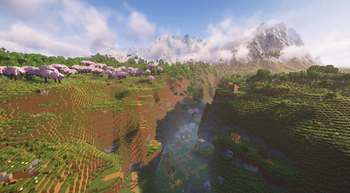
- The Overworld has an overhaul world generation to bring out a brand new world to explore in
- Explore Space and expand the borders beyond the overworld
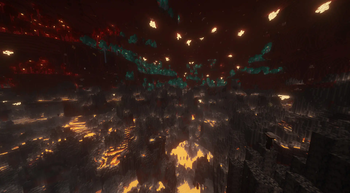
- Amplified Nether means nowhere in the nether is safe, but it also means a higher chance to recover some nether ores for further expansion
- Bounty boards in Villages lets you do side quests when in between building, expanding, and upgrading your gear and base
- Create machinery with Create to really push development for your base
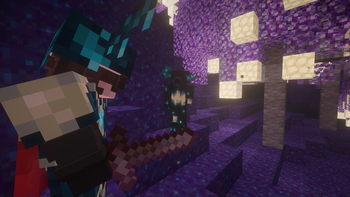
- New weaponry to tackle the hazards of the new world
- Store your items more efficiently through network piping to help organize the amount of resources gained
- Go even Deeper into the Deep Dark and discover / exploit the world of the Deepest Dark
- For those that want to stay at home, there's additional food and recipes for those that want to dive into RP
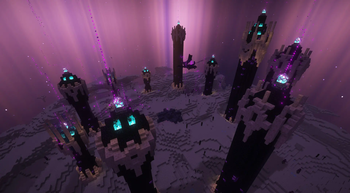
- The Journey to the end requires searching for unique Eyes in order to enter the end
- All of which to fight the Ender Dragon who is now the Big Bad Evil Boss with harder cycles and attack patterns.
- And now has Backpacks!
Available Versions
How to Set Up a Create: Resurrect Server
Order Server
Choose at least 6 GB RAM (8 GB recommended for Create: Resurrect). Based on player count: per 5 players.
Install Modpack in Dashboard
Open the modpack browser in the dashboard, search for "Create: Resurrect" and click "Install". The fabric loader and Minecraft 1.20.1 are configured automatically.
Start Server & Play
Start the server – all mods are loaded automatically. Share the server IP with friends and play together!
Frequently Asked Questions
Create: Resurrect server crashes or won't start – what to do?
Most common causes: insufficient RAM or wrong fabric loader. Check latest.log for "OutOfMemoryError" → increase RAM to at least 8 GB. For "Mixin" or "ClassNotFoundException" errors: modpack version and loader don't match. With Mado Hosting, loader and Minecraft version are auto-configured on modpack install – preventing most startup issues.
How much RAM does a Create: Resurrect server really need?
Minimum 6 GB, recommended 8 GB for stable performance. per 5 players. Important: Minecraft modpacks need more RAM than vanilla – plan extra per additional player. With Mado Hosting, you can scale RAM up live at any time without data loss (from €12/month).
Can I add custom mods to Create: Resurrect without conflicts?
Yes, but check compatibility: only use mods for the same loader (fabric) and same Minecraft version (1.20.1). Common issues: ID conflicts with recipe mods and incompatible coremod versions. The Mado dashboard mod browser only shows compatible mods and warns about known conflicts.
Create: Resurrect server lagging – performance tips
1) Increase RAM to 8 GB+. 2) Reduce server view-distance to 8 (server.properties). 3) Pre-generate chunks with the "Chunky" plugin. 4) Use /spark profiler to check which mods consume the most tick time. With Mado Hosting, all servers run on NVMe SSDs with dedicated CPU cores – eliminating hardware as a bottleneck.
Similar Modpacks
![Cobblemon Official Modpack [Fabric]](https://cdn.modrinth.com/data/5FFgwNNP/e7f9ee2e9d361623847853fe2ddce42f519ee64f.png)
![COBBLEVERSE - Pokemon Adventure [Cobblemon]](https://cdn.modrinth.com/data/Jkb29YJU/581ecf54530972afb18a04660afd820f2f24f6c7.png)
![Better MC [FABRIC] - BMC2](https://cdn.modrinth.com/data/shFhR8Vx/a19c2bcb51d38f32f138d3607e91cb2b7b8e387f_96.webp)


![Better MC [FORGE] - BMC4](https://cdn.modrinth.com/data/4BV47HRn/7f5ef7cc61b2593609aabef3ed07a866a4f11b73_96.webp)
Rent Create: Resurrect Server
Start your own server with automatic modpack installation.
Details
- License
- GNU Lesser General Public License v3.0 only
- Server-side
- Required
- Client-side
- Required
Supported Versions
Start your Create: Resurrect Server now
From €12.00/month with 8 GB RAM for the best performance.
Configure Server →