
CreateX
The ultimate create modpack
Screenshots
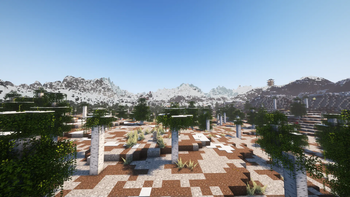
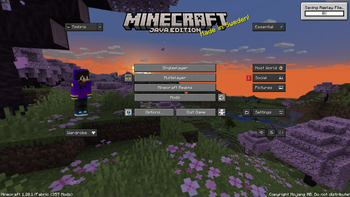
About this Modpack


Description :
Create X est un modpack innovant qui se concentre principalement sur le mod "Create" tout en incluant une sélection de mods d'optimisation pour une expérience de jeu fluide. Bien que toujours en version alpha, ce modpack offre une pléthore de fonctionnalités passionnantes pour les joueurs à la recherche de nouvelles façons de créer et d'explorer dans Minecraft.
Caractéristiques principales :
Mod Create : Explorez un vaste éventail de fonctionnalités offertes par le mod Create, qui permettent aux joueurs de concevoir des machines complexes, des systèmes automatisés et des structures impressionnantes.
Mods d'optimisation : Profitez d'une performance optimale grâce à une sélection de mods d'optimisation inclus dans le pack, garantissant une expérience de jeu fluide même avec des configurations matérielles moins puissantes.
Support des shaders : Les shaders sont pris en charge dans ce modpack, offrant aux joueurs la possibilité de personnaliser l'aspect visuel de leur monde Minecraft et de profiter de graphismes époustouflants.
Contenu :
Une collection soigneusement sélectionnée de mods complémentaires pour enrichir l'expérience de jeu et offrir de nouvelles possibilités de création et d'exploration.
Des mises à jour régulières pour améliorer la stabilité, ajouter du contenu et intégrer de nouveaux mods compatibles avec l'esprit du modpack.
Remarque : Étant donné que le modpack est toujours en version alpha, les joueurs peuvent rencontrer des bugs ou des problèmes de compatibilité. Les retours de la communauté sont donc essentiels pour aider à améliorer et à peaufiner l'expérience de jeu.
Plongez dans l'univers de Create X dès aujourd'hui et découvrez de nouvelles façons passionnantes de jouer à Minecraft !

Description:
Create X is an innovative modpack primarily centered around the "Create" mod while including a selection of optimization mods for a smooth gaming experience. Despite still being in alpha, this modpack offers a plethora of exciting features for players looking for new ways to create and explore in Minecraft.
Key Features:
Create Mod: Explore a vast array of features offered by the Create mod, allowing players to design complex machines, automated systems, and impressive structures.
Optimization Mods: Enjoy optimal performance with a selection of optimization mods included in the pack, ensuring a smooth gaming experience even on less powerful hardware configurations.
Shaders Support: Shaders are supported in this modpack, providing players with the ability to customize the visual appearance of their Minecraft world and enjoy stunning graphics.
Content:
A carefully curated collection of complementary mods to enrich the gaming experience and offer new possibilities for creation and exploration.
Regular updates to improve stability, add content, and integrate new mods compatible with the modpack's spirit.
Note: Since the modpack is still in alpha, players may encounter bugs or compatibility issues. Community feedback is therefore essential to help improve and refine the gaming experience.
Dive into the world of Create X today and discover exciting new ways to play Minecraft!
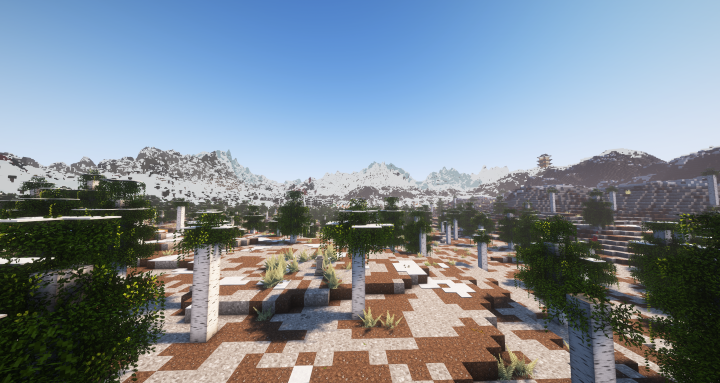
Available Versions
How to Set Up a CreateX Server
Order Server
Choose at least 6 GB RAM (8 GB recommended for CreateX). Based on player count: per 5 players.
Install Modpack in Dashboard
Open the modpack browser in the dashboard, search for "CreateX" and click "Install". The fabric loader and Minecraft 1.20.1 are configured automatically.
Start Server & Play
Start the server – all mods are loaded automatically. Share the server IP with friends and play together!
Frequently Asked Questions
CreateX server crashes or won't start – what to do?
Most common causes: insufficient RAM or wrong fabric loader. Check latest.log for "OutOfMemoryError" → increase RAM to at least 8 GB. For "Mixin" or "ClassNotFoundException" errors: modpack version and loader don't match. With Mado Hosting, loader and Minecraft version are auto-configured on modpack install – preventing most startup issues.
How much RAM does a CreateX server really need?
Minimum 6 GB, recommended 8 GB for stable performance. per 5 players. Important: Minecraft modpacks need more RAM than vanilla – plan extra per additional player. With Mado Hosting, you can scale RAM up live at any time without data loss (from €12/month).
Can I add custom mods to CreateX without conflicts?
Yes, but check compatibility: only use mods for the same loader (fabric) and same Minecraft version (1.20.1). Common issues: ID conflicts with recipe mods and incompatible coremod versions. The Mado dashboard mod browser only shows compatible mods and warns about known conflicts.
CreateX server lagging – performance tips
1) Increase RAM to 8 GB+. 2) Reduce server view-distance to 8 (server.properties). 3) Pre-generate chunks with the "Chunky" plugin. 4) Use /spark profiler to check which mods consume the most tick time. With Mado Hosting, all servers run on NVMe SSDs with dedicated CPU cores – eliminating hardware as a bottleneck.
Similar Modpacks


![Cobblemon Official Modpack [Fabric]](https://cdn.modrinth.com/data/5FFgwNNP/e7f9ee2e9d361623847853fe2ddce42f519ee64f.png)
![COBBLEVERSE - Pokemon Adventure [Cobblemon]](https://cdn.modrinth.com/data/Jkb29YJU/581ecf54530972afb18a04660afd820f2f24f6c7.png)
![Better MC [FABRIC] - BMC2](https://cdn.modrinth.com/data/shFhR8Vx/a19c2bcb51d38f32f138d3607e91cb2b7b8e387f_96.webp)

Rent CreateX Server
Start your own server with automatic modpack installation.
Supported Versions
Start your CreateX Server now
From €12.00/month with 8 GB RAM for the best performance.
Configure Server →