
MedievalMC Client
A modpack/client constructed to revamp the vanilla experience to give better performance with increased functionality.
Screenshots
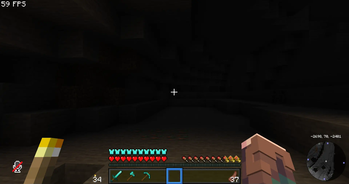
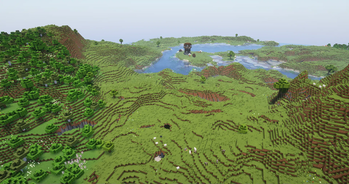
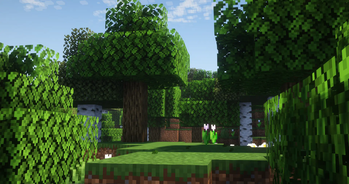
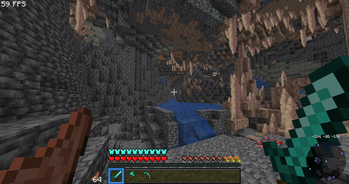
About this Modpack
A "Better Vanilla" Modpack/Client that aims to improve and expand on the base game. it does so by adding new features such as free-cam, shader support and more. The modpack also adds many QOL features such as tweaks to GUI, mouse actions, and full-bright.
Full List Of Additions
more animations, improved preformance, in-game skin swaping, physics, in game resourcepack shaderpack and vanilla-tweaks downloading, fog control, custom main menu, CIT support, optifine entity support, configurable zoom, quicker launch times, ingame music view for services such as spotify, auto equiping totems, auto elytra equiping and unequiping, sneaking and opening a menu now keeps you crouched, better looking skins using 3D skin layers, ingame cosmetics using the Essentials Mod, multiplayer world hosting, fully reworked 3rd person camera, Jade mod to identify blocks and see entity data, eating animations, improved durabilty tooltip, entity culling, better book writing, better looking explosions, wakes behind swimming entitys and boats, item-locks to prevent accidental item drops, visible rarity levels on items in GUI, dynamic lights, better mouse behavior, better advancement pop-ups, CIT browser for item names to make the CIT experience better, armor transparency controls to make the multiplayer expirence better, Simple Voice Chat for servers that support it and all localy hosted worlds, timer bars on all active potion effects, visuality mod for more particles, footstep sound overhaul, added ambience such as birds and other animal noises in forest, sound physics to make all sounds feel more concrete and positional, mini-map world-map and waypoint support for keeping track of all of your in game locations, 3D piston necks, crashes now send you to the main menu instead of completely closing the game, notification when game is done loading, and many more additions that are less important and do not need mentioning.
Available Versions
How to Set Up a MedievalMC Client Server
Order Server
Choose at least 4 GB RAM (6 GB recommended for MedievalMC Client). Based on player count: per 8 players.
Install Modpack in Dashboard
Open the modpack browser in the dashboard, search for "MedievalMC Client" and click "Install". The fabric loader and Minecraft 1.20.4 are configured automatically.
Start Server & Play
Start the server – all mods are loaded automatically. Share the server IP with friends and play together!
Frequently Asked Questions
MedievalMC Client server crashes or won't start – what to do?
Most common causes: insufficient RAM or wrong fabric loader. Check latest.log for "OutOfMemoryError" → increase RAM to at least 6 GB. For "Mixin" or "ClassNotFoundException" errors: modpack version and loader don't match. With Mado Hosting, loader and Minecraft version are auto-configured on modpack install – preventing most startup issues.
How much RAM does a MedievalMC Client server really need?
Minimum 4 GB, recommended 6 GB for stable performance. per 8 players. Important: Minecraft modpacks need more RAM than vanilla – plan extra per additional player. With Mado Hosting, you can scale RAM up live at any time without data loss (from €8/month).
Can I add custom mods to MedievalMC Client without conflicts?
Yes, but check compatibility: only use mods for the same loader (fabric) and same Minecraft version (1.20.4). Common issues: ID conflicts with recipe mods and incompatible coremod versions. The Mado dashboard mod browser only shows compatible mods and warns about known conflicts.
MedievalMC Client server lagging – performance tips
1) Increase RAM to 6 GB+. 2) Reduce server view-distance to 8 (server.properties). 3) Pre-generate chunks with the "Chunky" plugin. 4) Use /spark profiler to check which mods consume the most tick time. With Mado Hosting, all servers run on NVMe SSDs with dedicated CPU cores – eliminating hardware as a bottleneck.
Similar Modpacks

![Cobblemon Official Modpack [Fabric]](https://cdn.modrinth.com/data/5FFgwNNP/e7f9ee2e9d361623847853fe2ddce42f519ee64f.png)
![COBBLEVERSE - Pokemon Adventure [Cobblemon]](https://cdn.modrinth.com/data/Jkb29YJU/581ecf54530972afb18a04660afd820f2f24f6c7.png)
![Better MC [FABRIC] - BMC2](https://cdn.modrinth.com/data/shFhR8Vx/a19c2bcb51d38f32f138d3607e91cb2b7b8e387f_96.webp)


Rent MedievalMC Client Server
Start your own server with automatic modpack installation.
Supported Versions
Start your MedievalMC Client Server now
From €8.00/month with 6 GB RAM for the best performance.
Configure Server →