CrossXS
It can be downloaded with one click on Pojav, a modded modpack可以在pojav上一键下载,的一个修改整合包
Screenshots

About this Modpack
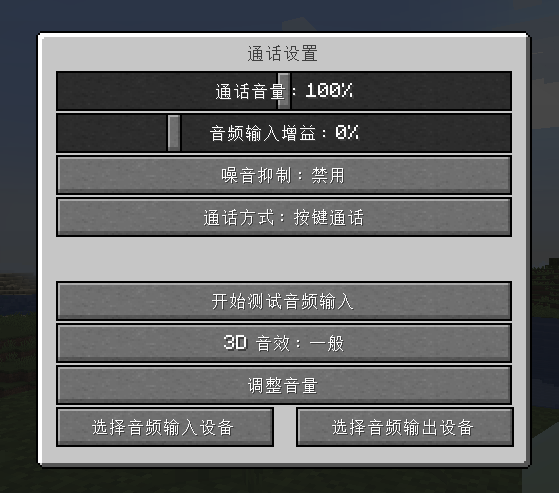
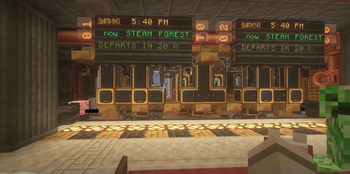
In Android 10 and above, it is troublesome to add mods to the mobile version of java minecraft This modpack is convenient for mobile phones to connect to computers, you can use POJAV's built-in modrinth to add modpacks, and there is no need to add a voice module to facilitate player communication. A variety of terrains to explore, from ancient to modern technology 【中文:在安卓10以上在手机版java我的世界添加MOD很麻烦 这个整合包方便手机与电脑联机,可以使用POJAV内置的modrinth添加整合包,也不需要内还添加了语音模组方便玩家交流.多种地形可供探索,从古代到现代的科技】 【Русский:В Android 10 и выше добавлять моды в мобильную версию java minecraft хлопотно Этот модпак удобен для мобильных телефонов для подключения к компьютерам, вы можете использовать встроенный модринт POJAV для добавления модпаков, и нет необходимости добавлять голосовой модуль для облегчения общения игроков. Разнообразные ландшафты для исследования, от древних до современных технологий】
Available Versions
How to Set Up a CrossXS Server
Order Server
Choose at least 6 GB RAM (8 GB recommended for CrossXS). Based on player count: per 5 players.
Install Modpack in Dashboard
Open the modpack browser in the dashboard, search for "CrossXS" and click "Install". The forge loader and Minecraft 1.20.1 are configured automatically.
Start Server & Play
Start the server – all mods are loaded automatically. Share the server IP with friends and play together!
Frequently Asked Questions
CrossXS server crashes or won't start – what to do?
Most common causes: insufficient RAM or wrong forge loader. Check latest.log for "OutOfMemoryError" → increase RAM to at least 8 GB. For "Mixin" or "ClassNotFoundException" errors: modpack version and loader don't match. With Mado Hosting, loader and Minecraft version are auto-configured on modpack install – preventing most startup issues.
How much RAM does a CrossXS server really need?
Minimum 6 GB, recommended 8 GB for stable performance. per 5 players. Important: Minecraft modpacks need more RAM than vanilla – plan extra per additional player. With Mado Hosting, you can scale RAM up live at any time without data loss (from €12/month).
Can I add custom mods to CrossXS without conflicts?
Yes, but check compatibility: only use mods for the same loader (forge) and same Minecraft version (1.20.1). Common issues: ID conflicts with recipe mods and incompatible coremod versions. The Mado dashboard mod browser only shows compatible mods and warns about known conflicts.
CrossXS server lagging – performance tips
1) Increase RAM to 8 GB+. 2) Reduce server view-distance to 8 (server.properties). 3) Pre-generate chunks with the "Chunky" plugin. 4) Use /spark profiler to check which mods consume the most tick time. With Mado Hosting, all servers run on NVMe SSDs with dedicated CPU cores – eliminating hardware as a bottleneck.
Rent CrossXS Server
Start your own server with automatic modpack installation.
Details
- License
- Creative Commons Attribution Share Alike 4.0 International
- Server-side
- Required
- Client-side
- Required
Supported Versions
Start your CrossXS Server now
From €12.00/month with 8 GB RAM for the best performance.
Configure Server →