
Decisions
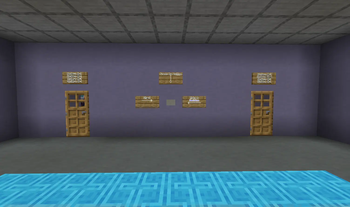
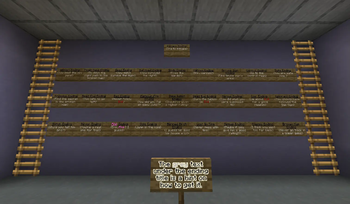
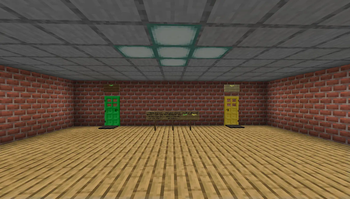
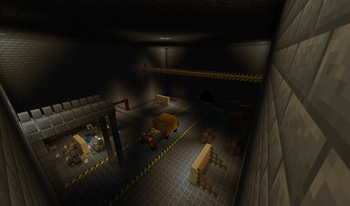
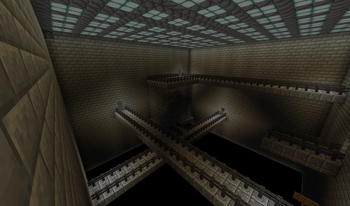
Inspired by "The Stanley Parable". A map with many decisions to make, all leading to different endings.
Screenshots
About this Modpack
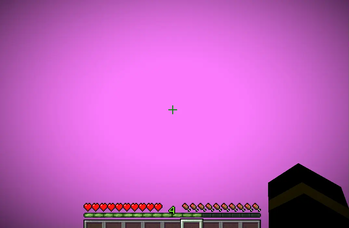
WARNING! There are some bright lights in this map that appear. If you are prone to seizures/epilepsy then please don't play this map.
The purpose of this pack is to show a fun map I made with a varitey of different mods. This map has over 20 different endings to get and many things to see including over 30 different mods. Multiplayer is not suggested, however you will probably need the essentials mod in order to play with friends. This map is inspired by "The Stanley Parable" and a Hypixle housing server created by a player named "ReeledPoet10038". Go Check both of those out as well as all of the amazing mods used in this map.
Instructions on how to play the map: Open the Modrinth app or website. Go into versions, click the only version and download BOTH things there (Decisions a Minecraft map and Decisions World Zip File). Once you've downloaded both of those, drag the Zip file into your "Saves" folder. Double click the Decisions world zip file and take whats inside. Then place it into your "Saves" folder. You can find your version's save folder by clicking on the folder button in the Modrinth modpack. Keep in mind you will need to at least create one random world for the "Saves" folder to appear.
In-game rules:
#1 Don't push buttons twice (It may reapeat things)
#2 Don't step on pressure plates twice (It may break the map)
#3 Don't try to break blocks (Just in case)
#4 Stay in Adventure mode, peaceful, render distance 12+
#5 If you somehow play with friends, go in the same direction
#6 Turn music all the way down, turn general sounds up to your preference and turn juteboxes up
#7 Look at chat. You will need it to make sense
#8 Playing in fullscreen is suggested
[DO NOT UPDATE ANY OF THE MODS IN THE MODRINTH MODPACK. IT WILL BREAK THE GAME!!!!!]
The mods that have been used in this pack are:
- Architectury API, by architectury
- Better Ladders, by meeetj
- Better Runtime Resource Pack (BRRP), by SolidBlock
- Blackwolf Library, by BlackWolf00
- BlocksExpansion, by k3nder
- Blockus, by Brandcraft
- Bookshelf, by Darkhax
- Bouncy Blocks, by LetoTheWolf
- Cloth Config API, by shedaniel
- Colored Lamps, by DunneWorteI
- Dark Paintings, by Darkhax
- Decorative Blocks, by lilypuree
- Enchanted Vertical Slabs, by enchanted-games
- Fabric API, by modmuss50
- Factory Blocks, by Slainlight
- Glassified, by Bobby_
- Iron Ladders, by nNined
- Laser Bridges & Doors, by MarsThePlanet
- Macaw's Doors, by sketchmacaw
- Macaw's Furniture, by sketchmacaw
- Macaw's Paintings, by sketchmacaw
- More Beautiful Buttons, by kreezxil
- More Beautiful Plates, by kreezxil
- More Beautiful Slabs, by BlackWolf00
- More Doors, by afraidmonster
- More Layered Blocks, by warior456
- More Slabs And Stairs, by Crossover661
- More Totems of Undying, by HyperPigeon
- MoreFlowerPots (Fabric), by PheonixVX
- NiceMod - New blocks, by MIUNO
- Paladin's Furniture Mod, by unlikepaladin
- Sign Copy, by TerminalMC
- Sign Edit Lite, by pinter.gabor
- Signed Paintings, by Nettakrim
- Thaumon,by moonst0ne
Available Versions
How to Set Up a Decisions Server
Order Server
Choose at least 6 GB RAM (8 GB recommended for Decisions). Based on player count: per 5 players.
Install Modpack in Dashboard
Open the modpack browser in the dashboard, search for "Decisions" and click "Install". The fabric loader and Minecraft 1.20.4 are configured automatically.
Start Server & Play
Start the server – all mods are loaded automatically. Share the server IP with friends and play together!
Frequently Asked Questions
Decisions server crashes or won't start – what to do?
Most common causes: insufficient RAM or wrong fabric loader. Check latest.log for "OutOfMemoryError" → increase RAM to at least 8 GB. For "Mixin" or "ClassNotFoundException" errors: modpack version and loader don't match. With Mado Hosting, loader and Minecraft version are auto-configured on modpack install – preventing most startup issues.
How much RAM does a Decisions server really need?
Minimum 6 GB, recommended 8 GB for stable performance. per 5 players. Important: Minecraft modpacks need more RAM than vanilla – plan extra per additional player. With Mado Hosting, you can scale RAM up live at any time without data loss (from €12/month).
Can I add custom mods to Decisions without conflicts?
Yes, but check compatibility: only use mods for the same loader (fabric) and same Minecraft version (1.20.4). Common issues: ID conflicts with recipe mods and incompatible coremod versions. The Mado dashboard mod browser only shows compatible mods and warns about known conflicts.
Decisions server lagging – performance tips
1) Increase RAM to 8 GB+. 2) Reduce server view-distance to 8 (server.properties). 3) Pre-generate chunks with the "Chunky" plugin. 4) Use /spark profiler to check which mods consume the most tick time. With Mado Hosting, all servers run on NVMe SSDs with dedicated CPU cores – eliminating hardware as a bottleneck.
Similar Modpacks
![Cobblemon Official Modpack [Fabric]](https://cdn.modrinth.com/data/5FFgwNNP/e7f9ee2e9d361623847853fe2ddce42f519ee64f.png)
![COBBLEVERSE - Pokemon Adventure [Cobblemon]](https://cdn.modrinth.com/data/Jkb29YJU/581ecf54530972afb18a04660afd820f2f24f6c7.png)
![Better MC [FABRIC] - BMC2](https://cdn.modrinth.com/data/shFhR8Vx/a19c2bcb51d38f32f138d3607e91cb2b7b8e387f_96.webp)


![Better MC [FORGE] - BMC4](https://cdn.modrinth.com/data/4BV47HRn/7f5ef7cc61b2593609aabef3ed07a866a4f11b73_96.webp)
Rent Decisions Server
Start your own server with automatic modpack installation.
Supported Versions
Start your Decisions Server now
From €12.00/month with 8 GB RAM for the best performance.
Configure Server →