
Decked Out 2
Unofficial modpack that provides sound and texture support to TangoTek's Decked Out 2
Screenshots
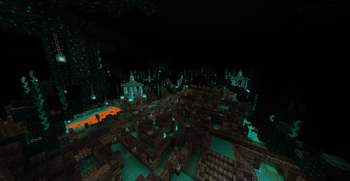
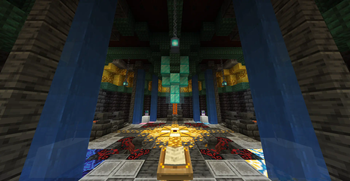
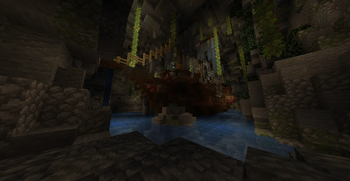
About this Modpack
Very simple modpack with only a few mods, namely Fabric, SimpleVoiceChat, and AudioPlayer. These mods together with the Hermitcraft S9 Resource Pack provide full functionality to TangoTek's Decked Out 2 for you to enjoy on your world download. Decked Out 2 uses AudioPlayer, a mod built on top of Fabric and SimpleVoiceChat, to play custom audio while playing the game via customized music discs. Make sure all audio files are in your world download before playing, otherwise it will not work.
Discord: https://discord.gg/CKkQjxDaxN
Server IP (No mods required): decked.serv.onl
The server is fully functional with sounds in vanilla Minecraft 1.20/1.20.1, no mods required. This is the easiest way to play Decked Out if you are interested. If you prefer to play in single-player, I would still recommend taking the modded route.
Carpet is also included in the modpack to provide functionality to the map that shows treasure, frost embers, clank and hazard block without the need for a second account logged in. Simply follow the guide provided by hermits, and use /player spawn TangoCam at the provided coords. This will spawn a player that will keep the map updating as you play the game
Decked Out 2 is a custom Minecraft dungeon-crawler and minigame built entirely in survival by TangoTek on the Hermitcraft server. The game requires the player to search the dungeon for their required 'artifact', which they must return to the start of the level to win the run. Using frost embers acquired from artifacts and throughout the dungeon, players can purchase cards for their deck which will provide benefits for future runs.
For more information on TangoTek's Decked Out 2, check out the following links:
[https://www.liontack.me/project/decked-out-2-info/](https://www.liontack.me/project/decked-out-2-info/) [https://hermitcraft.fandom.com/wiki/Decked_Out_2](https://hermitcraft.fandom.com/wiki/Decked_Out_2)To play Decked Out 2, you will need your own copy of the Hermitcraft Season 9 world download, which you can find here (only the java edition will work for this modpack):
https://www.youtube.com/watch?v=K7QXFbBHCX4
https://hermitcraft.fandom.com/wiki/Map_Downloads
https://hermitcraft.com/
The modpack server uses an edited, expanded version of the Decked Out dungeon, which can be found here:
https://www.reddit.com/r/DeckedOut2/comments/18w0hgi/decked_out_co
The world download in this modpack also includes EnfeebleLight/Alfheim's Decked Out Manager datapack, which is also how the server runs sounds with no mods. Check it out here:
https://www.planetminecraft.com/data-pack/decked-out-manager/
NOTE: The Decked Out 2 dungeon, game, map, and assets are all the creation of TangoTek. This modpack simply gives users a quick and easy way to make the game functional with minimal setup.
Available Versions
How to Set Up a Decked Out 2 Server
Order Server
Choose at least 4 GB RAM (6 GB recommended for Decked Out 2). Based on player count: per 8 players.
Install Modpack in Dashboard
Open the modpack browser in the dashboard, search for "Decked Out 2" and click "Install". The fabric loader and Minecraft 1.20 are configured automatically.
Start Server & Play
Start the server – all mods are loaded automatically. Share the server IP with friends and play together!
Frequently Asked Questions
Decked Out 2 server crashes or won't start – what to do?
Most common causes: insufficient RAM or wrong fabric loader. Check latest.log for "OutOfMemoryError" → increase RAM to at least 6 GB. For "Mixin" or "ClassNotFoundException" errors: modpack version and loader don't match. With Mado Hosting, loader and Minecraft version are auto-configured on modpack install – preventing most startup issues.
How much RAM does a Decked Out 2 server really need?
Minimum 4 GB, recommended 6 GB for stable performance. per 8 players. Important: Minecraft modpacks need more RAM than vanilla – plan extra per additional player. With Mado Hosting, you can scale RAM up live at any time without data loss (from €8/month).
Can I add custom mods to Decked Out 2 without conflicts?
Yes, but check compatibility: only use mods for the same loader (fabric) and same Minecraft version (1.20). Common issues: ID conflicts with recipe mods and incompatible coremod versions. The Mado dashboard mod browser only shows compatible mods and warns about known conflicts.
Decked Out 2 server lagging – performance tips
1) Increase RAM to 6 GB+. 2) Reduce server view-distance to 8 (server.properties). 3) Pre-generate chunks with the "Chunky" plugin. 4) Use /spark profiler to check which mods consume the most tick time. With Mado Hosting, all servers run on NVMe SSDs with dedicated CPU cores – eliminating hardware as a bottleneck.
Rent Decked Out 2 Server
Start your own server with automatic modpack installation.
Details
- License
- LicenseRef-All-Rights-Reserved
- Server-side
- Required
- Client-side
- Unsupported
Supported Versions
Start your Decked Out 2 Server now
From €8.00/month with 6 GB RAM for the best performance.
Configure Server →