
Developer Toolkit
A developer toolkit modpack with a collection of useful utilities and game optimizations. Works out of the box - Developer's Toolkit by @JosTheDude
Screenshots
About this Modpack
Developer's Toolkit
A developer focused modpack with a collection of useful utilities and game optimizations.


This modpack is primarily built for developers, admins, and configurators in mind. It contains a large variety of server utilities that are combined to become a cause of the following reactions:
- "Oh, was that not just vanilla? My modpack does that for me!"
- "This is so annoyi- oh wait my modpack has a tool for that!"
- "I literally cannot live without this"
- Among other experiences, depending on use-case and usage.
Built to work out of the box with most settings pre-configured. Feel free to modify as needed. See the mod list for full list of functionality, alongside feature list below.
This modpack is based off of Simply Optimized to maximize performance. It has a lightweight performance footprint. Developer's Toolkit is maintained by JosTheDude
List of Features
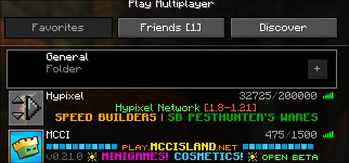
- Connect to Servers Regardless of Version (1.7 to latest, bedrock, and more!) No more switching versions!
- Easy to access to Minecraft-compatible fonts and symbols (Small Caps, Unicode symbols, etc.) No more hunting for working symbols!
- Item, Entity, etc. NBT & Component Viewers (Component Viewers, NBT Viewers, etc.)
- NBT Autocomplete for Commands
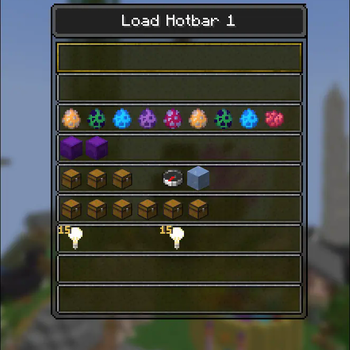
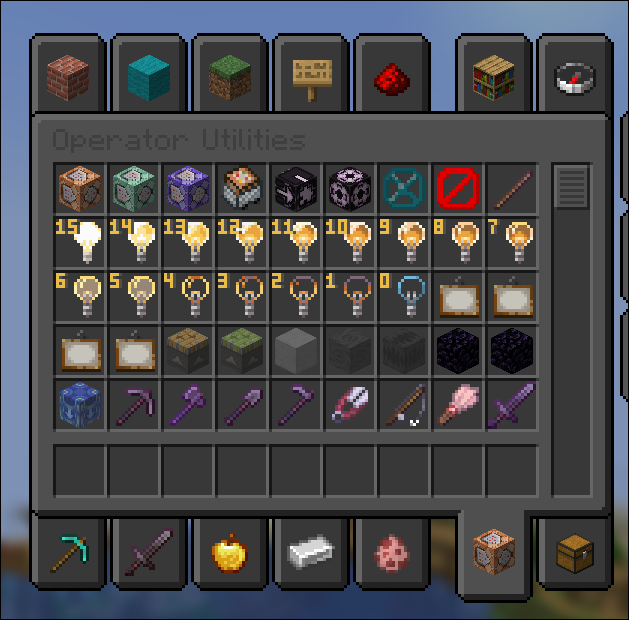
- Improved Inventory Searching (Persistent Inventory Searching, Enable Operator Tab, Better Saved Hotbars to store items, and more!)
- Improved Command Selections (UUID entity filtering, easy near checks)
- Teleport Utilities (through commands, top commands, centering, all client-side)
- Extremely customizable chat, with tabs, filters, highlights, mentions, and more
- Copy chat messages raw and as screenshots easily
- Shulker, Chest, and Block Peek within Inventories
- Resource & Shader Pack Store In-Game (via Resourcify)
- Freelook & Freecam (OP / Creative Only)
- Scrollable Tooltips
- Command Block IDE (for easy command block editing)
- Dynamic App Icon (easily view which open client is connected to what!)
- Lang Keys Resource Pack for Easy MiniMessage Translations
- See through water and lava
- Toggleable Fullbright
- Extremely Increased Chat History
- Disconnect Confirmations
- Pre-installed Voice Chat
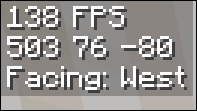
- Basic Info Display
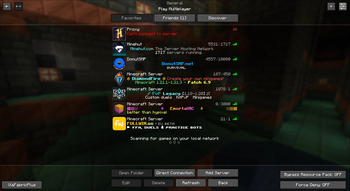
- One-click server joining from the main menu
- Rebind everything, from narrator to the F3 menu
- Searchable Controls Menu
- Bundled Worldedit
- And so much more... view the mod menu in-game for a full list
All with 63 mods in a highly performanced-optimized modpack. Built to work out of the box!
Contribution & Mod Suggestions
Thank you for considering suggesting mods or contributing! Take a look at the Contribution Guidelines for additional information.
Performance Recommendations
Developer's Toolkit is built with performance in mind, however, it does contain a significant amount of utility mods. The modpack is based off of Simply Optimized for maximum performance but you may need additional resources depending on computer specs. We recommend the following allocations to your client:
- Recommended Allocation
- 2GB of RAM (Client)
- Aikar's Flags Java Arguments (Client)
Aikar's Flags Arguments
-XX:+UseG1GC -XX:+ParallelRefProcEnabled -XX:MaxGCPauseMillis=200 -XX:+UnlockExperimentalVMOptions -XX:+DisableExplicitGC -XX:+AlwaysPreTouch -XX:G1NewSizePercent=30 -XX:G1MaxNewSizePercent=40 -XX:G1HeapRegionSize=8M -XX:G1ReservePercent=20 -XX:G1HeapWastePercent=5 -XX:G1MixedGCCountTarget=4 -XX:InitiatingHeapOccupancyPercent=15 -XX:G1MixedGCLiveThresholdPercent=90 -XX:G1RSetUpdatingPauseTimePercent=5 -XX:SurvivorRatio=32 -XX:+PerfDisableSharedMem -XX:MaxTenuringThreshold=1 -Dusing.aikars.flags=https://mcflags.emc.gs -Daikars.new.flags=true
Disclaimers
- This modpack may result in punishment on certain networks if not configured properly. It contains the following high-risk mods:
- Tweakaroo, extremely punishable & considered a cheat with certain settings
- ViaFabricPlus, can cause packet issues on some networks
- Freecam, considered a cheat, client-side only
- Freelook, considered a cheat, client-side only
- Only the latest version of this modpack is supported. If a modpack version for 1.12.2 is out, previous versions for 1.8, 1.10, and 1.11 are all unsupported.
- Community Involvement within this Pack's Communities is bound by the project's Code of Conduct
ALT: Description of Developer's Toolkit Modpack by @JosTheDude
Available Versions
How to Set Up a Developer Toolkit Server
Order Server
Choose at least 6 GB RAM (8 GB recommended for Developer Toolkit). Based on player count: per 5 players.
Install Modpack in Dashboard
Open the modpack browser in the dashboard, search for "Developer Toolkit" and click "Install". The fabric loader and Minecraft 1.21.11 are configured automatically.
Start Server & Play
Start the server – all mods are loaded automatically. Share the server IP with friends and play together!
Frequently Asked Questions
Developer Toolkit server crashes or won't start – what to do?
Most common causes: insufficient RAM or wrong fabric loader. Check latest.log for "OutOfMemoryError" → increase RAM to at least 8 GB. For "Mixin" or "ClassNotFoundException" errors: modpack version and loader don't match. With Mado Hosting, loader and Minecraft version are auto-configured on modpack install – preventing most startup issues.
How much RAM does a Developer Toolkit server really need?
Minimum 6 GB, recommended 8 GB for stable performance. per 5 players. Important: Minecraft modpacks need more RAM than vanilla – plan extra per additional player. With Mado Hosting, you can scale RAM up live at any time without data loss (from €12/month).
Can I add custom mods to Developer Toolkit without conflicts?
Yes, but check compatibility: only use mods for the same loader (fabric) and same Minecraft version (1.21.11). Common issues: ID conflicts with recipe mods and incompatible coremod versions. The Mado dashboard mod browser only shows compatible mods and warns about known conflicts.
Developer Toolkit server lagging – performance tips
1) Increase RAM to 8 GB+. 2) Reduce server view-distance to 8 (server.properties). 3) Pre-generate chunks with the "Chunky" plugin. 4) Use /spark profiler to check which mods consume the most tick time. With Mado Hosting, all servers run on NVMe SSDs with dedicated CPU cores – eliminating hardware as a bottleneck.
Similar Modpacks


![Cobblemon Official Modpack [Fabric]](https://cdn.modrinth.com/data/5FFgwNNP/e7f9ee2e9d361623847853fe2ddce42f519ee64f.png)
![COBBLEVERSE - Pokemon Adventure [Cobblemon]](https://cdn.modrinth.com/data/Jkb29YJU/581ecf54530972afb18a04660afd820f2f24f6c7.png)
![Better MC [FABRIC] - BMC2](https://cdn.modrinth.com/data/shFhR8Vx/a19c2bcb51d38f32f138d3607e91cb2b7b8e387f_96.webp)

Rent Developer Toolkit Server
Start your own server with automatic modpack installation.
Details
- License
- BSD 3-Clause "New" or "Revised" License
- Server-side
- Unsupported
- Client-side
- Required
Supported Versions
Start your Developer Toolkit Server now
From €12.00/month with 8 GB RAM for the best performance.
Configure Server →