
DNSMP S2 Modpack
DNSMP is a small but vibrant SMP server dedicated on building a friendly and close-knit community of Minecraft fans Modpack by LogangstaMC
Screenshots
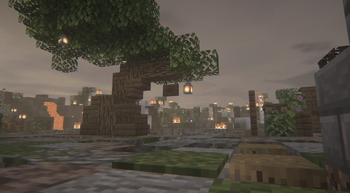
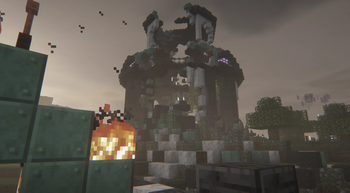
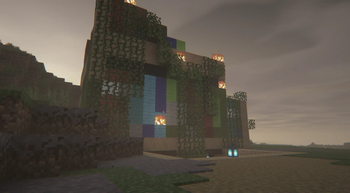
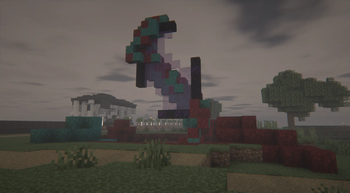
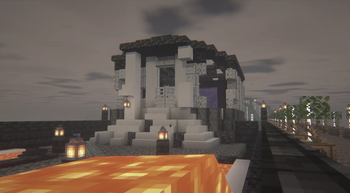
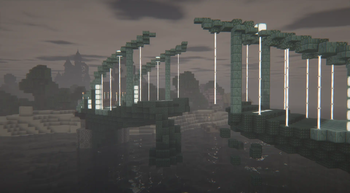
About this Modpack

Hello Fellow Minecrafter!
We are DigNation! A semi-vanilla SMP server focused on building a friendly and close-knit community of Minecraft fans. This is where you can download the server performance pack with all the essential mods for our server.
The DigNation SMP Pack includes the best optimization mods available, set up for the best performance possible. We've spent a lot of time researching and testing, so our pack often works better than other optimization packs. If it doesn’t, we quickly find out why and fix it.
Our pack is rather straightforward and easy to maintain. It doesn't include many extra features or visual changes by default. Feel free to add or remove any mods from your pack included in the drop-down below to make your game more enjoyable. However, please check with Server Admins or check the #allowed-client-mods channel via the Discord server beforehand to ensure that the mods you want to remove or add are eligible for compatiblity with our server.
DISCLAIMER‼️
Disclaimer:
This modpack is specifically curated for DigNation SMP and is not intended for use on any other server. It ensures that everyone can play together easily and fairly on our server. It’s perfect for creating a fun and cohesive community experience.
Included Mods for DNSMP
- 3d-Skin-Layers by tr7zw
- Advancements Reloaded by @42atomys
- AppleSkin by squeek502
- Architectury by shedaniel
- Axolotl Buckets by Roundaround
- Balm by BlayTheNinth
- Better Statistics Screen by TheCSDev
- Better Third Person by Socolio, DreenDex
- BetterF3 by cominixo, TreyRuffy
- Bobby by johni0702
- CICADA by enjarai
- Chat Heads by dzwdz, Fourmisain
- Cloth Config v15 by shedaniel
- Collective by Rick South
- Continuity by PepperCode1
- Crafting Tweaks by BlayTheNinth
- CreativeCore by CreativeMD, AriaFreeze
- Cubes Without Borders by Kir_Antipov
- Dark Loading Screen by Neecko5b84
- Debugify by isXander
- Detail Armor Bar by RedLime
- Drippy Loading Screen by Keksuccino
- EMI by Emi
- EMI Enchanting by fzzyhmstrs
- EMI Loot by fzzyhmstrs, lxly9 (art), unilock (ports)
- EMI Professions by Mrbysco, ShyNieke
- Eating Animation by theone_ss, spusik_, PinkGoosik, DoctorNight1
- Enhanced Block Entities by FoundationGames
- Entity Model Features by Traben
- Entity Texture Features by Traben
- EntityCulling by tr7zw
- Explosive Enhancement by Superkat32
- Extreme sound muffler by LeoBeliik
- FPS Reducer by bre2el
- Fabric API by FabricMC
- Fabric Language Kotlin by FabricMC
- FabricSkyBoxes by AMereBagatelle
- FabricSkyBoxes Interop by FlashyReese
- Falling Block Particles by Enchanted Games
- Falling Leaves by Fourmisain, BrekiTomasson, RandomMcSomethin
- FancyMenu by Keksuccino
- FerriteCore by malte0811
- Forge Config API Port by Fuzs
- Fzzy Config by fzzyhmstrs
- Gamma Utils by Sjouwer
- ImmediatelyFast by RK_01
- Indium by comp500
- Inventory Profiles Next by mirinimi/blackd
- Iris by coderbot, IMS212, Justsnoopy30, FoundationGames
- ItemPhysicLite by CreativeMD
- Jade by Snownee
- JamLib by Jamalam
- Konkrete by Keksuccino
- Ksyxis by VidTu
- Litematica by masa
- Lithium by JellySquid, 2No2Name
- M.R.U
- MaLiLib by masa
- Melody by Keksuccino
- MiniHUD by masa
- Mod Menu by Prospector, haykam821, TerraformersMC
- ModernFix by embeddedt
- More Chat History by JackFred
- Mouse Tweaks by Ivan Molodetskikh (YaLTeR)
- NotEnoughAnimations by tr7zw
- Packet Fixer by TonimatasDEV
- Peek by Max Henkel
- Pick Up Notifier by Fuzs
- Presence Footsteps by Hurricaaane (Ha3), Sollace
- Puzzles Lib by Fuzs
- Reacharound by spAnser
- Reese's Sodium Options by FlashyReese
- Resourcify by DeDiamondPro
- Searchables by Jaredlll08
- Show Me Your Skin! by enjarai
- Simple Voice Chat by Max Henkel
- Sodium by @jellysquid3
- Sodium Extra by FlashyReese
- Sound Physics Remastered by Sonic Ether, vlad2305m, Max Henkel, Saint
- Straw Statues by Fuzs
- TCD Commons API by TheCSDev
- Tiny Item Animations by Trivaxy
- Tweakeroo by masa
- Visuality by PinkGoosik
- WaveyCapes by tr7zw
- Xaero's Minimap by xaero96
- Xaero's World Map by xaero96
- YetAnotherConfigLib by isXander
- Zoomify by isXander
- libIPN by mirinimi/blackd
- oωo by glisco
Modpack Installation
Installation:
Download the Modpack:
- On the Modrinth page, select the latest modpack version then click to download, saving the pack file to your computer.
Open Prism Launcher:
Make sure Prism Launcher is installed on your computer, if you dont have Prism Launcher click Here for a quick tutorial.
Launch Prism Launcher and log in with your Minecraft account.
Install the Modpack:
Locate the downloaded Modpack file on your computer.
Drag and drop the Modpack file into Prism Launcher's modpack area.
Launch Minecraft:
Select the installed Modpack in your Prism Launcher.
Double click the downloaded Modpack instance to “Launch” Minecraft with the DigNation SMP Pack.
Modpack Compatibility
The DigNation SMP Modpack works with the latest version of Minecraft 1.21.X (JAVA only) and is regularly updated to include new mods when they are avaliable.
Join the Community
Join other players among the 'DigNation Collective, share your builds, and get help by joining our Discord Server. We can’t wait to see what you’ll create and explore!
APPLY to be apart of DNSMP S2 HERE
To be whitelisted on the server (if youre not already) please apply using this link:
Apply Here
Available Versions
How to Set Up a DNSMP S2 Modpack Server
Order Server
Choose at least 4 GB RAM (6 GB recommended for DNSMP S2 Modpack). Based on player count: per 8 players.
Install Modpack in Dashboard
Open the modpack browser in the dashboard, search for "DNSMP S2 Modpack" and click "Install". The fabric loader and Minecraft 1.21.1 are configured automatically.
Start Server & Play
Start the server – all mods are loaded automatically. Share the server IP with friends and play together!
Frequently Asked Questions
DNSMP S2 Modpack server crashes or won't start – what to do?
Most common causes: insufficient RAM or wrong fabric loader. Check latest.log for "OutOfMemoryError" → increase RAM to at least 6 GB. For "Mixin" or "ClassNotFoundException" errors: modpack version and loader don't match. With Mado Hosting, loader and Minecraft version are auto-configured on modpack install – preventing most startup issues.
How much RAM does a DNSMP S2 Modpack server really need?
Minimum 4 GB, recommended 6 GB for stable performance. per 8 players. Important: Minecraft modpacks need more RAM than vanilla – plan extra per additional player. With Mado Hosting, you can scale RAM up live at any time without data loss (from €8/month).
Can I add custom mods to DNSMP S2 Modpack without conflicts?
Yes, but check compatibility: only use mods for the same loader (fabric) and same Minecraft version (1.21.1). Common issues: ID conflicts with recipe mods and incompatible coremod versions. The Mado dashboard mod browser only shows compatible mods and warns about known conflicts.
DNSMP S2 Modpack server lagging – performance tips
1) Increase RAM to 6 GB+. 2) Reduce server view-distance to 8 (server.properties). 3) Pre-generate chunks with the "Chunky" plugin. 4) Use /spark profiler to check which mods consume the most tick time. With Mado Hosting, all servers run on NVMe SSDs with dedicated CPU cores – eliminating hardware as a bottleneck.
Similar Modpacks

![Cobblemon Official Modpack [Fabric]](https://cdn.modrinth.com/data/5FFgwNNP/e7f9ee2e9d361623847853fe2ddce42f519ee64f.png)
![COBBLEVERSE - Pokemon Adventure [Cobblemon]](https://cdn.modrinth.com/data/Jkb29YJU/581ecf54530972afb18a04660afd820f2f24f6c7.png)
![Better MC [FABRIC] - BMC2](https://cdn.modrinth.com/data/shFhR8Vx/a19c2bcb51d38f32f138d3607e91cb2b7b8e387f_96.webp)


Rent DNSMP S2 Modpack Server
Start your own server with automatic modpack installation.
Details
- License
- LicenseRef-All-Rights-Reserved
- Server-side
- Unsupported
- Client-side
- Required
Supported Versions
Start your DNSMP S2 Modpack Server now
From €8.00/month with 6 GB RAM for the best performance.
Configure Server →